Apple iPad Pro 11 2024 review
Get this if you edit video or photos as a real part of your work, draw with a stylus, or need a light desktop alternative for spreadsheets and creative apps within iOS. Avoid it if your main use is web browsing and streaming, you want a machine that feels like an alternative to a laptop rather than a complement to one, or you cannot justify 1200 EUR for a screen and processor without real versatility gains over an iPad Air."
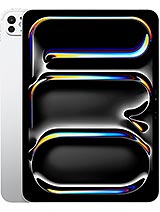
This review is based on Apple’s published specifications and public benchmark data for the Apple iPad Pro 11 2024, and the rating is spec-based. GoSolo does not physically test devices; where we estimate real-world behaviour such as battery life or charge time, we say so. How we rate phones.
Overview
The iPad Pro 11 is a thin, light tablet with flagship M4 power and a stunning 1600-nit OLED screen that excel at creative work and content consumption. At 1200 EUR, it is expensive even for its class, and the 12MP camera and absence of GPS on Wi-Fi models are genuine limits for a device positioned as a workhorse.
Design & Build
The 11-inch iPad Pro is a triumph of thinness and weight distribution. At 5.3mm and 444g, it feels almost negligible in one hand and slips into a messenger bag without regret. The glass front and aluminum frame come together with the polished clarity you expect from Apple, though the Mohs level 4 scratch-resistant glass is less robust than the toughened glass on budget tablets that simply refuse to show fingerprints. For everyday handling, the frame is stiff and the build feels unified; for drops or sand, it is more fragile than a Samsung Galaxy Tab or a Lenovo. The eSIM-only connectivity and lack of any ports beyond USB-C keep the bezel thin and clean.
Display
The 11-inch Ultra Retina Tandem OLED is the real star. A 1668×2420 resolution and 264 ppi density keep text and UI crisp at a tablet's typical reading distance, while 120Hz scrolling feels genuinely smoother than the 60Hz panels on most competitors. The 1600-nit peak brightness handles full sun without washing out, and the 1000-nit HDR baseline—what you see during actual video playback—is bright enough for most indoor and outdoor work. Dolby Vision and HDR10 support means streaming video and photography apps render tone and color with depth. This is not just a bright screen; it is one of the few tablet displays that rivals desktop monitors for color accuracy and fluidity, and the 84.2% screen-to-body ratio keeps bezels minimal.
Performance
The M4 chip with 9 or 10 cores (depending on storage tier) and a 10-core GPU is overkill for web browsing and Netflix, and that is exactly why it matters for creative work. Video editing in LumaFusion, photo retouching in Affinity Photo, and 3D design in Nomad Sculpt all run without lag or thermal throttling, and the ProRes 4K recording at 60 fps with gyro-EIS means you can shoot and edit on the same device without transcoding. An AnTuTu score of 2.56M places it well above every phone and matches or exceeds laptops from 2–3 years ago. The 8GB or 16GB RAM (depending on configuration) is sufficient for juggling 20 browser tabs and a Procreate canvas at once. For a tablet, this is desktop-class silicon, and it shows in sustained performance during rendering and export tasks that would choke a midrange laptop.
Software
iPadOS 17.5.1 with a path to iPadOS 26.4 is a known quantity: it is faster than any Android tablet OS and smoother than Windows on comparable hardware, but it is locked into Apple's sandbox and App Store. If you need specific creative tools, remote access software, or file system flexibility, iPad still trails macOS and Windows in freedom. That said, the Stage Manager multitasking feature, support for external displays via USB-C, and tight integration with an Apple Pencil and Magic Keyboard make the iPad a valid creative workstation as long as your workflow fits within Apple's ecosystem. For students, designers, and video editors already on macOS, this is seamless; for everyone else, it is capable but constrained.
Camera
The rear 12MP f/1.8 sensor with LiDAR and quad-LED flash is competent for documents, whiteboards, and product photography, but it is not why you buy this tablet. Low-light video performance lags behind flagship phones, which have larger sensors and computational photography tricks, and the single focal length means you are zooming digitally for anything tighter. The front 12MP ultrawide at f/2.4 and 122 degrees is useful for video calls and group selfies, but again, not a differentiator. Where the camera earns its place is in 4K ProRes recording at 60 fps and the ability to edit that footage directly on the device, which is rare outside a desktop workstation. If you are a casual photographer, your phone will outperform this tablet; if you are a video professional, the ProRes pipeline is genuinely useful.
Battery & Charging
The 8160 mAh battery yields roughly 12–14 hours of active mixed use (browsing, video, email) on a single charge, putting it in the ballpark of a modest laptop. Heavy creative work—exporting 4K video, running 3D rendering, or ProRes recording for hours—cuts that to 8–10 hours, so power management becomes real if you are working on set or in the field. The spec sheet omits charging speed, but Apple's historical pattern is that this tablet charges at 35W or less with a USB-C power adapter (sold separately, naturally), so plan on 2–3 hours to refill from empty. For a portable device, the battery is good but not exceptional; it lasts a workday with moderate use, but creatives accustomed to their laptop's all-day endurance will want a charger nearby.
Value & Verdict
At 1200 EUR, the iPad Pro 11 occupies an awkward price band. It is cheaper than a MacBook Air M3, but more expensive than most Windows ultrabooks and significantly pricier than Samsung's Galaxy Tab S9 or Lenovo Tab P12. For an iPad-only ecosystem user who edits photos or video, the M4 and OLED screen justify the cost relative to last year's M2 model; for someone cross-shopping laptops, it is a luxury device that demands a specific workflow to pay its rent. The 256GB and 512GB tiers come with 8GB RAM, which is fine for basic work but feels undersized when paired with a 1200 EUR price tag. The cellular variant adds 5G and GPS—genuinely useful for field work—but pushes the total cost higher still. Storage expansion via microSD would have eased the commitment; instead, you are locked in at purchase.
Verdict
Get this if you edit video or photos as a real part of your work, draw with a stylus, or need a light desktop alternative for spreadsheets and creative apps within iOS. Avoid it if your main use is web browsing and streaming, you want a machine that feels like an alternative to a laptop rather than a complement to one, or you cannot justify 1200 EUR for a screen and processor without real versatility gains over an iPad Air."
- M4 chip and 120Hz OLED make photo and video editing fluid; ProRes 4K recording straight to the device is rare below desktop level
- 1600-nit peak brightness and 1668×2420 resolution keep text sharp and colors vivid even outdoors
- At 444g and 5.3mm thick, it is one of the few tablets light enough to carry all day without a bag
- Up to 2TB storage with 16GB RAM removes the storage anxiety that dogs smaller models
- 12MP camera with f/1.8 aperture is weaker than phones at low light and does not justify the M4 silicon; a serious content creator will still reach for their phone for video
- Wi-Fi only model lacks GPS, which rules it out for field work, maps, and outdoor navigation without a phone tether
- 1200 EUR price puts it alongside or above baseline MacBook Air, forcing a hard choice between a tablet and a real laptop for that budget
Apple iPad Pro 11 2024 Key Specifications
The essentials at a glance. See the full spec sheet.
| Released | 2024, May 07 |
|---|---|
| Display | 11.0 inches, 373.1 cm2 (~84.2% screen-to-body ratio), Ultra Retina Tandem OLED, 120Hz, HDR10, Dolby Vision, 1000 nits (HBM), 1600 nits (peak) |
| Resolution | 1668 x 2420 pixels, 3:2 ratio (~264 ppi density) |
| Chipset | Apple M4 |
| RAM & storage | 256GB 8GB RAM, 512GB 8GB RAM, 1TB 16GB RAM, 2TB 16GB RAM |
| Main camera | 12 MP, f/1.8, (wide), dual pixel PDAF TOF 3D LiDAR scanner (depth) |
| Selfie camera | 12 MP, f/2.4, 122˚ (ultrawide) |
| Battery | 8160 mAh |
| Software | iPadOS 17.5.1, upgradable to iPadOS 26.4 |
| Dimensions | 249.7 x 177.5 x 5.3 mm (9.83 x 6.99 x 0.21 in) |
| Weight | 444 g (Wi-Fi), 446 g (5G) (1.03 lb) |
| Build | Glass front, aluminum back, aluminum frame |
| Durability | Stylus support |
| Network | GSM / HSPA / LTE / 5G |
| NFC | No |
| USB | USB Type-C 4 (Thunderbolt 3), DisplayPort, magnetic connector |
Apple iPad Pro 11 2024 FAQ
Common questions, answered from the spec sheet.
Does the iPad Pro 11 2024 support 5G?
Yes. The iPad Pro 11 2024 supports 5G networks.
What chipset does the iPad Pro 11 2024 use?
The iPad Pro 11 2024 runs on the Apple M4.
What display does the iPad Pro 11 2024 have?
A 11.0 inches, 373.1 cm2 (~84.2% screen-to-body ratio) Ultra Retina Tandem OLED, 120Hz, HDR10, Dolby Vision, 1000 nits (HBM), 1600 nits (peak), 1668 x 2420 pixels, 3:2 ratio (~264 ppi density).
How big is the iPad Pro 11 2024 battery?
The iPad Pro 11 2024 has a 8160 mAh battery.
Does the iPad Pro 11 2024 have NFC?
No, the iPad Pro 11 2024 does not list NFC support.
Is the iPad Pro 11 2024 water resistant?
The iPad Pro 11 2024 carries a Stylus support rating.
Does the iPad Pro 11 2024 support a microSD card?
No, the iPad Pro 11 2024 does not support expandable storage.
Alternatives to consider
If the iPad Pro 11 2024 isn’t quite right, these are the closest calls.
![iPad Pro 11-inch (7th generation) [2024] product photo](https://api.mobileapi.dev/devices/873/thumb.png)
iPad Pro 11-inch (7th generation) [2024]
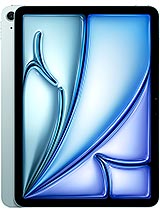
iPad Air 11 2024
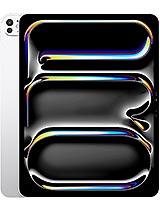
iPad Pro 13 2024
![iPad Pro 13 (7th generation) [2024] product photo](https://api.mobileapi.dev/devices/865/thumb.png)
iPad Pro 13 (7th generation) [2024]
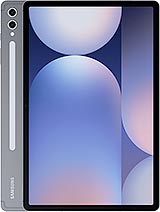
Galaxy Tab S10+