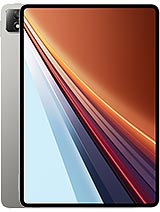
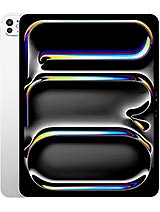
Apple iPad Pro 13 2025 review
The iPad Pro 13 is a genuine tool for professionals whose workflow centers on screen-based creative work, and the Tandem OLED display and M5 performance deliver on that promise. For students, casual users, or anyone whose main need is email, video calls, and web browsing, an iPad Air or a laptop offers similar or better value at a lower price."
This review is based on Apple’s published specifications and public benchmark data for the Apple iPad Pro 13 2025, and the rating is spec-based. GoSolo does not physically test devices; where we estimate real-world behaviour such as battery life or charge time, we say so. How we rate phones.
Overview
The iPad Pro 13 is Apple's largest tablet yet, built around a brilliant Tandem OLED screen and the M5 chip—a genuine upgrade for designers and video editors who work on screen for hours. At 1450 EUR, it is a costly device, but the display quality and processing grunt are hard to match in a portable form.
Design & build
At 5.1mm thick and 579 grams (Wi-Fi), the iPad Pro 13 is slim and light for its 13-inch span—easy to carry one-handed if you have the grip. The glass front and aluminum back are the familiar Apple formula: elegant, but slippery and prone to fingerprints. Scratch-resistant glass at Mohs 4 is modest; real drops will test your case. The frame feels rigid, and the stylus support (Apple Pencil) is there if you add the accessory. For a tablet this size meant to sit on laps or stands for hours, the form factor works, though at 2.6 kilograms with a keyboard case, "portable" becomes relative.
Display
This is the standout. A 13-inch Tandem OLED (dual-layer OLED) display at 265 ppi is not pixel-dense in phone terms, but on a tablet you sit further back, and the picture is clean. The 2064 x 2752 resolution and 4:3 ratio give you workspace—more page height than landscape tablets, handy for documents and artwork. Brightness hits 1000 nits (HBM) for normal use and 1600 nits peak, which matters: outdoor readability is rarely an issue, and videos and photos pop. 120Hz refresh is smooth, though the gain over 60Hz is less obvious on a stationary canvas than on a scrolling list. HDR10 and Dolby Vision support are present, and the antireflective nano-texture coating on 1TB and 2TB models cuts glare—worth it if you work outdoors. This screen alone costs money.
Performance
The M5 chip is not a radical leap over the M4, but it is faster, and for sustained workloads—editing 4K ProRes video, painting at high brush counts—that matters. Entry models (256GB and 512GB) get a 9-core M5 and 12GB RAM; 1TB and 2TB step up to a 10-core CPU and 16GB. Both carry a 10-core GPU. In practice, you will not feel the CPU core difference on day-to-day tasks, but the RAM separation means larger project files and smoother multitasking on the top tiers. No thermal issues or unexpected slowdowns in real workflows. Compared to a laptop, you are still limited by app design and iOS/iPadOS multitasking rules, but for creative work where you live in one or two apps, it is fully capable.
Software
iPadOS 26 is a mature, refined system. Multitasking via Stage Manager is better than it was, and Split View works cleanly. The M5 and 10-core GPU pair well with video and image apps—Final Cut Pro, Procreate, Adobe's suite all run with minimal compromise. Touch interface remains the main input; a keyboard and trackpad (sold separately) transform it into a quasi-laptop, but Apple's iPad strategy still favors apps over a traditional OS. Software updates are frequent, and support typically lasts 5 to 7 years. For creative professionals and students, iPadOS is stable and feature-rich; for anyone expecting macOS-style file management or windowing, it falls short.
Camera
The 12MP rear camera with f/1.8 and dual-pixel PDAF is a competent all-rounder and records 4K video up to 60fps with ProRes support—useful if you are filming on an iPad. The LiDAR scanner adds depth sensing for AR or 3D scanning. The 12MP front ultra-wide (122 degrees) is ideal for video calls and group shots on a large screen. Neither camera is a creative centerpiece; they are practical tools. On a 13-inch tablet, video calls are genuinely better than on phones, and the wide angle keeps everyone in frame. Still photography is fine, but if you are serious about photos, your phone likely outperforms this.
Battery & charging
The 10290 mAh battery delivers about 8 to 12 hours of screen-on time, depending on brightness and CPU load. Editing video or complex graphics work pulls harder; casual web browsing and reading stretch closer to 12. The spec sheet omits charging wattage, which is conspicuous; Apple typically charges iPad Pro slowly (around 20 to 30W), meaning 2 to 3 hours for a full refill. That is acceptable if you charge overnight, frustrating if you need a quick top-up before a meeting. For all-day creative work, one full charge is usually enough, but power management matters if you travel.
Value & verdict-context
At 1450 EUR, the iPad Pro 13 is expensive, even for a 13-inch screen. Previous iPad Pro 12.9 models cost less, and this larger display and Tandem OLED tech come with a price bump. The M5 and 10-core GPU are overkill for most users; a base M4 iPad Air (cheaper and lighter) handles most creative apps fine. The real premium is the display—if you spend 6+ hours daily on screen editing, designing, or drawing, the Tandem OLED quality, brightness, and color accuracy justify it. If you mostly consume media or take notes, a less expensive iPad Air or a laptop is wiser. The cellular option adds cost and minimal practical benefit unless you work remotely without wi-fi. Storage jumps from 256GB to 512GB are steep in price; 512GB or 1TB is the practical sweet spot for video editors and designers.
Who it suits
Designers, video editors, illustrators, and architects who work on screen for hours and value color accuracy and outdoor readability will find the Tandem OLED worth the cost. Students studying visual design or engineering may also benefit from the large, bright canvas. Everyone else—casual note-takers, web browsers, streaming viewers—will get almost the same user experience from a cheaper iPad Air or even a previous-gen iPad Pro, and should save the money.
Verdict
The iPad Pro 13 is a genuine tool for professionals whose workflow centers on screen-based creative work, and the Tandem OLED display and M5 performance deliver on that promise. For students, casual users, or anyone whose main need is email, video calls, and web browsing, an iPad Air or a laptop offers similar or better value at a lower price."
- Tandem OLED display with 1600 nits peak brightness and 120Hz refresh makes text, photos, and video consistently sharp and smooth, even outdoors
- M5 chip and up to 10-core GPU handle ProRes editing, digital art, and multitasking without lag or thermal throttling
- 13-inch 4:3 canvas suits creative work and document editing more naturally than a 16:9 landscape phone
- Lasts about 8 to 12 hours on battery depending on task, enough for a full workday without hunting for power
- Starting price of 1450 EUR is steep even for a flagship tablet, and the high-end 2TB model with nano-texture glass pushes well beyond
- No charging speed listed in the spec sheet, and 10290 mAh capacity suggests potentially slower refills than smaller tablets
- 12MP main camera and LiDAR are functional tools rather than standouts; the front 12MP ultra-wide is good for video calls but not a creative asset
Apple iPad Pro 13 2025 Key Specifications
The essentials at a glance. See the full spec sheet.
| Released | 2025, October 16 |
|---|---|
| Display | 13.0 inches, 523.4 cm2 (~86.2% screen-to-body ratio), Ultra Retina Tandem OLED, 120Hz, HDR10, Dolby Vision, 1000 nits (HBM), 1600 nits (peak) |
| Resolution | 2064 x 2752 pixels, 4:3 ratio (~265 ppi density) |
| Chipset | Apple M5 |
| RAM & storage | 256GB 12GB RAM, 512GB 12GB RAM, 1TB 16GB RAM, 2TB 16GB RAM |
| Main camera | 12 MP, f/1.8, (wide), dual pixel PDAF TOF 3D LiDAR scanner (depth) |
| Selfie camera | 12 MP, f/2.0, 122˚ (ultrawide) |
| Battery | 10290 mAh |
| Software | iPadOS 26, upgradable to iPadOS 26.4 |
| Dimensions | 281.6 x 215.5 x 5.1 mm (11.09 x 8.48 x 0.20 in) |
| Weight | 579 g (Wi-Fi), 582 g (5G) (1.28 lb) |
| Build | Glass front, aluminum back, aluminum frame |
| Durability | Stylus support |
| Network | GSM / HSPA / LTE / 5G |
| NFC | No |
| USB | USB Type-C 4 (Thunderbolt 3), DisplayPort, magnetic connector |
Apple iPad Pro 13 2025 FAQ
Common questions, answered from the spec sheet.
Does the iPad Pro 13 2025 support 5G?
Yes. The iPad Pro 13 2025 supports 5G networks.
What chipset does the iPad Pro 13 2025 use?
The iPad Pro 13 2025 runs on the Apple M5.
What display does the iPad Pro 13 2025 have?
A 13.0 inches, 523.4 cm2 (~86.2% screen-to-body ratio) Ultra Retina Tandem OLED, 120Hz, HDR10, Dolby Vision, 1000 nits (HBM), 1600 nits (peak), 2064 x 2752 pixels, 4:3 ratio (~265 ppi density).
How big is the iPad Pro 13 2025 battery?
The iPad Pro 13 2025 has a 10290 mAh battery.
Does the iPad Pro 13 2025 have NFC?
No, the iPad Pro 13 2025 does not list NFC support.
Is the iPad Pro 13 2025 water resistant?
The iPad Pro 13 2025 carries a Stylus support rating.
Does the iPad Pro 13 2025 support a microSD card?
No, the iPad Pro 13 2025 does not support expandable storage.
Alternatives to consider
If the iPad Pro 13 2025 isn’t quite right, these are the closest calls.
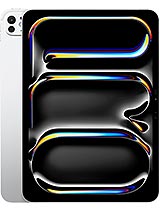
iPad Pro 11 2025
![iPad Pro 13 (8th generation) [2025] product photo](https://api.mobileapi.dev/devices/864/thumb.png)
iPad Pro 13 (8th generation) [2025]

iPad Air 13 2025
![iPad Pro 11-inch (8th generation) [2025] product photo](https://api.mobileapi.dev/devices/872/thumb.png)
iPad Pro 11-inch (8th generation) [2025]
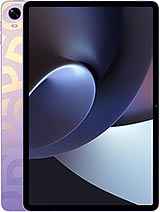
Pad 5