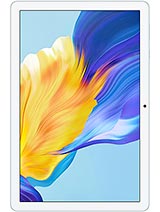
Blackview Tab 5 review
The Tab 5 suits someone who reads, watches video, and sends email on Wi-Fi at home and wants to spend as little as possible. Anyone who travels, plays games, edits photos, or relies on responsive multitasking should save up for a proper budget tablet—the performance gulf is too wide to ignore.
This review is based on Blackview’s published specifications and public benchmark data for the Blackview Tab 5, and the rating is spec-based. GoSolo does not physically test devices; where we estimate real-world behaviour such as battery life or charge time, we say so. How we rate phones.
Overview
The Blackview Tab 5 is a lightweight 8-inch tablet for home Wi-Fi use—reading, email, video—with a modest spec sheet that keeps the price down but leaves no room for gaming, photography, or mobile data. It suits someone who wants a cheap portable screen and nothing more.
Design & Build
At 355g and 9.7mm thick, the Tab 5 is one of the lightest 8-inch tablets you can buy. It vanishes into a backpack or large coat pocket without complaint. The magnesium or aluminum casing (specs do not detail the material) feels functional rather than premium, and the dual nano-SIM slots hint at a device meant for occasional cellular use—except there is no cellular radio at all, making those slots decorative. The lack of GPS, NFC, and a sensor array means fewer moving parts and lower cost, but also means this is a Wi-Fi-only appliance. For a school kid or someone who reads ebooks and watches video at home, the form factor is genuinely convenient. For anyone who travels and needs to work away from a network, it is crippled from the start.
Display
The 8-inch IPS LCD running 800×1280 at 189 ppi reads soft and slightly pixelated in small fonts—nothing like the crispness of modern 10-inch tablets or flagship phones. But the 16:10 aspect ratio and 70% screen-to-body ratio make it practical for reading PDFs, ebooks, and news without excessive scrolling. IPS angles are forgiving, so viewing from a slant does not wash out the image. This is honest portable reading hardware, not a media tablet pretending to be something more. If you are comparing it to a phone or a higher-resolution iPad, expect to squint at fine text; if you are weighing it against paper books or a 5-inch e-reader, the larger screen is a genuine win.
Performance
The Rockchip RK3326S at 1.5 GHz and ARM Mali-400 GPU paired with 3GB RAM will handle email, messaging, light web browsing, and ebook apps without struggle. Open too many tabs, fire up any 3D game, or try to edit video and the tablet will lag noticeably. The eMMC 5.1 storage is slower than UFS found in budget phones, so app launches and file shuffling feel pokey beside modern devices. Android 12 with Doke OS Go 3.0 (Blackview's custom layer) runs the basics competently but does not mask the hardware's age. For casual media consumption and office work, it just clears the bar; for anything approaching a power user's workflow, look elsewhere.
Software
Doke OS Go 3.0 is Blackview's take on lightweight Android, aimed at extending battery life and performance on modest hardware. It strips away bloat but also reduces customization compared to stock Android. You get what you need—apps, notifications, settings—without unnecessary visual flourish. The trade is less polish; scrolling animations are not smooth, and some touches feel more utilitarian than refined. Android 12 as the base is now several years old, and Blackview's track record for updates is not strong. Do not expect regular security patches or OS upgrades beyond what is already installed. For reading and offline apps, that stagnation matters less; for anyone relying on fresh Google services or security fixes, it is a concern.
Camera
The 2MP rear camera and 0.3MP front camera are bottom-tier even by 2023 standards. Images are soft, low in detail, and useful only for scanning documents or capturing a quick memo—not for photos you would want to keep. Video works on paper (it records at 720p), but the low sensor sensitivity means the footage is grainy and flat. The LED flash is present but does not salvage image quality. If photography matters at all, this tablet is a non-starter. If your sole use is the occasional video call or screenshot, the cameras do the minimum job. Anyone expecting to document a trip or shoot anything resembling a photograph should budget for a phone instead.
Battery & Charging
The 5580 mAh battery yields roughly 8 to 10 hours of mixed use (browsing, video, reading) on a single charge. Heavy gaming or video streaming cuts that noticeably; light reading and email stretch it closer to a full day. The specs do not list charging speed (no watt figure), so charge times are unknown—likely slow given the modest capacity and Blackview's typical corner-cutting. For a device meant to sit at home on Wi-Fi, daily charging is an acceptable rhythm. If you are hoping for multi-day runtime away from an outlet, the battery size is underwhelming, though the low power consumption of the hardware does its part to help.
Value & Verdict
The Tab 5 is among the cheapest 8-inch tablets in markets where Blackview sells. You are paying for weight and portability, not performance or features. The display is adequate for reading and video, the form factor is pocket-friendly, and the price reflects the cut-down hardware. The absence of cellular and the slow Wi-Fi standard are real limitations that cheapen the experience away from home. The 3GB RAM and aging CPU will frustrate anyone trying to multitask, and the lack of promised OS updates means you are on your own after day one. For a student needing a cheap screen to read documents, or a parent looking for a screen-time-controlled device for a child to watch videos, the Tab 5 makes crude sense. For anyone who travels, plays games, or needs a responsive daily tablet, the cost savings evaporate fast when you factor in frustration.
Verdict
The Tab 5 suits someone who reads, watches video, and sends email on Wi-Fi at home and wants to spend as little as possible. Anyone who travels, plays games, edits photos, or relies on responsive multitasking should save up for a proper budget tablet—the performance gulf is too wide to ignore.
- Light and slim (355g, 9.7mm) enough to carry in one hand or a bag without weight penalty
- 8-inch 16:10 IPS LCD screen is well-suited to reading and document work despite the low 189 ppi
- microSD slot for storage expansion when the 64GB eMMC fills up with apps and media
- About 8–10 hours of mixed-use battery life keeps you going most of a day on Wi-Fi
- Wi-Fi b/g/n is an older standard and slower than what modern tablets typically ship with
- No cellular connectivity means you are tethered to Wi-Fi and cannot use mobile data away from home
- 3GB RAM and Rockchip RK3326S will choke under heavy multitasking or any demanding app; heavy use will feel sluggish
Blackview Tab 5 Key Specifications
The essentials at a glance. See the full spec sheet.
| Released | 2023, March 03 |
|---|---|
| Display | 8.0 inches, 185.6 cm2 (~69.6% screen-to-body ratio), IPS LCD |
| Resolution | 800 x 1280 pixels, 16:10 ratio (~189 ppi density) |
| Chipset | Rockchip RK3326S |
| RAM & storage | 64GB 3GB RAM |
| Main camera | 2 MP |
| Selfie camera | 0.3 MP |
| Battery | 5580 mAh |
| Software | Android 12, Doke OS Go 3.0 |
| Dimensions | 211.2 x 126.2 x 9.7 mm (8.31 x 4.97 x 0.38 in) |
| Weight | 355 g (12.52 oz) |
| Network | No cellular connectivity |
| NFC | No |
| USB | USB Type-C, OTG |
Blackview Tab 5 FAQ
Common questions, answered from the spec sheet.
Does the Tab 5 support 5G?
No. The Tab 5 tops out at No cellular connectivity, without 5G.
What chipset does the Tab 5 use?
The Tab 5 runs on the Rockchip RK3326S.
What display does the Tab 5 have?
A 8.0 inches, 185.6 cm2 (~69.6% screen-to-body ratio) IPS LCD, 800 x 1280 pixels, 16:10 ratio (~189 ppi density).
How big is the Tab 5 battery?
The Tab 5 has a 5580 mAh battery.
Does the Tab 5 have NFC?
No, the Tab 5 does not list NFC support.
Does the Tab 5 support a microSD card?
Yes, the Tab 5 supports expandable storage (microSDXC).
Alternatives to consider
If the Tab 5 isn’t quite right, these are the closest calls.
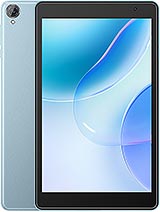
Tab 50 WiFi
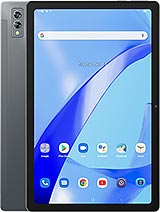
Tab 11 SE
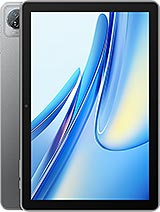
Tab 70 WiFi
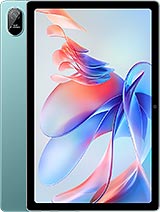
Tab 11 WiFi
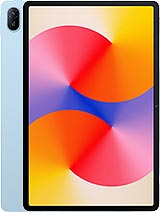
MatePad SE 11