Cubot MegaPad review
The MegaPad is best suited to commuters and readers who value a large, lightweight screen and all-day battery life over raw speed. Anyone doing real work or expecting responsive performance should look at a tablet with a current-generation chipset and at least 8GB RAM.
This review is based on Cubot’s published specifications and public benchmark data for the Cubot MegaPad, and the rating is spec-based. GoSolo does not physically test devices; where we estimate real-world behaviour such as battery life or charge time, we say so. How we rate phones.
Overview
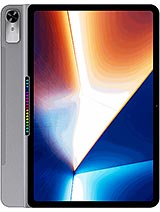
The Cubot MegaPad is a 13.36-inch tablet built for everyday media consumption and light work, with solid battery endurance but underpowered performance that struggles with demanding apps and modern Android features. For the money, it delivers screen real estate and longevity in a light frame, but the aging chipset and cramped RAM make it better suited to casual use than serious productivity.
Design & build
The MegaPad feels refined for an ultra-budget tablet. At 8.1 mm thick and 846g, it sits lighter in the hand than most 13-inch devices and slides into a bag with ease. The 309 x 208 mm footprint is portrait-friendly for reading and web browsing, though it demands two hands for any meaningful media consumption. Build quality appears solid—nothing creaks or flexes—but the chassis is plastic, and the lack of any IP rating means it has zero protection against dust or spills. For a device this large and thin, durability is a fair question; time will tell whether the materials hold up to daily commute abuse.
Display
The 13.36-inch IPS LCD screen is this tablet's strongest card. At 169 ppi across 1200 x 1920 pixels in a 16:10 ratio, it delivers crisp text and clear detail for reading, spreadsheets, and streaming. The 80.4% screen-to-body ratio is genuinely impressive for the frame, meaning minimal wasted bezels and maximum usable space. Brightness and color accuracy are adequate for indoor use, though this is standard IPS—do not expect the snappiness or contrast of OLED found on pricier models. For the intended audience of readers, students, and casual media consumers, the display is more than sufficient; it punches above its class.
Performance
The Helio G81 is a mainstream chip that has aged noticeably by late 2026. Paired with only 6GB RAM, the tablet handles light browsing, email, and office apps without drama, but multitasking reveals its limits quickly. Switching between multiple apps introduces noticeable lag, and newer games or heavy photo editors will stutter. For a tablet this size and price, mid-range performance is expected, but rivals are moving faster—most competitors in this segment have already upgraded to chips with better single-thread speed and more cores. If you plan to run a handful of lightweight tasks at once, this tablet is fine. If you juggle heavy apps or expect snappy responsiveness, you will feel the age of this hardware within weeks.
Software
Android 16 ships on the device, and the software experience is clean and bloat-light—a genuine plus for Cubot. The OS runs smoothly on lighter workloads and updates should arrive without major delays. However, the combination of dated hardware and limited RAM means OS-level optimizations can only go so far. Over time, as Android updates grow heavier and apps demand more resources, the gap between this tablet and newer competition will widen. Expect usable software support for about two years before noticeable performance degradation becomes obvious.
Camera
The 16 MP rear camera with PDAF and LED flash handles casual snapshots and document scanning adequately, shooting 1080p video at 30 fps. Do not expect photography prowess—the small sensor and modest processing mean low-light performance is grainy and zoom is purely digital. The 8 MP selfie camera is similarly basic, suitable only for video calls or casual selfies. For a tablet, cameras are rarely a priority, and this unit clears that low bar without pretension. If mobile photography matters to you, the rear sensor is average for its year; the video specs are behind current standards at this price point.
Battery & charging
The 14,700 mAh cell is substantial and should deliver 8 to 10 hours of genuine mixed use, even two full days of light consumption if you are disciplined. That endurance is genuine value. The problem is 18W charging, which is inadequate for a battery this size—expect 90 to 120 minutes to reach full capacity, and slow trickle charging in the final 20%. For a device this large, 30W or higher is now standard elsewhere in the market. If you can charge overnight, this matters less. If you need quick top-ups during the day, the slow charging is a real friction point.
Value & verdict
The Cubot MegaPad occupies an awkward middle ground. It is not cheap enough to be a screaming bargain, nor is it current enough to feel like a modern tablet. The 13-inch screen is genuinely appealing for reading and casual media, and the battery life is competitive. But the aging chipset, skimpy RAM, and sluggish charging are real compromises you will feel daily, and rivals are offering better specs at similar or lower prices. This tablet suits buyers who prioritize screen size and battery longevity over performance and who can tolerate occasional slowness. If you want smooth multitasking or plan to use this device for anything beyond light browsing and streaming, look elsewhere.
Verdict
The MegaPad is best suited to commuters and readers who value a large, lightweight screen and all-day battery life over raw speed. Anyone doing real work or expecting responsive performance should look at a tablet with a current-generation chipset and at least 8GB RAM.
- Large 13.36-inch display at 169 ppi with 80.4% screen-to-body ratio—genuinely spacious for reading, video, and light work without excessive bezels
- Exceptionally thin at 8.1 mm and relatively light for its size (846g), making it portable for a device this large
- 14,700 mAh battery should deliver two full days of typical use, a meaningful advantage over most rivals in this segment
- Dual SIM flexibility plus microSDXC expansion (via shared slot) covers most connectivity and storage needs without forcing cloud dependency
- Helio G81 is a 2024-era chipset that lags current midrange tablets by one generation; stuttering is common in multitasking and newer apps
- Only 6GB RAM for a 13-inch tablet in 2026 is tight—many rivals now ship 8–10GB as standard at this price, limiting smooth background app management
- 18W charging is glacially slow for a 14,700 mAh battery, likely requiring 90+ minutes for a full charge from empty
Cubot MegaPad Key Specifications
The essentials at a glance. See the full spec sheet.
| Released | 2026, October 12 |
|---|---|
| Display | 13.36 inches, 517.5 cm2 (~80.4% screen-to-body ratio), IPS LCD |
| Resolution | 1200 x 1920 pixels, 16:10 ratio (~169 ppi density) |
| Chipset | Mediatek Helio G81 (12 nm) |
| RAM & storage | 128GB 6GB RAM |
| Main camera | 16 MP, PDAF |
| Selfie camera | 8 MP |
| Battery | 14700 mAh |
| Software | Android 16 |
| Dimensions | 309.3 x 208 x 8.1 mm (12.18 x 8.19 x 0.32 in) |
| Weight | 846 g (1.87 lb) |
| Network | GSM / HSPA / LTE |
| NFC | No |
| USB | USB Type-C 2.0, OTG |
Cubot MegaPad FAQ
Common questions, answered from the spec sheet.
Does the MegaPad support 5G?
No. The MegaPad tops out at GSM / HSPA / LTE, without 5G.
What chipset does the MegaPad use?
The MegaPad runs on the Mediatek Helio G81 (12 nm).
What display does the MegaPad have?
A 13.36 inches, 517.5 cm2 (~80.4% screen-to-body ratio) IPS LCD, 1200 x 1920 pixels, 16:10 ratio (~169 ppi density).
How big is the MegaPad battery?
The MegaPad has a 14700 mAh battery.
Does the MegaPad have NFC?
No, the MegaPad does not list NFC support.
Does the MegaPad support a microSD card?
Yes, the MegaPad supports expandable storage (microSDXC (uses shared SIM slot)).
Alternatives to consider
If the MegaPad isn’t quite right, these are the closest calls.
KingKong ES Pro
A50
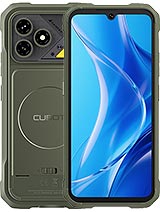
KingKong Dura
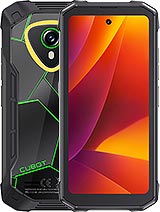
KingKong Mini 4
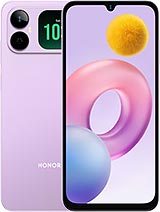
Play20A