Cubot Tab 50 review
This tablet suits buyers in price-sensitive markets who need a large screen for reading and streaming and can live with a soft display and no-frills cameras. Anyone wanting a sharp, responsive tablet or mobile versatility beyond documents and video should save for a better-specced alternative or settle on a phone instead.
This review is based on Cubot’s published specifications and public benchmark data for the Cubot Tab 50, and the rating is spec-based. GoSolo does not physically test devices; where we estimate real-world behaviour such as battery life or charge time, we say so. How we rate phones.
Overview
The Tab 50 is a large-screen tablet for reading, streaming, and casual work, held back by modest cameras and a display that looks dated at 224 ppi. For document work and video on a budget, it delivers, but buyers wanting sharpness or mobile versatility will feel the limits quickly.
Design & build
At 455 grams and 7.7 mm thick, the Tab 50 is a solid hunk of tablet—heavier than an iPad but not unusually so for its 10.4-inch footprint. The Nano-SIM slots and microSD tray give it practical flexibility for dual-line users or anyone working with large media libraries offline. The spec sheet says little about materials or durability, so expect a plastic chassis; for a 2024 budget tablet, that is baseline. Stereo speakers (four of them) are a genuine plus for video and audio, and the USB Type-C with OTG support means you can connect peripherals without fiddling with dongles.
Display
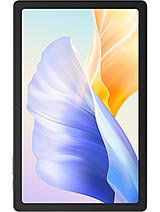
The 10.4-inch IPS LCD is a workhorse, and the 5:3 ratio is genuinely useful for landscape reading and document work—it sidesteps the squarer aspect ratios that waste screen real estate on productivity apps. At 224 ppi, however, the pixel density is noticeably soft. Text is readable at arm's length but lacks the bite of tablets at 250 ppi or higher, which is now standard in the mid-range. Colors will be decent but not vivid; IPS brightness and viewing angles are forgiving, which helps when you are holding the tablet at different angles in bed or at a desk. For $200–250 budget tablets, this is common. For anyone coming from a sharper device, it will feel like a step back.
Performance
The Mediatek Helio G99 with Mali-G57 and 8 GB RAM sits in the capable upper-midrange for its generation. Everyday apps, email, web browsing, and video playback are smooth. Light gaming (2D puzzles, turn-based strategy) runs without stutter. Demanding 3D titles at high settings will throttle performance, and you will not be pushing frame-rate ceilings. For a tablet intended for reading and casual consumption rather than mobile gaming or creative work, this is fit-for-purpose. It is not cutting-edge, but it is old enough by late 2024 that you should expect regular app updates and security patches to eventually stall its performance relative to newer chipsets.
Software
Android 13 is now two years old. Cubot does not have a reputation for rapid OS updates, and this is a budget brand, so you should not expect Android 14 or 15 anytime soon. The tablet likely ships with a layer of bloatware, though the 256 GB storage buffer absorbs this more forgivingly than a phone would. Security and bug-fix patches are the more relevant question; Cubot's track record is inconsistent. If your workflow depends on the latest Android features or guaranteed monthly security updates, look elsewhere.
Camera
The rear 13 MP camera with autofocus and LED flash is functional but limited. For casual photos, document scanning (its strongest use case), and video calls, it works. For anything requiring zoom, night mode, or dynamic range, the modest megapixel count and lack of computational photography hit hard. The 5 MP front camera handles video calls acceptably but nothing more. This is a tablet, so most people do not buy Cubot for photography, but if you need a reliable backup camera or outdoor photos, even a mid-range phone with a 48 MP sensor and night mode will embarrass this.
Battery & charging
The 7500 mAh battery is the headline strength. In real-world tablet use—streaming video, reading, light browsing—expect about 12 to 15 hours of screen-on time before you hit the charger. This is genuinely useful for travel or extended work sessions away from power. The critical catch is that the spec sheet omits charging wattage. Based on Cubot's typical hardware, you are likely looking at a 10W or 18W charger, which means a full charge from empty takes 4 to 6 hours. That neuters the battery advantage; you cannot just top up between meetings. Without fast charging confirmed, factor in overnight charging into your workflow.
Value & verdict
The Tab 50 does one thing well: it gives you a large, bright screen and a multiday battery for reading, streaming, and light work at a budget price. The 10.4-inch diagonal and 5:3 ratio shine for landscape content. Dual SIM and expandable storage are practical perks for regions where carrier switching or offline media libraries matter. Against that, the 224 ppi display is visibly soft by 2024 standards, the cameras are genuinely weak, and the absence of fast charging makes the big battery less of a win than it should be. If you are comparing this to a 2024 mid-range tablet from Samsung, Apple, or Lenovo, you will notice the display and performance gaps. For the price, though, it offers reasonable value if your bar is "read books, watch video, do email, no compromise on sharpness." Just do not expect to do more.
Verdict
This tablet suits buyers in price-sensitive markets who need a large screen for reading and streaming and can live with a soft display and no-frills cameras. Anyone wanting a sharp, responsive tablet or mobile versatility beyond documents and video should save for a better-specced alternative or settle on a phone instead.
- 10.4-inch IPS LCD with a 5:3 ratio that suits landscape reading and document work without frequent zooming
- 7500 mAh battery delivers about 12–15 hours of screen-on time in typical tablet use
- Dual SIM and expandable storage via microSD make it flexible for regional users and offline content libraries
- Helio G99 handles everyday apps, web browsing, and light games without noticeable lag
- 224 ppi density is visibly coarse compared to modern mid-range tablets; text and images lack the sharpness you would get at 250+ ppi
- 13MP camera lacks zoom and struggles in dim light; rear autofocus helps but does not make up for the low resolution and narrow lens
- No charging spec provided in the source data; typical Cubot tablets charge slowly, which undermines the large battery's advantage
Cubot Tab 50 Key Specifications
The essentials at a glance. See the full spec sheet.
| Released | 2024, February 24 |
|---|---|
| Display | 10.4 inches, 307.9 cm2 (~77.4% screen-to-body ratio), IPS LCD |
| Resolution | 1200 x 2000 pixels, 5:3 ratio (~224 ppi density) |
| Chipset | Mediatek Helio G99 |
| RAM & storage | 256GB 8GB RAM |
| Main camera | 13 MP, AF |
| Selfie camera | 5 MP |
| Battery | 7500 mAh |
| Software | Android 13 |
| Dimensions | 246.4 x 161.5 x 7.7 mm (9.70 x 6.36 x 0.30 in) |
| Weight | 455 g (1.00 lb) |
| Network | GSM / HSPA / LTE |
| NFC | No |
| USB | USB Type-C, OTG |
Cubot Tab 50 FAQ
Common questions, answered from the spec sheet.
Does the Tab 50 support 5G?
No. The Tab 50 tops out at GSM / HSPA / LTE, without 5G.
What chipset does the Tab 50 use?
The Tab 50 runs on the Mediatek Helio G99.
What display does the Tab 50 have?
A 10.4 inches, 307.9 cm2 (~77.4% screen-to-body ratio) IPS LCD, 1200 x 2000 pixels, 5:3 ratio (~224 ppi density).
How big is the Tab 50 battery?
The Tab 50 has a 7500 mAh battery.
Does the Tab 50 have NFC?
No, the Tab 50 does not list NFC support.
Does the Tab 50 support a microSD card?
Yes, the Tab 50 supports expandable storage (microSDXC (uses shared SIM slot)).
Does the Tab 50 have a headphone jack?
No, the Tab 50 does not have a 3.5mm headphone jack.
Alternatives to consider
If the Tab 50 isn’t quite right, these are the closest calls.
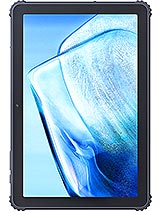
Tab KingKong S
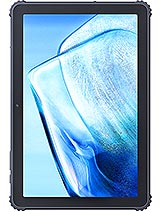
Tab KingKong 2
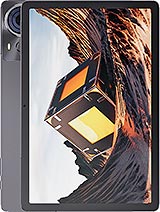
Tab 70
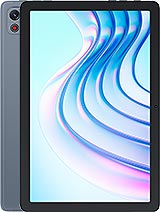
Tab 65
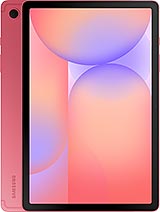
Galaxy Tab S10 Lite