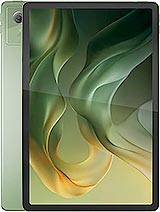
Cubot Tab 70 review
This tablet suits someone who wants a large screen strictly for streaming, light browsing, and reading websites—and does not mind soft text or occasional lag. Anyone who reads e-books regularly, needs responsiveness for work, or expects modern charging speeds should look elsewhere; the low pixel density and slow processor are real drags on daily use.
This review is based on Cubot’s published specifications and public benchmark data for the Cubot Tab 70, and the rating is spec-based. GoSolo does not physically test devices; where we estimate real-world behaviour such as battery life or charge time, we say so. How we rate phones.
Overview
The Cubot Tab 70 is a large-screen budget tablet built for reading and casual video on a 10.95-inch display, but the 138 ppi resolution is blurry for close work and the Unisoc T616 chip limits anything beyond basic web browsing. At €180, it offers raw screen size and battery life for the price, but the low pixel density and slow processor make it a compromise rather than a capable daily driver.
Design & build
The Tab 70 is a straightforward slab: 555g, 8.1mm thick, dual SIM with a shared microSD slot, and a 3.5mm headphone jack that many modern tablets have ditched. It feels light enough for holding during reading sessions, though there is no mention of material strength or durability coatings, so treat it carefully. The dimensions (257.6 x 169mm) sit in the standard 10-inch tablet range, making it portable but not pocket-sized. Stereo speakers are a plus for video and music, and USB Type-C with OTG support means you can connect USB drives or peripherals if needed. For a tablet at this price, the build is adequate without being memorable.
Display
The 10.95-inch IPS LCD screen is the Tab 70's headline feature, and the 16:10 aspect ratio is genuinely useful for reading and landscape video. However, the 800×1280 resolution—just 138 ppi—is a major catch. Text and icons look blocky and soft up close; you will notice the pixelation if you read long-form content or work with small text. By modern standards, even budget tablets in 2025 often exceed 200 ppi. The Mohs level 6 protection is modest (scratches easily) and the lack of brightness or refresh rate specs suggests it is a basic LCD without high brightness for outdoor use. For Netflix and casual browsing, it works. For reading e-books or detailed work, the low pixel density becomes frustrating.
Performance
The Unisoc Tiger T616 (two 2.0 GHz Cortex-A75 cores and six 1.8 GHz Cortex-A55 cores) is entry-level by 2025 standards. Paired with 6GB RAM and Mali-G57 MP1 graphics, it handles email, web browsing, and video playback without stuttering, but do not expect to play any demanding games or switch rapidly between heavy apps. The single GPU core is particularly weak for graphics. Android 14 runs smoothly in light scenarios, but the chip was already dated when announced in late 2024. If you need a tablet for productivity (spreadsheets, multitasking, video editing) or games, look elsewhere. For reading, streaming, and passive tasks, it is adequate.
Software
Android 14 is current and should receive security updates for at least a year, but there is no indication of how long Cubot will support this device with major upgrades. The 128GB storage (with expandable microSD) is enough for apps, photos, and offline media, though only 6GB RAM means you cannot load many apps into memory at once. No bloatware complaints are on record, which is a small mercy for a budget brand.
Camera
The 16MP main camera with autofocus and 2MP macro lens is barely worth mentioning. It shoots 1080p video at 30fps and has a LED flash, making it suitable for quick document scans or video calls via the 8MP front camera, but not for photography. The resolution and sensor are modest even by budget tablet standards, and the lack of any ultrawide or better specs shows this is a camera as an afterthought, not a feature.
Battery & charging
The 8200 mAh battery is substantial and should deliver 8 to 10 hours of screen-on time with mixed use (reading, browsing, video), which is respectable for a 10-inch tablet. The problem is charging: 10W is glacially slow. Expect 2 to 3 hours to go from empty to full, which means planning ahead if you drain it. By contrast, many rivals at this price now charge at 25W or higher. For a tablet you use daily, slow charging is genuinely inconvenient, especially on travel or in a work setting where you need quick top-ups.
Value & verdict
At €180, the Tab 70 is cheap for a 10.95-inch screen and a full day's battery. It undercuts true flagship tablets by hundreds of euros, and there is a real market for budget reading tablets. However, the 138 ppi display is a poor compromise for extended reading, the T616 processor is weak, and 10W charging is frustrating in 2025. If you want a large screen for Netflix and light browsing and do not mind blurry text or occasional lags, this works. If you read books or e-books regularly, or need any snappiness for work, the low resolution and slow processor will wear on you fast. The missing NFC and slow charging are further marks against it for a daily driver.
Verdict
This tablet suits someone who wants a large screen strictly for streaming, light browsing, and reading websites—and does not mind soft text or occasional lag. Anyone who reads e-books regularly, needs responsiveness for work, or expects modern charging speeds should look elsewhere; the low pixel density and slow processor are real drags on daily use.
- Large 10.95-inch screen with useful 16:10 aspect ratio for reading and landscape video without distortion
- 8200 mAh battery delivers 8 to 10 hours of real-world use, enough for a full day of casual tablet work
- Dual SIM and microSD expansion for storage and cellular flexibility on a budget
- Includes 3.5mm headphone jack and stereo speakers, features many modern tablets omit
- 138 ppi display resolution is noticeably blurry for reading or detailed work, far below the 200+ ppi standard even budget tablets now offer
- 10W charging is painfully slow (2 to 3 hours full charge), forcing you to plan ahead or hunt for a charger while rivals at this price hit 25W or faster
- Unisoc T616 is weak by 2025 standards and will struggle with any multitasking or demanding apps, making this strictly a casual-use tablet
Cubot Tab 70 Key Specifications
The essentials at a glance. See the full spec sheet.
| Released | 2024, December 26 |
|---|---|
| Display | 10.95 inches, 347.7 cm2 (~79.9% screen-to-body ratio), IPS LCD |
| Resolution | 800 x 1280 pixels, 16:10 ratio (~138 ppi density) |
| Chipset | Unisoc Tiger T616 (12 nm) |
| RAM & storage | 128GB 6GB RAM |
| Main camera | 16 MP, AF 2 MP (macro) |
| Selfie camera | 8 MP |
| Battery | 8200 mAh |
| Charging | 10W wired |
| Software | Android 14 |
| Dimensions | 257.6 x 169 x 8.1 mm (10.14 x 6.65 x 0.32 in) |
| Weight | 555 g (1.22 lb) |
| Network | GSM / HSPA / LTE |
| NFC | No |
| USB | USB Type-C, OTG |
Cubot Tab 70 FAQ
Common questions, answered from the spec sheet.
Does the Tab 70 support 5G?
No. The Tab 70 tops out at GSM / HSPA / LTE, without 5G.
What chipset does the Tab 70 use?
The Tab 70 runs on the Unisoc Tiger T616 (12 nm).
What display does the Tab 70 have?
A 10.95 inches, 347.7 cm2 (~79.9% screen-to-body ratio) IPS LCD, 800 x 1280 pixels, 16:10 ratio (~138 ppi density).
How big is the Tab 70 battery?
The Tab 70 has a 8200 mAh battery. Charging is rated at 10W wired.
Does the Tab 70 have NFC?
No, the Tab 70 does not list NFC support.
Does the Tab 70 support a microSD card?
Yes, the Tab 70 supports expandable storage (microSDXC (uses shared SIM slot)).
Does the Tab 70 have a headphone jack?
Yes, the Tab 70 has a 3.5mm headphone jack.
Alternatives to consider
If the Tab 70 isn’t quite right, these are the closest calls.
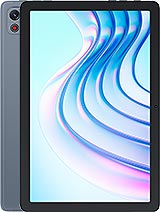
Tab 65
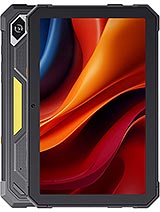
Tab KingKong Mini
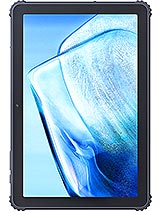
Tab KingKong S
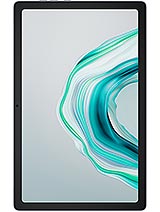
Tab 40
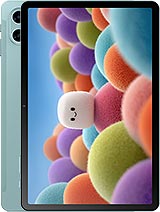
Black Shark Pad SE