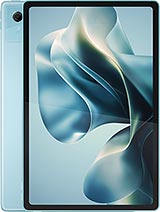
Doogee Tab A9 review
The Tab A9 suits someone who reads, browses, and watches video on a larger screen and is willing to accept slowness and soft text in exchange for low cost and good battery life. Anyone expecting speed, a crisp display, or flexibility for heavier tasks should look at better-specified rivals in the budget-to-mid range."
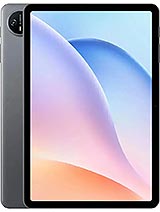
This review is based on Doogee’s published specifications and public benchmark data for the Doogee Tab A9, and the rating is spec-based. GoSolo does not physically test devices; where we estimate real-world behaviour such as battery life or charge time, we say so. How we rate phones.
Overview
The Doogee Tab A9 is an 11-inch budget tablet for light reading and browsing, held back by a sluggish entry-level processor and a low-density screen. At 140 EUR it captures the bare-essentials market, but the Unisoc T7200 and 137 ppi display make it feel dated even for a budget play.
Design & build
At 644 grams and 8.1 mm thin, the Tab A9 feels light for its 11-inch footprint—easy to hold for reading without tiring your arms. That weight advantage matters on a tablet you plan to use in bed or at a desk for hours. Mohs level 5 screen protection (roughly the hardness of glass) is a standard defensive choice; it will scratch with keys in a bag but resists minor knocks. The industrial plastic chassis is typical for this tier and keeps costs down, though it lacks the feel of something more refined. No surprises here, but no compromises either for a device aimed at people who just want a big screen to read on.
Display
The 11-inch IPS LCD is bright enough for indoor use and the 90Hz refresh helps scrolling feel smoother than a 60Hz panel would. The real problem is the pixel density: 137 ppi is noticeably soft on a tablet meant to be read at arm's length. Text in e-books or web pages lacks crispness compared to devices with 150+ ppi at this size, and you will notice it when reading for long stretches. The 80.8% screen-to-body ratio is solid for a budget tablet—minimal bezels without resorting to expensive edge-to-edge engineering. Colour accuracy and brightness are fine for casual media; this is not a tool for photo work or video grading.
Performance
The Unisoc T7200 is an entry-level chip designed for light tasks: email, web browsing, video playback, and basic apps. It handles those jobs without stuttering under normal load. The moment you open a demanding game or juggle multiple heavy apps, you will feel lag and frame drops. Multitasking suffers—switching between several apps in quick succession reveals the limits of the single Mali-G57 GPU core. For a buyer who watches video, checks email, and reads on a tablet, this is adequate. For anyone expecting smooth gaming or smooth video editing, this device will frustrate. The 4GB RAM is thin but sufficient for lightweight use; do not expect miracles when several apps are open.
Software
Android 15 out of the box is a solid starting point, and Doogee's interface keeps bloat minimal. You get a clean launcher and sensible defaults without heavy manufacturer overlays bogging down the system. That said, older budget tablets often receive patchy update cycles, and long-term software support is rarely Doogee's strength. Security patches and major OS upgrades may trickle in slowly or stop after a year or two. For casual use this is less critical than on a phone, but if you plan to keep this tablet for three or four years, expect to be stuck on an aging OS version eventually.
Camera
A 13MP main camera and 5MP selfie are present and functional but underwhelming. Photos lack detail and dynamic range; colours shift and shadows crush easily. Low-light performance is poor, and the 1080p@30fps video is soft and jittery. This is a camera for occasional snapshots and video calls, not serious documentation. The LED flash helps a little in dim rooms but does not transform the results. If you need to photograph documents or record high-quality video on a tablet, look elsewhere; this is not designed for that job.
Battery & charging
The 8580 mAh battery easily stretches a full day with moderate use—browsing, email, video, and light work all feel comfortable in a 9 to 10-hour window before you need to plug in. That is respectable for a tablet this size. Charging is where things slow down: 10W is glacially slow by today's standards, and a full drain-to-full charge takes roughly 2 to 2.5 hours. You will charge overnight out of necessity, not choice. Most rivals in this price band now offer 20W or faster; Doogee's 10W feels dated. The USB Type-C port is the only modern touch; at least you can use the same cable as your other devices.
Value & verdict
At 140 EUR, the Tab A9 targets a specific buyer: someone who wants an 11-inch screen for reading, web browsing, and light media without spending more than double. It delivers on that basic brief. The large display, reasonable battery life, stereo speakers, and headphone jack are genuine perks at this price. The Unisoc T7200, however, feels like a compromise from 2023—entry-level even for a budget tablet in 2025. The 137 ppi screen density also lags rivals from other brands. If you are shopping purely on screen size and price, this is a legitimate choice. If you want something that feels fast, has a sharp display, or supports heavier work, spend 50 EUR more and find a used flagship tablet or a better-specced current budget model.
Verdict
The Tab A9 suits someone who reads, browses, and watches video on a larger screen and is willing to accept slowness and soft text in exchange for low cost and good battery life. Anyone expecting speed, a crisp display, or flexibility for heavier tasks should look at better-specified rivals in the budget-to-mid range."
- Large 11-inch screen that dominates your lap for media and text without breaking the bank
- Decent battery life—8580 mAh lasts a full day of casual use without fussing over charging
- Stereo speakers and headphone jack are genuine luxuries at this price point and size
- Expandable storage with a dedicated microSD slot lets you load it with books and movies without worrying about internal limits
- Unisoc T7200 chip struggles with anything heavier than browsing or video playback—no gaming, sluggish multitasking
- 800 x 1280 resolution on an 11-inch panel yields soft text and icons; older devices and rivals often push higher density at this size
- 10W charging is glacially slow; a full charge takes about two hours and you will end up plugging it in overnight rather than grabbing a quick top-up
Doogee Tab A9 Key Specifications
The essentials at a glance. See the full spec sheet.
| Released | 2025, May |
|---|---|
| Display | 11.0 inches, 350.9 cm2 (~80.8% screen-to-body ratio), IPS LCD, 90Hz |
| Resolution | 800 x 1280 pixels, 16:10 ratio (~137 ppi density) |
| Chipset | Unisoc T7200 (12 nm) |
| RAM & storage | 64GB 4GB RAM |
| Main camera | 13 MP |
| Selfie camera | 5 MP |
| Battery | 8580 mAh |
| Charging | 10W wired |
| Software | Android 15 |
| Dimensions | 257.3 x 168.8 x 8.1 mm (10.13 x 6.65 x 0.32 in) |
| Weight | 644 g (1.42 lb) |
| Network | No cellular connectivity |
| NFC | No |
| USB | USB Type-C |
Doogee Tab A9 FAQ
Common questions, answered from the spec sheet.
Does the Tab A9 support 5G?
No. The Tab A9 tops out at No cellular connectivity, without 5G.
What chipset does the Tab A9 use?
The Tab A9 runs on the Unisoc T7200 (12 nm).
What display does the Tab A9 have?
A 11.0 inches, 350.9 cm2 (~80.8% screen-to-body ratio) IPS LCD, 90Hz, 800 x 1280 pixels, 16:10 ratio (~137 ppi density).
How big is the Tab A9 battery?
The Tab A9 has a 8580 mAh battery. Charging is rated at 10W wired.
Does the Tab A9 have NFC?
No, the Tab A9 does not list NFC support.
Does the Tab A9 support a microSD card?
Yes, the Tab A9 supports expandable storage (microSDXC (dedicated slot)).
Does the Tab A9 have a headphone jack?
Yes, the Tab A9 has a 3.5mm headphone jack.
Alternatives to consider
If the Tab A9 isn’t quite right, these are the closest calls.
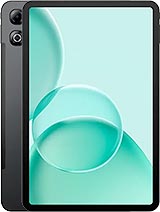
Tab G6 Max
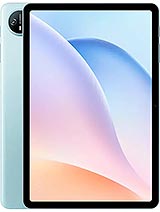
Tab A9 Pro
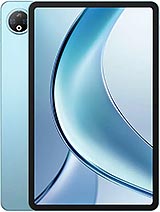
V Pad
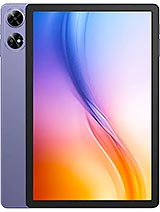
Tab G6

Black Shark Pad SE