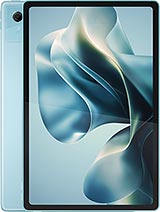
Doogee Tab G6 review
Buy it if you want a lightweight second screen for reading, video, and casual browsing on a tight budget and have a charger at hand. Skip it if you game, edit media, value a sharp display, or expect fast charging to keep up with active use.
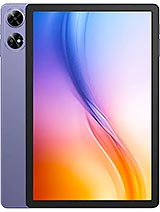
This review is based on Doogee’s published specifications and public benchmark data for the Doogee Tab G6, and the rating is spec-based. GoSolo does not physically test devices; where we estimate real-world behaviour such as battery life or charge time, we say so. How we rate phones.
Overview
The Tab G6 is an 11-inch budget tablet built for reading, video, and email rather than games or demanding apps—the soft 1200×1920 screen and glacial 10W charging test your patience, but 8 hours of battery life and a 256GB base make it a serviceable second screen for €200.
Design & build
At 528 grams and 8.3 mm thick, the Tab G6 feels light enough for lap use and weighs less than many 10-inch models, which counts when you are holding it for reading sessions. The design is plain—matte black, gray, or purple plastic with minimal visual flair—but that keeps cost down and survives everyday handling without fuss. No obvious weak points in the build, though the Mohs level 6 screen will show fingerprints fast and scratches from careless pocketing. For a budget tablet at this price, durability is good enough; do not expect glass or metal flagship treatment.
Display
The 11-inch IPS LCD runs at 1200×1920 resolution, which sounds reasonable until you do the math: 206 pixels per inch across that diagonal is noticeably soft. Compared to a 200-ppi phone held a foot away, this tablet screen at arm's length makes text look pixelated, especially in smaller fonts. The 90Hz refresh keeps scrolling and swiping smooth, and the 81% screen-to-body ratio is practical, but the pixel density is the real limiting factor—more a consequence of cost than design. Brightness and color accuracy are fine for casual reading and video playback; it is not a device for photo editing or design work.
Performance
The Unisoc T7280 is an entry-level octa-core chip that handles email, web browsing, and video playback without strain. Scrolling through documents or reading apps runs smoothly thanks to the 90Hz refresh and 8GB of RAM; switching between multiple apps does not stall, and light multitasking is realistic. Gaming is where it hits a wall: casual titles like Candy Crush or simple puzzle games work fine, but anything with decent graphics or 3D will lag and drop frames. Video calls and document editing are fine; video export or photo batch processing will be slow. For the use case—a second screen for reading, streaming, and communication—the processor is fit. Do not buy this expecting to run games or emulation smoothly.
Software
Android 15 arrives out of the box, which means you get current OS features and near-term patch support. The tablet interface is practical for an 11-inch screen, though do not expect heavy customization or exclusive Doogee features. Bloatware is minimal, and the software layer does not slow the hardware down; what you lose in performance is the chip's fault, not the OS. Updates are unlikely to be speedy for a budget Doogee device, so expect security patches rather than version bumps beyond Android 16.
Camera
The 13MP rear camera and 5MP front shooter are functional rather than impressive. Photos in decent light are clear enough for document scans, casual snapshots, or video calls; dynamic range is thin, and low-light detail crumbles fast. Video caps at 1080p@30fps, which is fine for clips or calls but lacks the fluidity of 60fps or the sharpness of 4K. For a tablet, you are not buying it for the camera anyway, and the specs match what most budget tablets offer. The LED flash is there but does not rescue night shots much. If photography or video is a priority, use your phone.
Battery & charging
The 8000 mAh cell comfortably stretches a full day of moderate use—reading, video streaming, email, light browsing. Heavy video playback or gaming will drain it by evening; light use can push it to 36 hours. The real pain point is 10W charging, which takes roughly 3–4 hours to fill the battery from empty. That means you cannot grab the tablet and go; you have to plan ahead. For a home tablet, this is tolerable; as a portable second screen, the slow charge becomes frustrating. No wireless charging, and the lack of fast wired charging is increasingly standard to cut budget tablets even further.
Connectivity & value
The Tab G6 ships with LTE and dual-band Wi-Fi, but no 5G—a cost cut that matters only if you have a 5G plan and want to use it on cellular. For most global-south users, LTE is sufficient and stable. Dual-SIM support means two phone numbers or a SIM plus microSD expansion; the shared slot is a trade-off familiar on budget devices. GPS with GALILEO, GLONASS, and BDS for navigation is solid. The headphone jack is a plus, and stereo speakers make video and music listenable without external audio. At €200, the Tab G6 competes against other 11-inch budget tablets: you are paying for screen size, battery endurance, and storage, not processing power or screen sharpness. It suits someone who reads, watches video, and browses mostly on Wi-Fi. It does not suit anyone who games, edits content, or needs a crisp display. The slow charging and soft screen are real trade-offs; the processor limits ambition. For the price and use case, it delivers.
Verdict
Buy it if you want a lightweight second screen for reading, video, and casual browsing on a tight budget and have a charger at hand. Skip it if you game, edit media, value a sharp display, or expect fast charging to keep up with active use.
- 11-inch screen and 8GB RAM make it practical for side-by-side apps and light multitasking without constantly swapping windows
- 8000 mAh battery delivers a full day of casual use (reading, browsing, video) on one charge
- 256GB storage plus microSD expansion gives genuine room for media without immediate cloud dependence
- 90Hz display refresh keeps scrolling and navigation smooth despite the lower pixel density
- 10W charging takes about 3–4 hours to fill the battery, ruling out quick top-ups and demanding forethought
- 206 ppi density leaves text and icons noticeably soft compared to mid-range tablets, especially at arm's length on an 11-inch panel
- Unisoc T7280 is entry-level; gaming beyond puzzle games stalls, and any heavy multitasking or video editing will choke
Doogee Tab G6 Key Specifications
The essentials at a glance. See the full spec sheet.
| Released | 2025, May |
|---|---|
| Display | 11.0 inches, 350.9 cm2 (~81.1% screen-to-body ratio), IPS LCD, 90Hz |
| Resolution | 1200 x 1920 pixels, 16:10 ratio (~206 ppi density) |
| Chipset | Unisoc T7280 (12 nm) |
| RAM & storage | 256GB 8GB RAM |
| Main camera | 13 MP |
| Selfie camera | 5 MP |
| Battery | 8000 mAh |
| Charging | 10W wired |
| Software | Android 15 |
| Dimensions | 256.9 x 168.4 x 8.3 mm (10.11 x 6.63 x 0.33 in) |
| Weight | 528 g (1.16 lb) |
| Network | GSM / HSPA / LTE |
| NFC | No |
| USB | USB Type-C |
Doogee Tab G6 FAQ
Common questions, answered from the spec sheet.
Does the Tab G6 support 5G?
No. The Tab G6 tops out at GSM / HSPA / LTE, without 5G.
What chipset does the Tab G6 use?
The Tab G6 runs on the Unisoc T7280 (12 nm).
What display does the Tab G6 have?
A 11.0 inches, 350.9 cm2 (~81.1% screen-to-body ratio) IPS LCD, 90Hz, 1200 x 1920 pixels, 16:10 ratio (~206 ppi density).
How big is the Tab G6 battery?
The Tab G6 has a 8000 mAh battery. Charging is rated at 10W wired.
Does the Tab G6 have NFC?
No, the Tab G6 does not list NFC support.
Does the Tab G6 support a microSD card?
Yes, the Tab G6 supports expandable storage (microSDXC (uses shared SIM slot)).
Does the Tab G6 have a headphone jack?
Yes, the Tab G6 has a 3.5mm headphone jack.
Alternatives to consider
If the Tab G6 isn’t quite right, these are the closest calls.
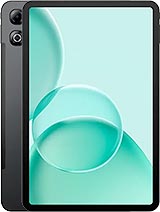
Tab G6 Max
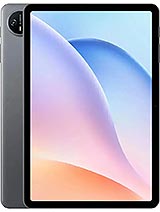
Tab A9
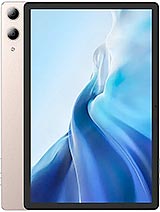
Tab E3 Pro

Tab G6 Pro
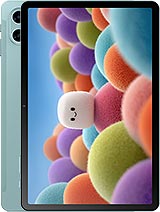
Black Shark Pad SE