Honor Pad X9a review
Suits someone who reads, takes notes with a stylus, watches video, and browses on Wi-Fi without needing cellular, strong brightness, or fast charging. Anyone who tosses the tablet into a bag daily or works in bright outdoor settings should look for a model with harder display glass and higher nits.

This review is based on Honor’s published specifications and public benchmark data for the Honor Pad X9a, and the rating is spec-based. GoSolo does not physically test devices; where we estimate real-world behaviour such as battery life or charge time, we say so. How we rate phones.
Overview
A 475g tablet for reading, note-taking, and browsing on Wi-Fi that delivers on screen size and battery life but stumbles with a soft display that scratches easily and cameras that barely merit the term. At €210, it's a solid pick for students and remote workers who prioritize real estate and endurance over photography or raw power.
Design & Build
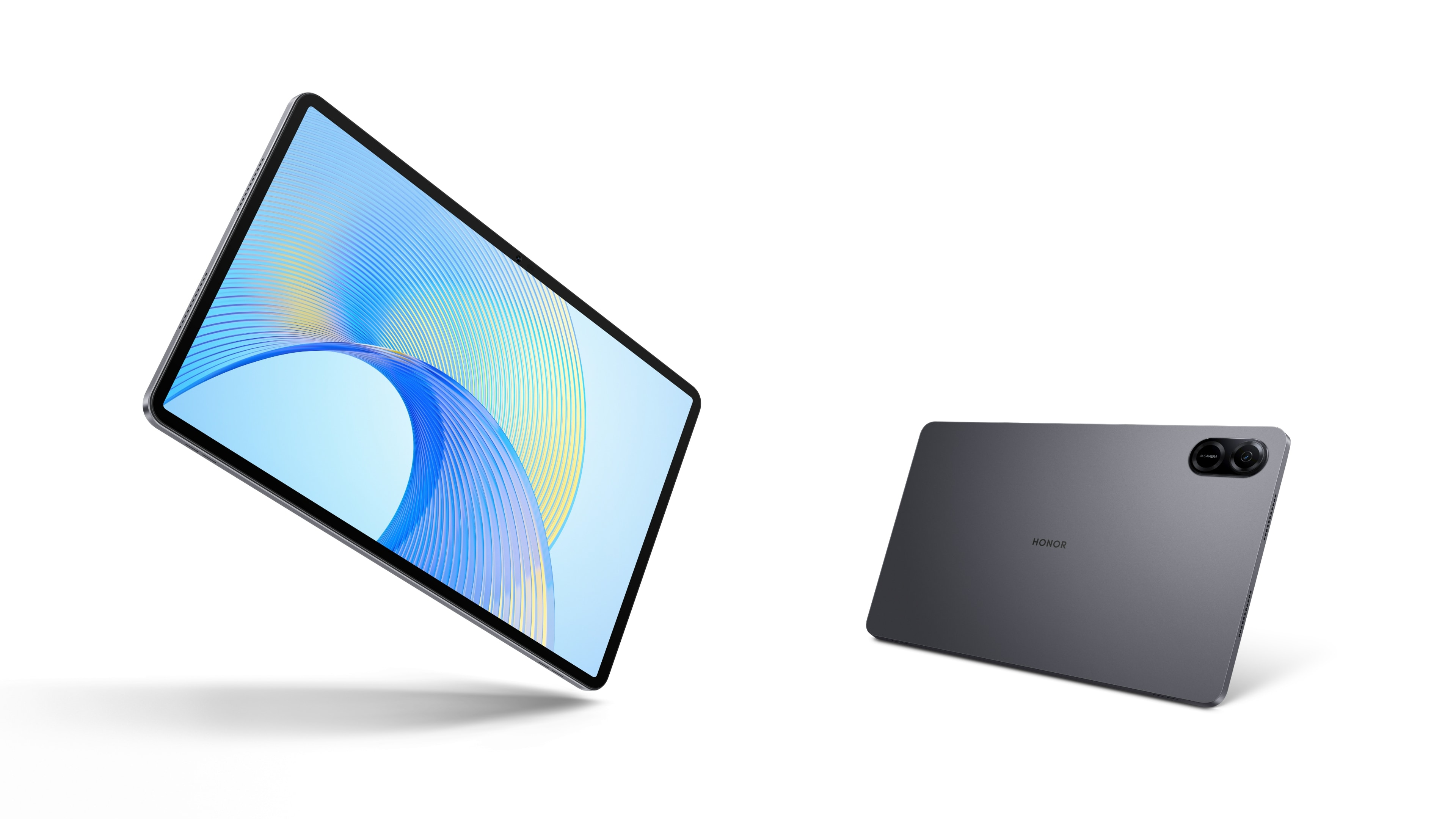
At 475 grams and 6.8mm thick, the Pad X9a sits at the lighter end of 11.5-inch tablets, making it reasonable to hold for reading or note-taking. Glass front, aluminum frame, and aluminum back look composed, though the all-metal sandwich adds nothing visually distinctive. The real durability concern is the display: Mohs 4 is soft for a 2025 tablet at this price and scratches noticeably from keys, coins, or rough cloth in a bag. For comparison, rivals have shifted to Gorilla Glass Victus 2 or equivalent; Honor's choice here feels like a cost-cut. Stylus support is present and useful for markup work, but there's no word on pressure levels or build quality of the stylus itself.
Display
The 11.5-inch TFT LCD with 1504 x 2508 resolution delivers 254 ppi, which is sharp enough for reading text and web pages at arm's length. The 120Hz refresh helps scrolling feel smooth compared to last-gen 60Hz tablets, and the 5:3 aspect ratio is well-suited to productivity. The problem is brightness: 400 nits peak is adequate for indoor work but falls well short outdoors or in bright rooms, where you'll struggle with reflections and washed-out contrast. OLED or higher-end IPS LCDs at this tier now hit 500+ nits; Honor's choice to stick with a lower-spec TFT feels like a deliberate cost trade-off. The 84% screen-to-body ratio is genuinely useful, minimizing bezels without sacrificing grip space.
Performance
The Snapdragon 685 with Adreno 610 is a mainstream midrange chip designed for apps, web browsing, and light gaming—not flagship work or sustained 3D. Everyday tasks like email, document editing, and video streaming will run without lag. Multitasking is manageable with 6GB or 8GB RAM options; the 8GB variant is worth choosing if you switch between apps frequently. Gaming will work for casual titles and indie games, but don't expect smooth framerates on graphically intense titles. For a tablet in this class and year, this chipset is standard; it's not quick, but it's appropriate.
Software
Android 15 with MagicOS 9 ships fresh out of the box, which is solid for a March 2025 release. MagicOS adds Honor's customizations on top of Android, some useful for stylus workflows and productivity. No bloatware complaints stand out from this class. Software won't bog the tablet down, and updates should arrive steadily, though Honor's track record varies by region.
Camera
The 8MP rear and 5MP front cameras are functional for video calls, quick document scanning, and whiteboard photos—nothing more. Dynamic range and low-light performance will disappoint anyone expecting real photography. At 1080p video, you get passable footage for casual recording but no 4K option. For a Wi-Fi-only tablet in this price band, the camera is an afterthought, and that's fair. If you need serious photo or video work, this tablet is not your target.
Battery & Charging
The 8300mAh battery will give you roughly 10 to 12 hours of mixed screen-on use before needing a charge—a genuinely useful day of work or reading. That endurance is a real strength for a Wi-Fi tablet. Charging at 35W is straightforward but slow by 2025 standards; expect around 60 to 80 minutes from dead to full. Rivals in the €200-300 range often include 45-65W chargers now, so this feels incremental. There's no wireless charging, which is standard to omit at this price.
Value & Verdict
At €210, the Pad X9a targets students, remote workers, and readers who want a large, light, long-lasting tablet for Wi-Fi use. It delivers on screen real estate and battery life without demanding you carry a laptop. The weak points—soft display glass, dim screen, mediocre charging speed, and throwaway cameras—are real trade-offs, but none are deal-breakers for that audience. If you prioritize display durability, brightness, or wish for faster charging, step up to a €300+ model with better glass and OLED. If you mostly read, take notes, and browse, this tablet works.
Verdict
Suits someone who reads, takes notes with a stylus, watches video, and browses on Wi-Fi without needing cellular, strong brightness, or fast charging. Anyone who tosses the tablet into a bag daily or works in bright outdoor settings should look for a model with harder display glass and higher nits.
- 11.5-inch display with 84% screen-to-body ratio gives you genuine desk-like workspace without excess bulk
- 8300mAh battery easily lasts a full day of moderate use, including video and browsing
- Stylus support and lightweight aluminum frame make note-taking and casual handling straightforward
- Stereo quad speakers provide clear audio for video calls and streaming without an external speaker
- Mohs 4 display glass scratches far too easily for daily bag use—rivals in this price tier now include harder protection
- 35W charging takes over an hour to fill the battery; competitors at this price often reach 45-65W
- TFT LCD panel with 400 nits peak brightness struggles outdoors and shows the dated tech choice at this price point
Honor Pad X9a Key Specifications
The essentials at a glance. See the full spec sheet.
| Released | 2025, March 21 |
|---|---|
| Display | 11.5 inches, 376.3 cm2 (~84.1% screen-to-body ratio), TFT LCD, 120Hz, 400 nits (peak) |
| Resolution | 1504 x 2508 pixels, 5:3 ratio (~254 ppi density) |
| Chipset | Qualcomm SM6225 Snapdragon 685 (6 nm) |
| RAM & storage | 128GB 6GB RAM, 128GB 8GB RAM, 256GB 8GB RAM |
| Main camera | 8 MP, f/2.0, (wide), 1/5.0" |
| Selfie camera | 5 MP, f/2.2 |
| Battery | 8300 mAh |
| Charging | 35W wired |
| Software | Android 15, MagicOS 9 |
| Dimensions | 267.3 x 167.4 x 6.8 mm (10.52 x 6.59 x 0.27 in) |
| Weight | 475 g (1.05 lb) |
| Build | Glass front, aluminum frame, aluminum back |
| Durability | Stylus support |
| Network | No cellular connectivity |
| NFC | No |
| USB | USB Type-C |
Honor Pad X9a FAQ
Common questions, answered from the spec sheet.
Does the Pad X9a support 5G?
No. The Pad X9a tops out at No cellular connectivity, without 5G.
What chipset does the Pad X9a use?
The Pad X9a runs on the Qualcomm SM6225 Snapdragon 685 (6 nm).
What display does the Pad X9a have?
A 11.5 inches, 376.3 cm2 (~84.1% screen-to-body ratio) TFT LCD, 120Hz, 400 nits (peak), 1504 x 2508 pixels, 5:3 ratio (~254 ppi density).
How big is the Pad X9a battery?
The Pad X9a has a 8300 mAh battery. Charging is rated at 35W wired.
Does the Pad X9a have NFC?
No, the Pad X9a does not list NFC support.
Is the Pad X9a water resistant?
The Pad X9a carries a Stylus support rating.
Does the Pad X9a support a microSD card?
No, the Pad X9a does not support expandable storage.
Does the Pad X9a have a headphone jack?
No, the Pad X9a does not have a 3.5mm headphone jack.
Alternatives to consider
If the Pad X9a isn’t quite right, these are the closest calls.

Pad X9a WiFi
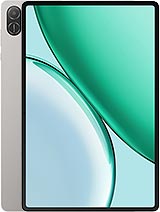
Pad X8b
Pad X9 Pro

Pad X7 2025
Moto Pad 70