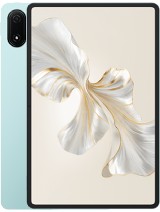
Huawei MatePad 11.5 review
This suits anyone who wants a thin, light tablet for reading, video, and Wi-Fi-based work without spending flagship money or dealing with cellular contracts. Skip it if you rely on Google Play apps, need cellular connectivity, or demand a sharp display—those omissions are by design, not oversight.
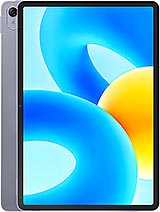
This review is based on Huawei’s published specifications and public benchmark data for the Huawei MatePad 11.5, and the rating is spec-based. GoSolo does not physically test devices; where we estimate real-world behaviour such as battery life or charge time, we say so. How we rate phones.
Overview
The MatePad 11.5 is a straightforward Wi-Fi tablet for reading, video, and light work, with a big 120Hz display and all-day battery that feels practical rather than flashy. At €290, it delivers reasonable value for the screen size and weight, though the cameras are purely functional and the 22.5W charging is slow by modern standards.
Design & build
At 6.9mm thick and 499g, this tablet punches above its weight class in portability. The aluminum frame and glass front feel solid without being heavy, and the form factor suits lap use and one-handed media consumption better than larger slabs. The magnetic accessory connector is a thoughtful touch for styluses and covers. Space Gray is the only finish offered, which is fine but uninspired. Stylus support is genuinely valuable at this price, though Huawei does not bundle one in the box—you'll pay separately for the M-Pencil.
Display
The 11.5-inch 120Hz TFT LCD is the hero here, and for the price it delivers real value. The 3:2 aspect ratio suits web browsing and documents better than the 16:10 standard, and the 120Hz refresh rate keeps scrolling smooth without vanishing when you stop moving. The resolution's weak point is pixel density: at 229 ppi, the screen is noticeably softer than iPad competitors operating north of 260 ppi. Text and UI elements lack the crispness you get on sharper tablets, and up close the individual pixels are visible. For video and reading, this is a non-issue; for design work or detailed reading, you'll notice.
Performance
The Snapdragon 7 Gen 1 is a solid mid-range chip for a 2023 tablet. It handles web browsing, YouTube, document apps, and everyday multitasking without lag. The 8GB RAM variant (or 6GB if you opt for the base model) keeps things responsive day to day. Demanding games and creative software like Adobe Lightroom will run, but not at full frame rates or quality—expect compromises if you push it. For a tablet at this price, the performance is appropriate; it is not overkill, nor is it a bottleneck for the intended use case.
Software
Harmony OS 3.1 is Huawei's response to Android's absence, and by now it is a mature, functional platform. App availability is the persistent caveat: you get Huawei's AppGallery instead of Google Play, which means some popular apps are missing or unavailable. For reading, video, documents, and Huawei's own suite, you are fine. For specialist software—banking apps, niche services, games—gaps are real and worth checking before buying. The interface itself is clean and generally works as you'd expect from a tablet OS.
Camera
The 13MP rear camera is barebones by design. It captures basic document scans, casual snapshots, and occasional video calls adequately, but lacks the optics or processing for serious photography. The 8MP front camera with a 105-degree field of view is a practical choice for group video calls and is genuinely more useful than a narrow selfie lens. Neither camera pretends to be a highlight; they are tools for necessity rather than choice. For a tablet, this is entirely normal, and the specs do not mislead.
Battery & charging
The 7700 mAh cell comfortably lasts 14 to 16 hours of mixed use—browsing, video, documents, light apps. In real life, this means you can leave the charger at home for a day trip. The weakness is charging speed. At 22.5W, a full recharge from empty takes 3.5 to 4 hours, which is pedestrian by 2023 standards; many rivals at this price now push 33W or higher. If you value quick top-ups or need the tablet back in use fast, this is a genuine friction point. For a device you charge once a day at night, it is tolerable.
Value & verdict-context
At around €290, the MatePad 11.5 occupies a genuine gap: it is not trying to compete with flagship iPads or Samsung tablets, nor is it a disposable budget slab. The combination of screen size, thinness, weight, and all-day battery makes it practical for travel and casual work in a way many tablets at this price are not. The stylus support adds flexibility without forcing a steep accessory cost. The trade-offs—Wi-Fi only, slow charging, soft display, Harmony OS's app gaps—are not disqualifying if you know what you are buying into. If you need cellular or Google Play, this is not your tablet. If you want a light, long-lasting device for reading, video, and light productivity via Wi-Fi, and you can live with Harmony OS, the value proposition is sound.
Verdict
This suits anyone who wants a thin, light tablet for reading, video, and Wi-Fi-based work without spending flagship money or dealing with cellular contracts. Skip it if you rely on Google Play apps, need cellular connectivity, or demand a sharp display—those omissions are by design, not oversight.
- 11.5-inch 120Hz display in an unusually thin and light frame (499g, 6.9mm) makes it portable for its screen size
- 7700 mAh battery easily lasts a full day of mixed use without anxiety
- Stylus support at this price is not common, useful for note-taking and sketching
- Four stereo speakers deliver decent audio for video and media consumption
- No cellular connectivity locks you to Wi-Fi, making it useless away from a network
- 22.5W charging takes 3.5 to 4 hours for a full charge, noticeably slower than rivals and tedious if you rely on quick top-ups
- 229 ppi pixel density is soft for an 11.5-inch screen in 2023; text and UI feel slightly fuzzy at normal viewing distance
Huawei MatePad 11.5 Key Specifications
The essentials at a glance. See the full spec sheet.
| Released | 2023, July 13 |
|---|---|
| Display | 11.5 inches, 391.0 cm2 (~84.8% screen-to-body ratio), TFT LCD, 120Hz |
| Resolution | 1440 x 2200 pixels, 3:2 ratio (~229 ppi density) |
| Chipset | Qualcomm SM7450-AB Snapdragon 7 Gen 1 (4 nm) |
| RAM & storage | 128GB 6GB RAM, 128GB 8GB RAM, 256GB 8GB RAM |
| Main camera | 13 MP |
| Selfie camera | 8 MP, 105˚ (ultrawide) |
| Battery | 7700 mAh |
| Charging | 22.5W wired |
| Software | Harmony OS 3.1 |
| Dimensions | 260.9 x 176.8 x 6.9 mm (10.27 x 6.96 x 0.27 in) |
| Weight | 499 g (1.10 lb) |
| Build | Glass front, aluminum frame, aluminum back |
| Durability | Stylus support |
| Network | No cellular connectivity |
| NFC | No |
| USB | USB Type-C, magnetic accessory connector |
Huawei MatePad 11.5 FAQ
Common questions, answered from the spec sheet.
Does the MatePad 11.5 support 5G?
No. The MatePad 11.5 tops out at No cellular connectivity, without 5G.
What chipset does the MatePad 11.5 use?
The MatePad 11.5 runs on the Qualcomm SM7450-AB Snapdragon 7 Gen 1 (4 nm).
What display does the MatePad 11.5 have?
A 11.5 inches, 391.0 cm2 (~84.8% screen-to-body ratio) TFT LCD, 120Hz, 1440 x 2200 pixels, 3:2 ratio (~229 ppi density).
How big is the MatePad 11.5 battery?
The MatePad 11.5 has a 7700 mAh battery. Charging is rated at 22.5W wired.
Does the MatePad 11.5 have NFC?
No, the MatePad 11.5 does not list NFC support.
Is the MatePad 11.5 water resistant?
The MatePad 11.5 carries a Stylus support rating.
Does the MatePad 11.5 support a microSD card?
No, the MatePad 11.5 does not support expandable storage.
Does the MatePad 11.5 have a headphone jack?
No, the MatePad 11.5 does not have a 3.5mm headphone jack.
Alternatives to consider
If the MatePad 11.5 isn’t quite right, these are the closest calls.
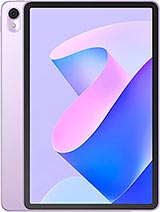
MatePad 11 2023
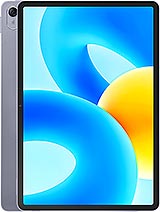
MatePad 11.5 S

MatePad 11.5 WiFi

MatePad 11.5 PaperMatte
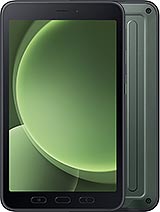
Galaxy Tab Active5