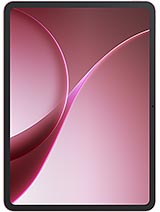
Huawei MatePad 11.5 S review
This tablet suits someone who prioritizes portability and stylus note-taking over app ecosystem breadth, and who is comfortable working outside Google's reach. Skip it if your workflow relies on specific apps, seamless cloud integration, or you want fast charging—an iPad Air or Samsung Galaxy Tab offer fewer regional friction points at similar or slightly higher cost."
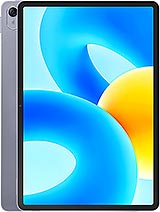
This review is based on Huawei’s published specifications and public benchmark data for the Huawei MatePad 11.5 S, and the rating is spec-based. GoSolo does not physically test devices; where we estimate real-world behaviour such as battery life or charge time, we say so. How we rate phones.
Overview
The MatePad 11.5 S is a slim, competent tablet built for stylus work and reading, with a smooth 120Hz LCD and solid Snapdragon 7 Gen 1 performance that handles multitasking without strain. Its weak points are the pedestrian cameras, slow 22.5W charging for the 7700 mAh battery, and Harmony OS's persistent app limitations outside China, which soften its value for this price.
Design & build
The MatePad 11.5 S is slim enough to slip into a bag without complaint. At 6.9 mm thick and 499 g, it feels lighter in hand than its screen size suggests, and the aluminum frame with glass front and back gives it a solid, unflashy finish. The 3:2 aspect ratio is a sensible choice for productivity and reading—wider than a typical 16:9 tablet, so less letterboxing when consuming content. Stylus support is onboard, though the spec sheet doesn't specify which stylus and whether it's included or sold separately. For a tablet in this price band released in 2023, the construction is respectable, and the thinness is genuinely useful.
Display
The 11.5-inch 1440 x 2200 LCD refreshes at 120 Hz, which is smooth enough for scrolling and animations without being overkill. At 229 ppi, pixel density is adequate for reading text and viewing images at this screen size; it won't match a high-end iPad's crispness, but it's not a weakness for browsing or note-taking. The anti-glare coating is a practical touch that reduces reflections when you're holding it at odd angles. TFT LCD is less vibrant than OLED, so colors won't pop as much, but the trade-off is lower power drain and less risk of burn-in during long note-taking sessions. For a slate designed partly around stylus use, this display hits the mark.
Performance
The Snapdragon 7 Gen 1 is a mid-range chip, solid for tablet work. With up to 8 GB RAM, multitasking—split-screen apps, note-taking with a stylus, video playback—runs without lag or unexpected slowdowns. It won't break any benchmarks, and it's not overkill for what most people actually do on a tablet. The octa-core CPU handles light photo editing and document work with ease. If you're planning heavy gaming or demanding video editing, this chip won't embarrass itself, but it's not a performance flagship either. For reading, web browsing, stylus note-taking, and casual media consumption, it's more than adequate.
Software
Harmony OS 3.1 is the elephant in the room. Outside mainland China, Huawei's custom OS remains a significant friction point. Google Play Store is unavailable, so you're relying on Huawei's own app store and sideloading—meaning popular Western apps like Netflix, Spotify, or banking apps may be missing or outdated. For users in South Asia, Africa, or other global-south markets where Google services are standard, this is a real limitation that can make the tablet feel isolated. Harmony OS itself is competent and responsive, but the app ecosystem gap compared to iPad OS or stock Android is stark. If your workflow relies on specific apps, test compatibility before committing.
Camera
The rear 13 MP camera is functional for scanning documents or quick reference shots, but it's not built for content creation. The 8 MP ultrawide front camera helps during video calls, but both are capped at 1080p@30fps video—serviceable for casual recording, not impressive. LED flash on the rear can help in low light, but tablet cameras are rarely anyone's first choice anyway. This is a tablet for consuming content and working, not producing it. If you need serious photography or video, bring a phone.
Battery & charging
The 7700 mAh battery should deliver about 12–14 hours of mixed use—browsing, reading, some video—before needing a charge. That's a full day for light users, though heavier stylus work or video streaming will cut into it. The problem is the charger: 22.5W is slow for a tablet this size, and rivals at this price now hit 30W, 33W, or faster. You're looking at roughly 90 minutes to full, which feels sluggish in 2023. The 5W reverse charging is a gimmick—it will barely trickle-charge another device. For a tablet meant to be carried and used all day, faster charging would reduce downtime.
Value & verdict
At about 290 EUR, the MatePad 11.5 S is affordable for an 11.5-inch tablet with a stylus and solid processor. The real question is whether you accept Harmony OS's app limitations and regional isolation. If you live and work primarily within Huawei's ecosystem or are willing to sideload apps, the tablet is a capable tool for reading, note-taking, and web work. If you depend on Google services, full app compatibility, and seamless cross-platform sync, look elsewhere—an iPad or a mid-range Android tablet will cost more but spare the constant workarounds. The slim build and stylus support are genuine strengths for productivity, but the weak charging speed and limited app store chip away at the value proposition.
Verdict
This tablet suits someone who prioritizes portability and stylus note-taking over app ecosystem breadth, and who is comfortable working outside Google's reach. Skip it if your workflow relies on specific apps, seamless cloud integration, or you want fast charging—an iPad Air or Samsung Galaxy Tab offer fewer regional friction points at similar or slightly higher cost."
- Slim, lightweight aluminum and glass build at 6.9 mm and 499 g makes it genuinely portable for an 11.5-inch tablet.
- Snapdragon 7 Gen 1 with up to 8GB RAM handles note-taking, web browsing, and light media work without stuttering.
- 120Hz TFT LCD at 229 ppi is sharp enough for reading and stylus work, with anti-glare coating reducing reflections.
- Stereo four-speaker system provides decent audio for video and music without external speakers.
- Charging is sluggish: 22.5W for a 7700 mAh battery means roughly 90 minutes to full, behind what rivals offer at this price point.
- Harmony OS 3.1 remains restrictive outside China—missing Google Play Store, limited app ecosystem, and weak cross-platform integration compared to iPad or Android tablets.
- Cameras are functional at best: 13 MP rear and 8 MP front, both capped at 1080p video, make it a poor choice for content creation or high-quality video calls.
Huawei MatePad 11.5 S Key Specifications
The essentials at a glance. See the full spec sheet.
| Released | 2023, July 13 |
|---|---|
| Display | 11.5 inches, 391.0 cm2 (~84.8% screen-to-body ratio), TFT LCD, 120Hz |
| Resolution | 1440 x 2200 pixels, 3:2 ratio (~229 ppi density) |
| Chipset | Qualcomm SM7450-AB Snapdragon 7 Gen 1 (4 nm) |
| RAM & storage | 128GB 6GB RAM, 128GB 8GB RAM, 256GB 8GB RAM |
| Main camera | 13 MP |
| Selfie camera | 8 MP, 105˚ (ultrawide) |
| Battery | 7700 mAh |
| Charging | 22.5W wired5W reverse wired |
| Software | Harmony OS 3.1 |
| Dimensions | 260.9 x 176.8 x 6.9 mm (10.27 x 6.96 x 0.27 in) |
| Weight | 499 g (1.10 lb) |
| Build | Glass front, aluminum frame, aluminum back |
| Durability | Stylus support |
| Network | No cellular connectivity |
| NFC | No |
| USB | USB Type-C, magnetic accessory connector |
Huawei MatePad 11.5 S FAQ
Common questions, answered from the spec sheet.
Does the MatePad 11.5 S support 5G?
No. The MatePad 11.5 S tops out at No cellular connectivity, without 5G.
What chipset does the MatePad 11.5 S use?
The MatePad 11.5 S runs on the Qualcomm SM7450-AB Snapdragon 7 Gen 1 (4 nm).
What display does the MatePad 11.5 S have?
A 11.5 inches, 391.0 cm2 (~84.8% screen-to-body ratio) TFT LCD, 120Hz, 1440 x 2200 pixels, 3:2 ratio (~229 ppi density).
How big is the MatePad 11.5 S battery?
The MatePad 11.5 S has a 7700 mAh battery. Charging is rated at 22.5W wired5W reverse wired.
Does the MatePad 11.5 S have NFC?
No, the MatePad 11.5 S does not list NFC support.
Is the MatePad 11.5 S water resistant?
The MatePad 11.5 S carries a Stylus support rating.
Does the MatePad 11.5 S support a microSD card?
No, the MatePad 11.5 S does not support expandable storage.
Does the MatePad 11.5 S have a headphone jack?
No, the MatePad 11.5 S does not have a 3.5mm headphone jack.
Alternatives to consider
If the MatePad 11.5 S isn’t quite right, these are the closest calls.
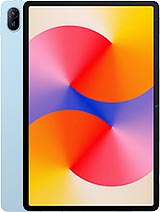
MatePad SE 11
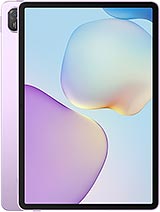
MatePad 11.5 S 2026
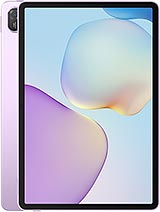
MatePad 11.5 S 2025
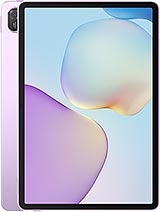
MatePad 11.5 2025
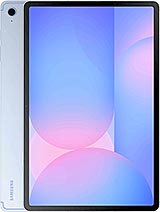
Galaxy Tab S10 FE