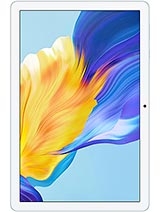
Huawei MatePad Air 2024 review
The MatePad Air is a solid all-rounder for readers, students, and light productivity workers who can live within HarmonyOS and Huawei's AppGallery ecosystem. Anyone reliant on Google services, specific Android apps, or cross-device connectivity with non-Huawei devices should look at iPad or Android alternatives from Samsung or Lenovo instead.
This review is based on Huawei’s published specifications and public benchmark data for the Huawei MatePad Air 2024, and the rating is spec-based. GoSolo does not physically test devices; where we estimate real-world behaviour such as battery life or charge time, we say so. How we rate phones.
Overview
The Huawei MatePad Air 2024 is a well-balanced 12-inch tablet built for reading, sketching, and productivity work on HarmonyOS, with smooth 144Hz display and solid battery life, though its chipset remains undisclosed and camera is functional but unremarkable. For €370 it's a sensible middle-ground tablet, but buyers seeking raw performance or Apple ecosystem integration should look elsewhere.
Design & build
At 555 grams and 5.9 mm thick, the MatePad Air is light and slim enough to carry comfortably one-handed for reading or note-taking. The build is understated without visible flourishes, and the 12-inch form factor sits between an iPad Mini and a standard 12.9-inch iPad in terms of lap-friendliness. The magnetic stylus connector is a sensible touch for any user planning to sketch or annotate regularly, though the stylus itself is a separate purchase. The lack of any visible materials spec (metal frame, Gorilla Glass type) is typical for Huawei's regional pricing but leaves durability questions unanswered.
Display
The 2800×1840 pixel 12-inch IPS panel lands at 279 ppi, which keeps text and images crisp for reading ebooks, PDFs, or web articles without pixelation. The 3:2 aspect ratio is wider than the common 16:10, making it more comfortable for office documents and sketches, where extra vertical space matters less. Peak brightness hits 1000 nits, enough to read outdoors or near a window without glare dominating the screen—a real win for workers or students who shift between environments. The 144Hz refresh rate is not essential for a tablet, but it does smooth out document scrolling and app swiping noticeably; you will not see transformative gains in games or video, but the difference is pleasant during daily navigation. IPS panels are not cutting-edge next to OLED, but they are reliable and power-efficient, which suits a device meant to last a full workday on battery.
Performance
Huawei's decision to withhold chipset and CPU/GPU details is frustrating and unusual. The spec sheet lists only HarmonyOS 4.2 and RAM (8GB or 12GB). The 12GB variant should handle multitasking—web browsing, note-taking apps, video playback, office suites—without stuttering or forced reloads, which is the real bar for a productivity tablet. However, without knowing whether this uses a Kirin flagship, Kirin mid-range, or something else, performance claims are guesswork. Buyers in Europe or beyond China will not find independent benchmark breakdowns easily, so you are relying partly on faith that Huawei has not cut corners here.
Software
HarmonyOS 4.2 is Huawei's answer to losing Android after US sanctions. It is stable and reasonably polished, but adoption outside China remains limited. The fatal weakness for many buyers: no Google Play Store. Apps come via Huawei's AppGallery, which is thinner than Google's ecosystem, especially for banking, streaming, or niche productivity tools popular in Europe or other regions. If your work or leisure relies on specific Android apps not available through AppGallery, this tablet is a poor fit. For Chinese users or those content with Huawei's app library, HarmonyOS works fine, but it is not a drop-in Android replacement for the rest of the world.
Camera
The dual rear camera—13 MP wide with f/1.8 and phase-detect autofocus, plus an 8 MP ultrawide—is functional for occasional photos or document scanning, but no more. Tablets are not good cameras anyway (awkward to hold, no optical zoom, poor low-light), and the MatePad Air does not pretend otherwise. The 4K@30fps video is acceptable for casual clips, but the lack of 60fps or higher bitrate leaves no headroom for professional or creative work. The 8 MP front camera is fine for video calls. Skip any notion that this is a camera-first device; it is not.
Battery & charging
The 10,100 mAh battery translates to roughly 10–12 hours of typical mixed use: web reading, document editing, light video streaming, and app switching. That is enough for a full workday or a long travel day, though heavy video playback will shorten that window. The spec sheet mentions 66W charging capability (a tech sheet reference notes this), which is solid but no longer fast by 2024 standards; rivals now push 100W or faster, cutting plug-time significantly. Charging time itself is not listed, so assume roughly 1.5 to 2 hours for a full cell.
Value & verdict
At around €370, the MatePad Air occupies a reasonable price band for a 12-inch tablet with long battery life, bright display, and stylus support. It undercuts iPad Air and avoids the entry-level iPad's small screen, yet it is not a flagship that justifies expensive accessories or deep integration into a productivity ecosystem. The real question is whether you trust HarmonyOS and AppGallery for your needs. For casual reading, drawing, note-taking, and web browsing, it works. For users who depend on Google's ecosystem, specific apps, or cross-device continuity with Android phones or Windows laptops, this tablet is a poor choice. The hidden chipset is also a red flag; Huawei should disclose what you are buying rather than leaving buyers guessing about longevity and software support.
Verdict
The MatePad Air is a solid all-rounder for readers, students, and light productivity workers who can live within HarmonyOS and Huawei's AppGallery ecosystem. Anyone reliant on Google services, specific Android apps, or cross-device connectivity with non-Huawei devices should look at iPad or Android alternatives from Samsung or Lenovo instead.
- 12-inch 3:2 display (2800×1840) at 279 ppi with 1000 nits brightness stays sharp and readable outdoors, and the aspect ratio suits document work and sketching better than typical 16:10 tablets
- 144Hz IPS refresh rate makes document scrolling and app navigation feel responsive without the power toll of a high-end OLED panel
- Magnetic stylus support and 12GB RAM variant make it practical for note-taking and multitasking without forced app reloads
- 10,100 mAh battery delivers about 10–12 hours of typical mixed use (reading, browsing, light productivity), enough for a full day away from a charger
- Chipset and CPU/GPU are not publicly disclosed, creating uncertainty about real-world performance and long-term software support
- HarmonyOS 4.2 remains a walled garden outside China—no Google Play, limited app ecosystem compared to iPad or Android tablets, which matters if you rely on specific services or productivity tools
- No charging speed listed; 66W fast charging is decent but slower than rivals in this price tier who now offer 100W+, meaning longer tethered time
Huawei MatePad Air 2024 Key Specifications
The essentials at a glance. See the full spec sheet.
| Released | 2024, August 06 |
|---|---|
| Display | 12.0 inches, 426.4 cm2 (~86.3% screen-to-body ratio), IPS LCD, 144Hz, 1000 nits (peak) |
| Resolution | 2800 x 1840 pixels, 3:2 ratio (~279 ppi density) |
| RAM & storage | 256GB 8GB RAM, 256GB 12GB RAM, 512GB 12GB RAM |
| Main camera | 13 MP, f/1.8, (wide), PDAF 8 MP, f/2.2, (ultrawide) |
| Selfie camera | 8 MP, f/2.2 |
| Battery | 10100 mAh |
| Software | HarmonyOS 4.2 |
| Dimensions | 270 x 183 x 5.9 mm (10.63 x 7.20 x 0.23 in) |
| Weight | 555 g (1.22 lb) |
| Durability | Stylus support (magnetic) |
| Network | No cellular connectivity |
| NFC | No |
| USB | USB Type-C 3.1, OTG, magnetic accessory connector |
Huawei MatePad Air 2024 FAQ
Common questions, answered from the spec sheet.
Does the MatePad Air 2024 support 5G?
No. The MatePad Air 2024 tops out at No cellular connectivity, without 5G.
What display does the MatePad Air 2024 have?
A 12.0 inches, 426.4 cm2 (~86.3% screen-to-body ratio) IPS LCD, 144Hz, 1000 nits (peak), 2800 x 1840 pixels, 3:2 ratio (~279 ppi density).
How big is the MatePad Air 2024 battery?
The MatePad Air 2024 has a 10100 mAh battery.
Does the MatePad Air 2024 have NFC?
No, the MatePad Air 2024 does not list NFC support.
Is the MatePad Air 2024 water resistant?
The MatePad Air 2024 carries a Stylus support (magnetic) rating.
Does the MatePad Air 2024 support a microSD card?
No, the MatePad Air 2024 does not support expandable storage.
Alternatives to consider
If the MatePad Air 2024 isn’t quite right, these are the closest calls.
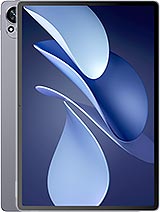
MatePad Air 2025
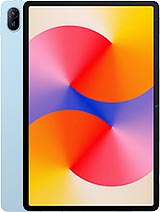
MatePad SE 11
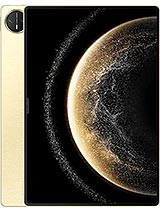
MatePad Pro 13.2 2025

MatePad SE 11 2024
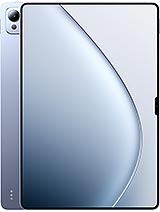
Pad 7 Ultra