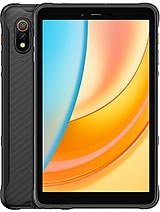
Huawei MatePad Air (2026) review
The MatePad Air works best for tablet buyers in Huawei's core markets or those who can live with AppGallery's limitations and do not need cutting-edge performance for gaming or video work. Buyers in regions with strong Google Play presence, or those who demand iPad-level app breadth and processing power, should look at iPad Air or Samsung Galaxy Tab S models instead."
This review is written with AI assistance from Huawei’s published specifications and public benchmark data for the Huawei MatePad Air (2026), and the rating is spec-based. GoSolo does not physically test devices; where we estimate real-world behaviour such as battery life or charge time, we say so. How we rate phones.
Overview
The Huawei MatePad Air is a competent 12-inch tablet with a bright OLED screen and thin body, but the Kirin T93C and HarmonyOS 4.3 still limit it outside China—international buyers face software fragmentation and app gaps that keep this from being a genuine iPad Air rival despite solid hardware.
Design and build
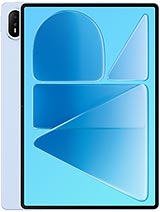
At 5.3mm thick and 509g, the MatePad Air is genuinely slim and light for a 12-inch slate. The glass front, aluminum frame, and aluminum back feel solid in hand, and the color choices—Sakura Pink, Airy Blue, White—are tasteful. The magnetic stylus is a genuine convenience, not gimmicky, and Huawei's PaperMatte option (an optional anti-glare coating) is a real alternative for those who prefer matte over glass. For a device in this category, portability is a selling point here; it feels more like something you'd hold for hours than a typical large tablet.
Display
The 12-inch, 2800x1840 OLED panel is the real draw. At 144Hz, it's genuinely smooth for scrolling and video playback, and 1200 nits peak brightness handles glare in bright rooms without washing out colors. The 3:2 aspect ratio is better than 16:10 for split-screen work and reading. Pixel density sits at 279ppi, which is sharp enough; you won't see grain at tablet-viewing distance. This is not an iPad Air screen—it lacks the extreme brightness of Apple's latest—but it's a class above what you'd get from most Android tablets and easily outmatches the usual 90Hz LCD fare. If you spend hours on a tablet, this screen justifies choosing it.
Performance
The Kirin T93C is the weak link. It is capable enough for document editing, web browsing, and light video playback, but it's a generation or two behind the chips powering iPad Air and Galaxy Tab S tablets. In real use, you'll notice stutters in heavy games, lag when opening large spreadsheets, and slower video encoding. Paired with 8GB or 12GB of RAM, the tablet handles typical multitasking without crashing, but do not expect the snappy, sustained speed of premium rivals. For the price—around 850 EUR—you're paying for a nice screen and design while accepting slower silicon.
Software
HarmonyOS 4.3 is clean and optimized for tablets, with smooth gesture navigation and useful built-in features like smart pop-up windows and cross-device collaboration if you own other Huawei hardware. The issue is ecosystem reach. Outside mainland China, Google Play Store is unavailable; you're limited to Huawei AppGallery, which lacks major banking apps, some social platforms, and key productivity tools. Yes, you can sideload APKs, but that is not a selling point for a tablet at this price. For a European or Southeast Asian buyer, this is a meaningful friction that an iPad or Samsung tablet simply does not impose.
Camera
The 50MP rear camera shoots 4K at 30fps with phase-detect autofocus and LED flash, which sounds reasonable on paper. In practice, tablet cameras are a low priority for most buyers, and this one is no exception. The sensor is modest, zoom is digital only, and there is no ultrawide or depth module. Selfie is a plain 12MP f/2.4 lens. Unless you plan to use a tablet as a camera, do not let this figure into your choice. It is adequate for scanning documents and video calls, nothing more.
Battery and charging
The 10100mAh battery should deliver a full day of moderate use—web browsing, video, email—though that depends on whether you keep the 144Hz refresh always on. Charging is listed as 66W, which is respectable but not class-leading; rivals often push 100W or higher at this price point, meaning a full charge will take a couple of hours rather than 45 minutes. The USB-C 3.1 with magnetic accessory connector is a practical choice that lets Huawei keep the tablet thin without sacrificing charging speed.
Value and verdict
At around 850 EUR, the MatePad Air sits in the premium Android tablet range, where it competes with iPad Air (which is pricier but has far better app and performance parity) and Samsung Galaxy Tab S models (which have the Google Play Store and slightly stronger chips). The OLED screen and thin design are genuine strengths, but the Kirin T93C and AppGallery-only software create a ceiling. This tablet suits creative professionals who use Huawei's ecosystem, media consumers willing to overlook the app gap, and global-south users with access to sideloading knowledge. Anyone relying on specific apps—banking software, professional tools, niche services—should test AppGallery availability before committing. It is a well-made tablet held back by silicon and software fragmentation, not hardware.
Verdict
The MatePad Air works best for tablet buyers in Huawei's core markets or those who can live with AppGallery's limitations and do not need cutting-edge performance for gaming or video work. Buyers in regions with strong Google Play presence, or those who demand iPad-level app breadth and processing power, should look at iPad Air or Samsung Galaxy Tab S models instead."
- 12-inch OLED display with 144Hz refresh and 1200 nits peak brightness, sharp and smooth for media and productivity
- Extremely thin at 5.3mm and light at 509g, making it easy to hold one-handed and pocket stylus support
- Clean, responsive HarmonyOS 4.3 optimised for tablets, with decent multitasking and split-screen apps
- Kirin T93C is mid-tier silicon: fast enough for daily work, but noticeably slower in demanding games and video editing than iPad Air or Galaxy Tab S rivals at similar prices
- Google Play Store is absent outside mainland China; relying on Huawei AppGallery means missing or sideloading many everyday apps (banking, social, productivity tools)
- Only 50MP rear camera with 4K@30fps captures, underwhelming for a tablet at this price point—no ultrawide, no zoom, no better video frame rate than budget Android tablets
Huawei MatePad Air (2026) Key Specifications
The essentials at a glance. See the full spec sheet.
| Released | 2026, July 14 |
|---|---|
| Display | 12.0 inches, 426.4 cm2 (~86.3% screen-to-body ratio), OLED, 144Hz, 1200 nits (peak), HDR |
| Resolution | 2800 x 1840 pixels, 3:2 ratio (~279 ppi density) |
| Chipset | Kirin T93C |
| RAM & storage | 256GB 8GB RAM, 256GB 12GB RAM |
| Main camera | 50 MP, f/1.8, (wide), PDAF |
| Selfie camera | 12 MP, f/2.4 |
| Battery | 10100 mAh |
| Software | HarmonyOS 4.3 |
| Dimensions | 270 x 183 x 5.3 mm (10.63 x 7.20 x 0.21 in) |
| Weight | 509 g (1.12 lb) |
| Build | Glass front, aluminum frame, aluminum back |
| Durability | Stylus support (magnetic) PaperMatte Display (optional) |
| Network | No cellular connectivity |
| NFC | No |
| USB | USB Type-C 3.1, OTG, magnetic accessory connector |
Huawei MatePad Air (2026) FAQ
Common questions, answered from the spec sheet.
Does the MatePad Air (2026) support 5G?
No. The MatePad Air (2026) tops out at No cellular connectivity, without 5G.
What chipset does the MatePad Air (2026) use?
The MatePad Air (2026) runs on the Kirin T93C.
What display does the MatePad Air (2026) have?
A 12.0 inches, 426.4 cm2 (~86.3% screen-to-body ratio) OLED, 144Hz, 1200 nits (peak), HDR, 2800 x 1840 pixels, 3:2 ratio (~279 ppi density).
How big is the MatePad Air (2026) battery?
The MatePad Air (2026) has a 10100 mAh battery.
Does the MatePad Air (2026) have NFC?
No, the MatePad Air (2026) does not list NFC support.
Is the MatePad Air (2026) water resistant?
The MatePad Air (2026) carries a Stylus support (magnetic) PaperMatte Display (optional) rating.
Does the MatePad Air (2026) support a microSD card?
No, the MatePad Air (2026) does not support expandable storage.
Alternatives to consider
If the MatePad Air (2026) isn’t quite right, these are the closest calls.
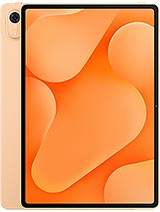
MatePad Air Z
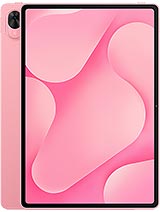
MatePad Air Z Enjoy
MatePad Pro 12 (2026)
MatePad Pro Max
Pad 9 Pro Max