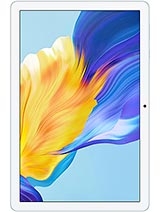
Huawei MatePad Pro 13.2 2025 review
Buy this if your day revolves around documents, design review, video editing on a big screen, and you already live in the Huawei ecosystem or use web-based tools. Avoid it if you rely on WhatsApp, Outlook, or Google services for work, or if you need the fastest possible performance for rendering or 3D work.
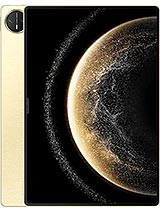
This review is based on Huawei’s published specifications and public benchmark data for the Huawei MatePad Pro 13.2 2025, and the rating is spec-based. GoSolo does not physically test devices; where we estimate real-world behaviour such as battery life or charge time, we say so. How we rate phones.
Overview
The MatePad Pro 13.2 is a genuinely pleasant large-screen tablet for work and media, with a bright, smooth OLED display, all-day battery, and quick charging that justifies the price for anyone doing design, video editing, or document work on the move. The Kirin T92 is middling for a 2025 tablet, and you are paying partly for the screen, not raw speed.
Design and build
At 5.5mm thick and under 600 grams, this thing feels like holding a large sheet of glass and magnesium. The 3:2 ratio favors documents and spreadsheets over widescreen video, which is probably by design. The nylon-fiber back is sensible for a work tablet—less fingerprints than glass, more durable. You will want a case, though; something this thin flexes if you drop it or stuff it unprotected into a bag. The overall feel is intentional: Huawei has not chased "premium" texture at the cost of usability.
Display
The 13.2-inch OLED at 2880x1920 is the star of the show. 262 ppi means text is sharp; 144Hz makes scrolling through PDFs and web pages genuinely smooth, not janky the way older tablets feel. The 1000-nit peak brightness keeps it readable in sunlight, which matters if you work outdoors or near windows. The 3:2 aspect ratio is practical for work; it is less suited to Netflix binges, but that is not the use case here. Contrast and color are what you'd expect from OLED: rich without looking cartoonish. If you are thinking about the PaperMatte variant mentioned in the specs, that trades some brightness and vividness for less glare and a pencil-on-paper feel with a stylus, which is a genuine tradeoff for note-takers or digital artists.
Performance
The Kirin T92 is where this tablet shows its age. In 2025, it is a competent but not cutting-edge chip—think of it as last year's flagship class at best. For productivity apps, multitasking, and web work, 12GB of RAM handles it fine; the 16GB option does not buy you much unless you are running heavy video editing or animation software. HarmonyOS 4.3 is stable and responsive for tablet work, though the app ecosystem is narrower than Android, and some Western apps you might rely on are missing. If you are considering this for 3D modeling, heavy rendering, or gaming, look elsewhere; for documents, email, design mockups, and video review at modest bitrates, it keeps up.
Camera
A 50MP main camera and 8MP ultrawide on a tablet is functional but not a draw. The 50MP sensor with f/1.8 and PDAF handles well-lit shots competently; the ultrawide at f/2.2 is the weaker link, more useful for capturing a document or whiteboard than for actual wide photography. 4K video at 30fps is fine for reference footage but not for professional production. The 16MP front camera is adequate for video calls. In reality, you will use your phone's camera 90% of the time; this one exists because tablets have cameras, not because you bought it for them.
Battery and charging
The 10100 mAh battery should deliver 15 to 18 hours of screen-on time depending on use—comfortably a full workday of heavy mail, document editing, and video review. The 100W SuperCharge tops it from empty to full in roughly 90 minutes, which is quick enough to grab a coffee and be back at work. In practice, you will probably charge once every day or two, depending on how much you use it. The charging speed is competitive for a tablet this size; rivals in the same price bracket offer similar wattages.
Software and connectivity
HarmonyOS 4.3 is reliable for tablet work, with a reasonable split-screen experience and decent gesture navigation. The lack of the Google Play Store is a dealbreaker for some; Huawei's own app store and sideloading help, but it is a real friction point outside China. Wi-Fi 6 and Bluetooth 5.2 are current standard for this class. The USB-C port supports DisplayPort 1.2, so you can drive an external monitor if you need a second screen for editing or design work, which is genuinely useful. The cellular variant (LTE only, no 5G) works fine for email and light browsing but is not a substitute for a phone's connection; add the LTE cost to your thinking.
Value and verdict
At around 680 EUR, this is a mid-to-premium tablet price. You are paying for the OLED screen, the 144Hz smoothness, and the all-day battery more than raw compute. If you spend your days in Google Docs, reviewing videos, sketching design mockups, or reading PDFs, the screen and battery are worth the money. If you are shopping mainly on CPU power or expecting a laptop replacement, the Kirin T92 is ordinary for 2025, and you would find cheaper options with faster chips. The HarmonyOS ecosystem caveat is real—make sure you can live without WhatsApp or other Western apps before committing. For creators and professionals in Asia or Europe who use web apps and local services, this is straightforward. For those heavily invested in the Google ecosystem, weigh that friction carefully.
Verdict
Buy this if your day revolves around documents, design review, video editing on a big screen, and you already live in the Huawei ecosystem or use web-based tools. Avoid it if you rely on WhatsApp, Outlook, or Google services for work, or if you need the fastest possible performance for rendering or 3D work.
- 13.2-inch OLED display at 2880x1920 with 144Hz is genuinely fluid for document and web work, and 1000 nits keeps it readable in sunlight
- 100W charging fills the 10100mAh battery in about 90 minutes, and 15-18 hours of screen-on time means a full workday without topping up
- Thin and light (5.5mm, 580g) with a sensible 3:2 ratio for work apps and spreadsheets, and USB-C with DisplayPort for an external monitor
- Stable HarmonyOS 4.3 multitasking and split-screen for productivity; no lag in office apps or note-taking
- Kirin T92 is middle-of-the-road for 2025; expect slower app load times and less snappy performance than newer flagship chips, noticeable if you run heavy creative software
- HarmonyOS and absence of Google Play Store means no WhatsApp, Outlook, or many Western apps without workarounds; a real barrier if your workflow depends on them
- Camera is ordinary even for a tablet; the 50MP main is acceptable but the ultrawide at f/2.2 is weak, and neither justifies carrying a 13-inch screen primarily for photos
Huawei MatePad Pro 13.2 2025 Key Specifications
The essentials at a glance. See the full spec sheet.
| Released | 2024, November 26 |
|---|---|
| Display | 13.2 inches, 518.8 cm2 (~91.5% screen-to-body ratio), OLED, 1B colors, 144Hz, HDR Vivid, 1000 nits (peak) |
| Resolution | 2880 x 1920 pixels, 3:2 ratio (~262 ppi density) |
| Chipset | Kirin T92 |
| RAM & storage | 256GB 12GB RAM, 512GB 12GB RAM, 1TB 16GB RAM |
| Main camera | 50 MP, f/1.8, (wide), PDAF 8 MP, f/2.2, (ultrawide) |
| Selfie camera | 16 MP, f/2.2 |
| Battery | 10100 mAh |
| Charging | SuperCharge up to 100 W |
| Software | Harmony OS 4.3 |
| Dimensions | 289.1 x 196.1 x 5.5 mm (11.38 x 7.72 x 0.22 in) |
| Weight | 580 g (Wi-FI) or 590 g (LTE) (1.28 lb) |
| Build | Glass front, nylon fiber back, magnesium alloy frame |
| Durability | Stylus support |
| Network | GSM / HSPA / LTE |
| NFC | No |
| USB | USB Type-C 3.1, OTG, DisplayPort 1.2, accessory connector pins |
Huawei MatePad Pro 13.2 2025 FAQ
Common questions, answered from the spec sheet.
Does the MatePad Pro 13.2 2025 support 5G?
No. The MatePad Pro 13.2 2025 tops out at GSM / HSPA / LTE, without 5G.
What chipset does the MatePad Pro 13.2 2025 use?
The MatePad Pro 13.2 2025 runs on the Kirin T92.
What display does the MatePad Pro 13.2 2025 have?
A 13.2 inches, 518.8 cm2 (~91.5% screen-to-body ratio) OLED, 1B colors, 144Hz, HDR Vivid, 1000 nits (peak), 2880 x 1920 pixels, 3:2 ratio (~262 ppi density).
How big is the MatePad Pro 13.2 2025 battery?
The MatePad Pro 13.2 2025 has a 10100 mAh battery. Charging is rated at SuperCharge up to 100 W.
Does the MatePad Pro 13.2 2025 have NFC?
No, the MatePad Pro 13.2 2025 does not list NFC support.
Is the MatePad Pro 13.2 2025 water resistant?
The MatePad Pro 13.2 2025 carries a Stylus support rating.
Does the MatePad Pro 13.2 2025 support a microSD card?
No, the MatePad Pro 13.2 2025 does not support expandable storage.
Alternatives to consider
If the MatePad Pro 13.2 2025 isn’t quite right, these are the closest calls.
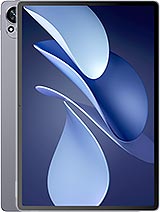
MatePad Air 2025
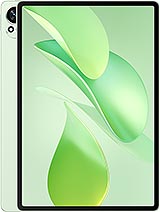
MatePad 12 X 2025
MatePad Air 2024
MatePad 12 X
Pad 7 Ultra