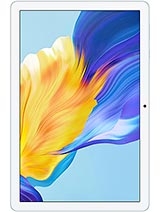
Huawei MatePad SE 11 review
The MatePad SE 11 suits anyone in Huawei's ecosystem or willing to work around HarmonyOS for a large, lightweight, all-day tablet focused on reading and casual use. If you need Google services out of the box, rely on Android-specific apps, or want transparent hardware specs and faster charging, a rival at the same price will likely frustrate you less.
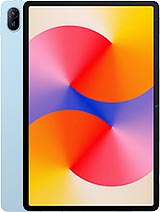
This review is based on Huawei’s published specifications and public benchmark data for the Huawei MatePad SE 11, and the rating is spec-based. GoSolo does not physically test devices; where we estimate real-world behaviour such as battery life or charge time, we say so. How we rate phones.
Overview
The MatePad SE 11 is a lightweight 11-inch tablet with solid build quality and all-day battery life, aimed at reading, video, and light productivity rather than demanding apps or creativity. For the price, it trades processing grunt and camera capability for a big screen and an optional stylus—fine for casual use, but the lack of a named chipset and older software raise questions about longevity.
Design and build
At 475g and 6.9mm thick, the MatePad SE 11 is remarkably compact for an 11-inch tablet, making it one of the few genuinely portable options in its class. The glass front and aluminum frame-and-back assembly feel solid in hand—this is not the hollow plastic you often get at budget prices. The 16:10 aspect ratio and 84.9% screen-to-body ratio mean the bezels are restrained without sacrificing grip. Stylus support (optional accessory) is a draw for note-takers, though the lack of a pressure-sensitive digitizer limits it to basic writing and sketching. For couch and desk use, this design is a strength; carry it daily and it becomes a non-issue against heavier tablets, but not a standout advantage either.
Display
The 11-inch IPS LCD is the star here. At 206 ppi, text is sharp enough for books and documents, and the 400-nit brightness is sufficient indoors and under shade—adequate but not bright enough for direct sunlight, where the screen will wash out. The 16:10 ratio is better suited to productivity and reading than ultrawide displays, and at this size the 1200×1920 resolution strikes a balance between clarity and battery drain. For video consumption and productivity work, this screen is generously sized without the bulk that larger tablets carry. Color accuracy is typical IPS: flat but consistent.
Performance
Here is where the spec sheet fails. Huawei lists no chipset name, CPU model, or GPU—only HarmonyOS 2.0. This is either a placeholder or a sign of a less-known processor rebranded or sourced for low cost. Without benchmarks or real-world data, it is hard to know whether this tablet chokes on multitasking, handles web browsing smoothly, or stumbles with heavier apps. Huawei tablets at this price typically manage light productivity, email, reading, and casual video, but creative work, gaming, or running many apps in the background is a question mark. The 4GB base RAM is tight for multitasking; stepping to 6GB or 8GB helps. For someone content with Netflix, email, and web browsing, it is likely fine; for anyone who pushes the hardware, this is a blind buy.
Software
HarmonyOS 2.0 is Huawei's homegrown alternative to Android, developed after Google sanctions cut access to Google Play and core Android services. On a Huawei tablet, HarmonyOS offers a stable, tablet-optimized interface with Huawei's app ecosystem—Huawei AppGallery, Huawei's services, and increasingly third-party apps. The trade-off is clear: no Google Play means no Gmail, YouTube, or Google Maps without workarounds, and no guarantee that apps you rely on will be available or up-to-date. For users outside China or those who depend on Google services, this is a significant friction. If you are already in Huawei's ecosystem or content with local alternatives and web apps, it is functional. For everyone else, it is a drawback that should not be minimized.
Camera
An 8MP main camera with autofocus and a 5MP front-facer are par for an entry tablet, but not particularly sharp. The 1080p video output is a decade-old standard and soft compared to what rivals offer on 11-inch screens. Real-world use—scanning documents, proof-of-concept snapshots, or video calls—works, but low light produces muddy shots and distant framing is weak. Do not expect this to replace a smartphone camera, and do not plan on it for serious videography or photography work. For light duties, acceptable; for anything beyond, disappointing.
Battery and charging
The 7700 mAh cell delivers roughly 12 to 14 hours of light use (reading, email, casual video) and 8 to 10 hours of heavier sessions, which is solid for an 11-inch tablet. The real constraint is charging: 22.5W takes about 90 to 120 minutes for a full top-up, meaning you cannot grab a quick 15-minute charge and have enough juice for a few more hours. Plan charging around your day, not around your immediate needs. Competitors at similar price now offer 33W or higher, so this is noticeably slower.
Value and verdict context
The MatePad SE 11 is positioned as a budget 11-inch tablet for reading, email, and light video—a role it handles competently. The big screen, lightweight frame, and all-day battery are genuine strengths, and the lack of a named chipset is a red flag that keeps it from being a no-brainer. HarmonyOS is functional but a friction point for anyone relying on Google services. At this price, rivals with older Android versions or more transparent processors offer less mystery, while smaller 10-inch tablets with better hardware are sometimes cheaper. The StylePad is a nice-to-have but an added cost. This tablet makes sense for someone who reads, watches video, and does light work, accepts or welcomes HarmonyOS, and does not mind the charging speed. For buyers who want a clear processor, Google Play, or faster charging, look elsewhere.
Verdict
The MatePad SE 11 suits anyone in Huawei's ecosystem or willing to work around HarmonyOS for a large, lightweight, all-day tablet focused on reading and casual use. If you need Google services out of the box, rely on Android-specific apps, or want transparent hardware specs and faster charging, a rival at the same price will likely frustrate you less.
- 11-inch IPS screen with 84.9% screen-to-body ratio and good brightness indoors (400 nits)—rare for an entry tablet
- 7700 mAh battery delivers a full day of mixed use without draining, and the compact 475g frame makes it genuinely portable for a large tablet
- Stylus support with a dedicated microSDXC slot give you flexibility for note-taking and file storage that rivals often omit at this price
- Metal build (aluminum frame and back) feels more substantial than the plastic-laden competition at this tier
- No chipset name listed—unclear how well it handles beyond basic apps; real-world speed for multitasking, games, or creative work is a gamble
- 22.5W charging takes roughly 90–120 minutes for a full battery, slower than rivals at this price
- 8MP camera is soft in low light and framing distant subjects, and 1080p video remains a dated standard for an 11-inch screen
Huawei MatePad SE 11 Key Specifications
The essentials at a glance. See the full spec sheet.
| Released | 2024, June 09 |
|---|---|
| Display | 11.0 inches, 350.9 cm2 (~84.9% screen-to-body ratio), IPS LCD, 400 nits |
| Resolution | 1200 x 1920 pixels, 16:10 ratio (~206 ppi density) |
| RAM & storage | 64GB 4GB RAM, 128GB 4GB RAM, 128GB 6GB RAM, 128GB 8GB RAM, 256GB 8GB RAM |
| Main camera | 8 MP, f/2.0, AF |
| Selfie camera | 5 MP, f/2.2 |
| Battery | 7700 mAh |
| Charging | 22.5W wired5W reverse wired |
| Software | HarmonyOS 2.0 |
| Dimensions | 252.3 x 163.8 x 6.9 mm (9.93 x 6.45 x 0.27 in) |
| Weight | 475 g (1.05 lb) |
| Build | Glass front, aluminum frame, aluminum back |
| Durability | Stylus support |
| Network | No cellular connectivity |
| NFC | No |
| USB | USB Type-C 2.0, OTG |
Huawei MatePad SE 11 FAQ
Common questions, answered from the spec sheet.
Does the MatePad SE 11 support 5G?
No. The MatePad SE 11 tops out at No cellular connectivity, without 5G.
What display does the MatePad SE 11 have?
A 11.0 inches, 350.9 cm2 (~84.9% screen-to-body ratio) IPS LCD, 400 nits, 1200 x 1920 pixels, 16:10 ratio (~206 ppi density).
How big is the MatePad SE 11 battery?
The MatePad SE 11 has a 7700 mAh battery. Charging is rated at 22.5W wired5W reverse wired.
Does the MatePad SE 11 have NFC?
No, the MatePad SE 11 does not list NFC support.
Is the MatePad SE 11 water resistant?
The MatePad SE 11 carries a Stylus support rating.
Does the MatePad SE 11 support a microSD card?
Yes, the MatePad SE 11 supports expandable storage (microSDXC (dedicated slot)).
Does the MatePad SE 11 have a headphone jack?
No, the MatePad SE 11 does not have a 3.5mm headphone jack.
Alternatives to consider
If the MatePad SE 11 isn’t quite right, these are the closest calls.

MatePad SE 11 2024
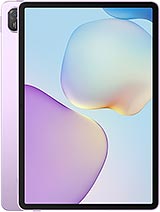
MatePad 11.5 S 2026
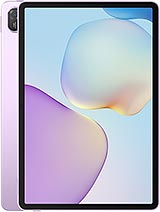
MatePad 11.5 S 2025
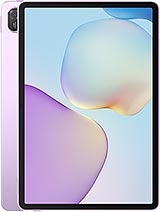
MatePad 11.5 2025
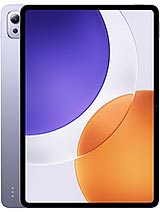
Pad 7S Pro 12.5