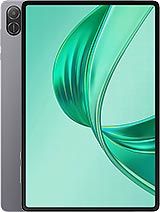
Lenovo Tab M8 (4th Gen) review
This tablet suits families wanting a low-cost device for video, reading, and casual browsing on Wi-Fi, or parents giving a child a first tablet without breaking the budget. Anyone who values a sharp screen, quick processor, or fast charging should look elsewhere; the tradeoffs are real, and the hardware has not kept pace with competition even at the entry level.
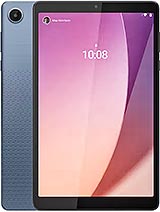
This review is based on Lenovo’s published specifications and public benchmark data for the Lenovo Tab M8 (4th Gen), and the rating is spec-based. GoSolo does not physically test devices; where we estimate real-world behaviour such as battery life or charge time, we say so. How we rate phones.
Overview
The Lenovo Tab M8 (4th Gen) is a no-frills 8-inch household tablet for video, reading, and light browsing at under €150. It delivers adequate screen real estate and battery endurance for casual use, but the low-resolution display and slow processor make it feel dated even for its modest asking price.
Design & build
At 197.8 × 119.8 × 9 mm and 320 grams, the Tab M8 is pocket-friendly for a tablet, though the plastic back and frame cheapen the glass front. It feels sturdy enough for casual carry, with a 78 percent screen-to-body ratio that is ordinary for an 8-incher. Dual speakers are a practical touch for a device pitched at families. There is nothing wrong with the form, but nothing memorable either; it is a device built to a price, not an experience.
Display
The 8-inch IPS LCD hits 350 nits brightness and covers the 16:10 aspect ratio well for video, but the 800 × 1280 resolution at 189 ppi is the core problem. Text renders soft and blown up compared to any modern phone or midrange tablet. By 2023 standards, budget rivals had already moved to 1200 × 800 or sharper, and that matters when you are reading news or messaging. Colors are flat and contrast is acceptable indoors, though sunlight washout is noticeable. This is the tablet equivalent of a 2010-era laptop screen—usable, but you notice the limitation every time you scroll text.
Performance
The MediaTek Helio A22 with 3–4 GB RAM handles video playback, web browsing, and light apps without drama. YouTube, Netflix, and email run smoothly. Try to multitask, run more than one browser tab, or touch anything resembling a game, and you hit stuttering and lag. The GPU (PowerVR GE8320) is anemic, and app load times stretch noticeably. For 2023, this chipset was already entry-level, and in 2026 it feels left behind. It is enough for a child's first tablet or a household kitchen device, but anyone expecting responsive navigation will feel the slowdown.
Battery & charging
The 5100 mAh cell delivers about one full day of moderate use—video watching, web browsing, light gaming. Heavy video or gaming drains it by evening. The 10W charger is the real letdown: a full top-up from dead takes roughly 2–3 hours, which is sluggish even for a budget tablet. Competitors at this price point have moved to 18–20W wired charging; Lenovo's choice to stick at 10W feels like cutting corners. The good news is there is a 3.5mm jack and FM radio, both relics that some households still use.
Camera
The main camera is a 5–8 MP sensor (depending on model variant) that captures passable photos in daylight, acceptable for documents or group shots in good light. Indoors, detail fades and noise creeps in. The 2 MP front camera is barely functional for video calls. Video maxes at 1080p, which is fine for quick clips but nothing more. This is not a camera tablet; it is a tablet that happens to have cameras. Use it for documents or the occasional social media photo, nothing more.
Software
Android 13 ships out of the box, a solid choice for April 2023, though by 2026 that is a generation out of date. Lenovo's interface overlay is minimal, which keeps things snappy—the light touch is welcome on a low-power chipset. Updates are unlikely to arrive quickly or regularly, so this device is what you buy it as. For streaming, messaging, and casual browsing, the OS is fit for purpose; for anything demanding software evolution, do not expect much.
Value & verdict-context
At roughly €150, the Tab M8 (4th Gen) is a no-surprises budget tablet that knows its lane: a household video device, a child's first tablet, a device for people who want screen real estate on a low budget. It is not broken, but it is not compelling either. The low-res display, sluggish processor, and slow charging all feel like corners cut to hit a price. A budget buyer in 2023 could have found 10–11 inch models with better screens for similar money; in 2026, this pricing and performance have aged poorly. It survives because it is durable and simple, but it does not excel.
Verdict
This tablet suits families wanting a low-cost device for video, reading, and casual browsing on Wi-Fi, or parents giving a child a first tablet without breaking the budget. Anyone who values a sharp screen, quick processor, or fast charging should look elsewhere; the tradeoffs are real, and the hardware has not kept pace with competition even at the entry level.
- 8-inch IPS screen and dual speakers suit video playback and casual media consumption
- 5100 mAh battery lasts a full day of light use—web, video, reading
- Expandable storage via microSDXC and a 3.5mm jack are useful for older workflows
- Light enough to hold one-handed at 320 grams
- 189 ppi display looks grainy for text and images; rivals at this price now push 1200x800 or better
- 10W charging takes roughly 2–3 hours and lags far behind budget competitors offering 18–20W
- Helio A22 processor stutters under multitasking or any game beyond casual puzzle titles
Lenovo Tab M8 (4th Gen) Key Specifications
The essentials at a glance. See the full spec sheet.
| Released | 2023, April 22 |
|---|---|
| Display | 8.0 inches, 185.6 cm2 (~78.3% screen-to-body ratio), IPS LCD, 350 nits (typ) |
| Resolution | 800 x 1280 pixels, 16:10 ratio (~189 ppi density) |
| Chipset | Mediatek MT8768 Helio A22 (12 nm) |
| RAM & storage | 32GB 3GB RAM, 64GB 4GB RAM |
| Main camera | 5 MP, AF or 8MP, AF |
| Selfie camera | 2 MP |
| Battery | 5100 mAh |
| Charging | 10W wired |
| Software | Android 13 |
| Dimensions | 197.8 x 119.8 x 9 mm (7.79 x 4.72 x 0.35 in) |
| Weight | 320 g (11.29 oz) |
| Build | Glass front, plastic frame, plastic back |
| Network | GSM / HSPA / LTE |
| NFC | No |
| USB | USB Type-C 2.0, OTG |
Lenovo Tab M8 (4th Gen) FAQ
Common questions, answered from the spec sheet.
Does the Tab M8 (4th Gen) support 5G?
No. The Tab M8 (4th Gen) tops out at GSM / HSPA / LTE, without 5G.
What chipset does the Tab M8 (4th Gen) use?
The Tab M8 (4th Gen) runs on the Mediatek MT8768 Helio A22 (12 nm).
What display does the Tab M8 (4th Gen) have?
A 8.0 inches, 185.6 cm2 (~78.3% screen-to-body ratio) IPS LCD, 350 nits (typ), 800 x 1280 pixels, 16:10 ratio (~189 ppi density).
How big is the Tab M8 (4th Gen) battery?
The Tab M8 (4th Gen) has a 5100 mAh battery. Charging is rated at 10W wired.
Does the Tab M8 (4th Gen) have NFC?
No, the Tab M8 (4th Gen) does not list NFC support.
Does the Tab M8 (4th Gen) support a microSD card?
Yes, the Tab M8 (4th Gen) supports expandable storage (microSDXC (dedicated slot)).
Does the Tab M8 (4th Gen) have a headphone jack?
Yes, the Tab M8 (4th Gen) has a 3.5mm headphone jack.
Alternatives to consider
If the Tab M8 (4th Gen) isn’t quite right, these are the closest calls.
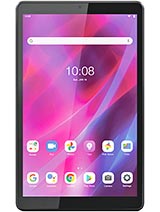
Tab M8 3rd Gen
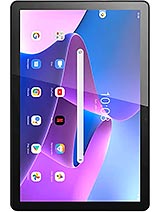
Tab M10 Gen 3
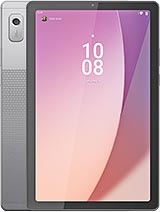
Tab M9

Tab B10 3rd Gen WiFi
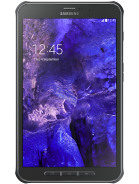
Galaxy Tab Active 5