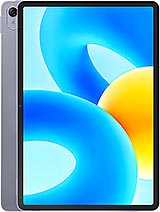
Lenovo Tab P12 review
Best suited to students, office workers, and dedicated readers who value screen size and battery life over performance or smoothness; the 60Hz display and mid-range chip are a step behind rivals by 2023, but the large format and expandable storage earn it a place for document-centric workflows.
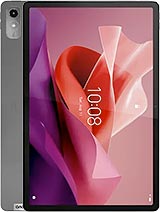
This review is based on Lenovo’s published specifications and public benchmark data for the Lenovo Tab P12, and the rating is spec-based. GoSolo does not physically test devices; where we estimate real-world behaviour such as battery life or charge time, we say so. How we rate phones.
Overview
The Tab P12 is a large, thin tablet built for reading, documents, and video on its 12.7-inch 273ppi screen, with enough all-day battery to handle a full workday. The 60Hz display and mid-range Dimensity chip are not cutting-edge, and the 8MP rear camera is barely functional, but for the price and use case—students, office workers, casual media consumption—it does the job without flourish.
Design & build
At 293 × 191 × 6.9mm and 615g, the Tab P12 is a properly slim and light tablet for its 12.7-inch size. Holding it one-handed for reading is fatigue-free over an hour, and the footprint fits easily in a large bag. The aluminum chassis feels solid enough, though Lenovo does not specify drop protection or build materials beyond that. Side-mounted fingerprint sensor is a practical choice for a portrait or landscape orientation. Stylus support is listed but Lenovo sells the pen separately; if you plan note-taking, factor in the extra cost. For an office tablet or casual reader, the build is fit for purpose without pretense.
Display
The 12.7-inch IPS LCD at 1840 × 2944 pixels (273ppi) is the heart of this tablet's value proposition. The tall 16:10 aspect ratio suits documents and reading far better than a squarer tablet; pages lay out naturally without excessive scrolling, and PDFs display at sensible zoom levels. Brightness and color accuracy are adequate for indoor use and office work, though the screen lacks the vibrancy of high-end displays. The real catch is the 60Hz refresh rate. By 2023 standards, even midrange tablets had begun adopting 90Hz or 120Hz; scrolling through text-heavy apps or web pages feels noticeably stuttery compared to a 90Hz rival. For static content—reading, documents, video—it is acceptable; for frequent scrolling or app-switching, the limitation will nag you. Glossy finish means reflections in sunlight.
Performance
The Mediatek Dimensity 7050 octa-core processor is a mainstream midrange workhorse. It handles everyday tasks without lag: email, messaging, document editing, YouTube, and casual web browsing run smoothly. Apps open quickly and multitasking between a few apps stays responsive. Video playback up to 4K is smooth. However, demanding 3D games and heavy workloads—video editing, large spreadsheets with complex formulas, RAW photo editing—will expose its limits. Expect frame drops in demanding games or noticeable delays during resource-heavy tasks. The Mali-G68 GPU is not built for console-level graphics. For students taking notes, office workers reading email and editing Word documents, and anyone doing light creative work, the chip is adequate and rarely the bottleneck. For content creators or serious mobile gamers, look elsewhere.
Software
Android 13 out of the box is a solid baseline, though by mid-2023 it was not cutting-edge. Lenovo's skin is minimal and inoffensive, with few bloatware apps—a refreshing change from some manufacturers. Stylus support is baked in for note-taking apps, though you will need to buy a compatible stylus separately. Update frequency and support window are not specified, so assume Lenovo's typical two years of major OS updates and a few years of security patches. Nothing standout, nothing broken.
Camera
The 8MP f/2.0 rear camera with LED flash is functionally pointless for actual photography. Photos are soft, lack detail, and are suitable only as a last-resort document scanner or video conferencing fallback. The 13MP front ultrawide camera is better-suited for video calls (more face fits in frame) and casual selfies, though processing is typical for a budget chip. If you need a camera, do not buy this tablet; if you rarely take photos and just want fallback optics, it suffices. 4K video recording at 30fps works but has limited use on a tablet.
Battery & charging
The 10200mAh battery easily delivers 12 to 15 hours of screen-on time during moderate use—reading, browsing, document work, video. A full workday (8 to 10 hours of mixed usage) is realistic without recharging. Charging specs are not listed on the spec sheet, but Lenovo tablets in this tier typically use 30W wired charging; assume 1.5 to 2 hours to full. There is no wireless charging, which is standard for tablets this price. The battery size and efficiency make this tablet genuinely all-day, unlike many ultrabooks or smaller tablets that need top-ups by afternoon.
Value & verdict-context
At around 400 EUR, the Tab P12 occupies a difficult middle ground. It is too large and expensive to be a casual media tablet, yet too underpowered and limited to be a productivity workhorse. However, it does excel in a specific niche: readers, students, and office workers who want a single device for books, PDFs, documents, and video, with enough screen real estate and battery to work all day without fussing over power or cramped text. The 60Hz screen is the main modern letdown—by 2023, rivals at this price had moved to 90Hz—and the rear camera is a wasted component. Stylus support is useful for note-takers but requires buying the pen separately. Storage options up to 256GB plus microSD expansion are generous. If you spend most time on static content or office work, the Tab P12 is a straightforward choice. If you expect smooth scrolling, gaming, or professional creative work, look at alternatives with faster chips or higher refresh screens.
Verdict
Best suited to students, office workers, and dedicated readers who value screen size and battery life over performance or smoothness; the 60Hz display and mid-range chip are a step behind rivals by 2023, but the large format and expandable storage earn it a place for document-centric workflows.
- Large 12.7-inch display with tall 16:10 aspect ratio and 273ppi density makes text and documents genuinely readable without scaling up text size excessively.
- Slim 6.9mm body and 615g weight mean it is light enough to carry or hold for extended reading sessions without arm fatigue.
- 10200mAh battery easily lasts a full day of moderate use (documents, browsing, video) on a single charge, eliminating midday anxiety.
- Dedicated microSD slot supports up to 1TB expansion, letting you add storage without replacing the tablet or settling for cloud-only workflows.
- 60Hz LCD screen feels noticeably slower and less smooth than the 90Hz+ standard on rivals and tablets at this price by 2023; scrolling through text or switching apps shows the lag.
- Mediatek Dimensity 7050 is mainstream midrange; demanding 3D games and heavy video editing will struggle or stutter.
- 8MP rear camera is barely functional—fine for the rare document scan, useless for actual photography, and undercuts the otherwise competent tablet package.
Lenovo Tab P12 Key Specifications
The essentials at a glance. See the full spec sheet.
| Released | 2023, July 28. Released 2023, July 28 |
|---|---|
| Display | 12.7 inches, 467.7 cm2 (~83.6% screen-to-body ratio), IPS LCD |
| Resolution | 1840 x 2944 pixels, 16:10 ratio (~273 ppi density) |
| Chipset | Mediatek Dimensity 7050 (6 nm) |
| RAM & storage | 128GB 4GB RAM, 128GB 8GB RAM, 256GB 8GB RAM |
| Main camera | 8 MP, (wide), AF |
| Selfie camera | 13 MP, (ultrawide) |
| Battery | 10200 mAh |
| Software | Android 13 |
| Dimensions | 293.3 x 190.7 x 6.9 mm (11.55 x 7.51 x 0.27 in) |
| Weight | 615 g (1.36 lb) |
| Durability | Stylus support |
| Network | No cellular connectivity |
| NFC | No |
| USB | USB Type-C 2.0 |
Lenovo Tab P12 FAQ
Common questions, answered from the spec sheet.
Does the Tab P12 support 5G?
No. The Tab P12 tops out at No cellular connectivity, without 5G.
What chipset does the Tab P12 use?
The Tab P12 runs on the Mediatek Dimensity 7050 (6 nm).
What display does the Tab P12 have?
A 12.7 inches, 467.7 cm2 (~83.6% screen-to-body ratio) IPS LCD, 1840 x 2944 pixels, 16:10 ratio (~273 ppi density).
How big is the Tab P12 battery?
The Tab P12 has a 10200 mAh battery.
Does the Tab P12 have NFC?
No, the Tab P12 does not list NFC support.
Is the Tab P12 water resistant?
The Tab P12 carries a Stylus support rating.
Does the Tab P12 support a microSD card?
Yes, the Tab P12 supports expandable storage (microSDXC (dedicated slot)).
Alternatives to consider
If the Tab P12 isn’t quite right, these are the closest calls.
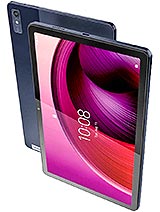
Tab M10 5G
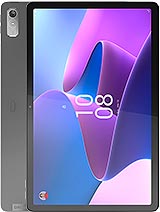
Tab P11 Gen 2
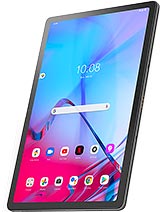
Tab P11 5G

Tab P11 2nd Gen
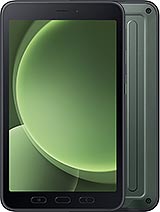
Galaxy Tab Active5