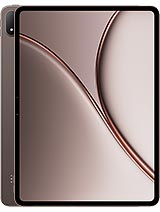
Lenovo Yoga Tab Plus Gen 2 review
This tablet is best suited to creative professionals and desk-bound workers who prioritize display quality and storage flexibility over portability and cellular reach. Anyone relying on mobile connectivity or seeking a more compact, pocketable device should cross-shop alternatives with LTE or 5G and lighter builds."
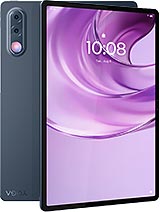
This review is based on Lenovo’s published specifications and public benchmark data for the Lenovo Yoga Tab Plus Gen 2, and the rating is spec-based. GoSolo does not physically test devices; where we estimate real-world behaviour such as battery life or charge time, we say so. How we rate phones.
Overview
The Yoga Tab Plus Gen 2 is a 13-inch tablet built for media and content creation, with flagship performance and a sharp 3840x2560 display, but hampered by a weak camera system and the lack of cellular connectivity that makes it a WiFi-only device in an era when competitors offer LTE or 5G options.
Design & Build
At 605g and 8.3mm thick, the Yoga Tab Plus Gen 2 is svelte for its 13-inch frame. Glass front, aluminum frame, and aluminum back are standard fare for this tier and feel durable enough. The form factor suits desk work and content consumption, and the 3:2 screen ratio (rather than 16:9) is a thoughtful choice for productivity—landscape video watching stays a secondary use case. Dust protection is a practical touch. The tablet is not small enough to pocket and not so light that one-handed holding feels natural for long periods, but that is the trade-off of the screen size and remains acceptable.
Display
The 13-inch IPS LCD at 3840×2560 is a standout. At 355 ppi, text and images look sharp; 144Hz refresh keeps scrolling smooth, though the real-world benefit over 120Hz for typical work is marginal. Peak brightness of 1100 nits is overkill indoors but welcome for outdoor use. Dolby Vision support adds color depth if you consume a lot of streaming content. The screen-to-body ratio of 86.1% is respectable, meaning minimal bezel waste. For a 2026 tablet at this price, this is class-leading—rivals often ship with 2K or 1440p panels, making this a genuine strength.
Performance
The Snapdragon 8 Elite is this generation's flagship silicon, and it does not feel out of place on a tablet. Real-world app performance is swift; heavy apps like video editors, 3D design tools, and productivity suites open instantly and respond without stutter. The 12GB or 16GB RAM options (paired with UFS 4.1 storage) mean you can comfortably keep 20+ apps in memory without Android resorting to aggressive recycling. Benchmarks will be strong, but day-to-day the benefit manifests as responsiveness—you will never wait on this chip. It is overkill for email and web browsing, but if you edit video, draw with a stylus, or work in split-screen multitasking regularly, this headroom justifies itself.
Software
Android 17 arrives here and will receive seven major OS updates, giving you about seven years of platform evolution—rare generosity from Lenovo. The OS itself is clean; Lenovo has resisted bloatware more than most OEMs. Stylus integration is present, though not as fluid or feature-rich as Apple's iPad. Multitasking with split-screen and floating windows works, and the 3:2 ratio gives you more breathing room than 16:9 tablets. No surprises, but no friction either.
Camera
The 13MP main camera and 2MP macro are forgettable. Tablets are rarely bought for imaging, but if you need to scan documents, shoot reference photos for design work, or join video calls, you will notice the softness and color grading. The 8MP front-facer is better for conferencing but still unremarkable. This is not a dealbreaker for productivity work, but it is the weakest link on an otherwise rounded device. Rivals do not excel here either, but this particular setup underperforms even the modest tablet baseline.
Battery & Charging
The 12700 mAh battery delivers solid endurance—roughly 14 to 16 hours of moderate use (video playback, browsing, light work) is realistic. The spec sheet lists 68W charging support, which should fill the tank in around 1.5 to 2 hours from empty, matching the faster tablet chargers on the market. Given the size and use case (mostly desk-bound), all-day autonomy without charging is the key metric, and this delivers it. Charging speed is adequate, not revolutionary.
Value & Verdict Context
At about 850 EUR, the Yoga Tab Plus Gen 2 sits in the premium tablet space, competing against iPad Air and Samsung Galaxy Tab S series devices. It justifies its cost through the display quality and storage flexibility (microSD slot when rivals omit it), but the WiFi-only connectivity is a notable retreat. In 2026, most rivals at this price include cellular options; going WiFi-only feels like a cost-cutting decision that undercuts the premium positioning. The camera weakness is secondary—nobody buys a 13-inch tablet for photos. The real question is whether you can live without mobile data connectivity. If you work at a desk or in cafes with WiFi, and you value a crisp display and flagship performance for creative work, this is a solid choice. If you travel frequently or need to stay connected beyond WiFi hotspots, look elsewhere.
Verdict
This tablet is best suited to creative professionals and desk-bound workers who prioritize display quality and storage flexibility over portability and cellular reach. Anyone relying on mobile connectivity or seeking a more compact, pocketable device should cross-shop alternatives with LTE or 5G and lighter builds."
- 13-inch display at 3840×2560 with 144Hz refresh, 1100 nits peak, and Dolby Vision—exceptional clarity and brightness for a productivity tablet at this price
- Snapdragon 8 Elite with 12GB or 16GB RAM handles demanding apps, video editing, and multitasking without lag; UFS 4.1 storage keeps file transfers snappy
- Stylus support and 3:2 aspect ratio suit note-taking, drawing, and document work better than most tablets in this class
- 12700 mAh battery easily lasts a full workday of mixed use; microSD slot lets you expand storage without compromise
- WiFi-only connectivity is a real limitation in 2026—rivals in this price band offer LTE or 5G, making this less versatile away from a network
- Camera package (13MP main, 2MP macro, 8MP selfie) is genuinely weak; tablet cameras are often forgettable, but these lag even lower standards
- At 605g and 8.3mm, it is lighter than some competitors, but still feels substantial and not ideal for one-handed casual browsing
Lenovo Yoga Tab Plus Gen 2 Key Specifications
The essentials at a glance. See the full spec sheet.
| Released | 2026, September 23 |
|---|---|
| Display | 13.0 inches, 503.2 cm2 (~86.1% screen-to-body ratio), IPS LCD, 1B colors, 144Hz, Dolby Vision, 700 nits (typ), 1100 nits (peak) |
| Resolution | 3840 x 2560 pixels, 3:2 ratio (~355 ppi density) |
| Chipset | Qualcomm SM8750-AB Snapdragon 8 Elite (3 nm) |
| RAM & storage | 256GB 12GB RAM, 256GB 16GB RAM, 512GB 12GB RAM |
| Main camera | 13 MP, (wide), AF 2 MP (macro) |
| Selfie camera | 8 MP, (wide) Auxiliary lens |
| Battery | 12700 mAh |
| Software | Android 17, up to 7 major OS updates |
| Dimensions | 291.8 x 200.4 x 8.3 mm (11.49 x 7.89 x 0.33 in) |
| Weight | 605 g (1.33 lb) |
| Build | Glass front, aluminum frame, aluminum back |
| Durability | Stylus support Dust protected |
| Network | No cellular connectivity |
| NFC | No |
| USB | USB Type-C 3.2, OTG, DisplayPort, accessory connector |
Lenovo Yoga Tab Plus Gen 2 FAQ
Common questions, answered from the spec sheet.
Does the Yoga Tab Plus Gen 2 support 5G?
No. The Yoga Tab Plus Gen 2 tops out at No cellular connectivity, without 5G.
What chipset does the Yoga Tab Plus Gen 2 use?
The Yoga Tab Plus Gen 2 runs on the Qualcomm SM8750-AB Snapdragon 8 Elite (3 nm).
What display does the Yoga Tab Plus Gen 2 have?
A 13.0 inches, 503.2 cm2 (~86.1% screen-to-body ratio) IPS LCD, 1B colors, 144Hz, Dolby Vision, 700 nits (typ), 1100 nits (peak), 3840 x 2560 pixels, 3:2 ratio (~355 ppi density).
How big is the Yoga Tab Plus Gen 2 battery?
The Yoga Tab Plus Gen 2 has a 12700 mAh battery.
Does the Yoga Tab Plus Gen 2 have NFC?
No, the Yoga Tab Plus Gen 2 does not list NFC support.
Is the Yoga Tab Plus Gen 2 water resistant?
The Yoga Tab Plus Gen 2 carries a Stylus support Dust protected rating.
Does the Yoga Tab Plus Gen 2 support a microSD card?
Yes, the Yoga Tab Plus Gen 2 supports expandable storage (microSD (dedicated slot)).
Alternatives to consider
If the Yoga Tab Plus Gen 2 isn’t quite right, these are the closest calls.
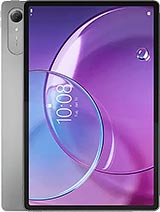
Idea Tab Pro Gen 2
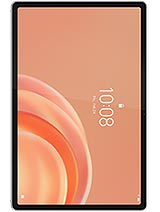
Tab Plus Gen 2

Legion Tab 8.8 Gen 3
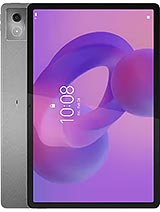
Idea Tab Pro
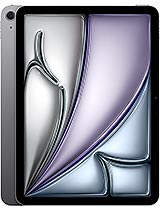
iPad Air 11 2026