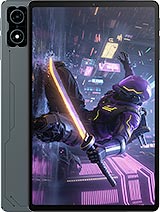
Motorola Moto Pad 60 Pro review
This tablet suits someone who needs a large, smooth screen for reading, video, and productivity over Wi-Fi, backed by all-day battery and rapid charging at a sensible price. If you need cellular backup, brighter daylight performance, or camera quality beyond casual snapshots, look to pricier options or a different class."
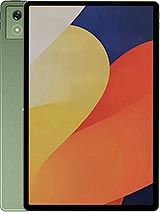
This review is based on Motorola’s published specifications and public benchmark data for the Motorola Moto Pad 60 Pro, and the rating is spec-based. GoSolo does not physically test devices; where we estimate real-world behaviour such as battery life or charge time, we say so. How we rate phones.
Overview
The Moto Pad 60 Pro is a solid mid-range 12.7-inch tablet built for reading, video, and remote work over Wi-Fi at an approachable price. The 144Hz display is smooth, the battery lasts a full day, and 45W charging is fast enough, but the cameras are basic and you're locked to Wi-Fi-only use.
Design & Build
At 620 grams and 6.9mm thin, the Moto Pad 60 Pro feels light for its 12.7-inch size and sits comfortably on a lap. The glass-and-aluminum construction is sturdy without being premium, and the Bronze Green finish avoids the tired silver-aluminum look. Splash resistance is welcome for a device meant for reading in varied environments, and stylus support opens the door to sketching or note-taking if you buy the pen separately. The side-mounted fingerprint sensor is reachable when you're holding it, though the sensor itself is small.
Display
The 12.7-inch IPS LCD at 2944 by 1840 pixels gives a crisp 273 ppi, fine enough that pixels don't intrude at normal viewing distance. The 144Hz refresh rate is the standout here: scrolling through articles, web pages, and document feeds feels visibly smoother than a 60Hz alternative, and video playback benefits from the extra fluidity. The downside is brightness. At 400 nits, the screen is perfectly readable indoors and serviceable in overcast light, but direct sunlight washes it out badly compared to tablets priced higher. HDR10 support is listed, though on a 400-nit LCD it won't deliver the impact rivals get from OLED or brighter LED panels.
Performance
The Dimensity 8300 is a serious chip for a tablet at this price: it's a high-end mid-ranger built on 4nm process with four high-performance Cortex-A715 cores and Mali G615-MC6 graphics. In practice, this means email, browsing, video streaming, and office apps run without lag. Gaming is viable for less demanding titles, but 3D games at high settings will force you to dial back quality or frame rates. The 8GB base and 12GB top configurations are generous enough that multitasking doesn't cause stutters. For what this tablet is designed to do—reading, productivity, light media—the performance lands where it needs to.
Software
Android 14 ships here with a promise of up to two major upgrades, leaving the device supported into 2027 at minimum. Motorola's UI layer is thin and relatively clean compared to manufacturer skins, so the experience stays close to stock Android. Updates will likely roll out on time. The microSDXC slot means you can expand storage beyond the 128GB or 256GB internal options, useful if you plan to hoard videos or high-res documents.
Camera
A 13MP rear camera and 8MP front camera are minimal by 2025 standards, but they fit the tablet's purpose. The rear is adequate for scanning documents, recording video calls, and casual snapshots in good light. Low-light performance will be weak, and distant shots won't resolve fine detail. The front 8MP is fine for video calls and self-portraits at close range. Neither sensor has hardware that suggests Motorola spent much time on imaging here, and that's the honest read: cameras are an afterthought on this device.
Battery & Charging
The 10200 mAh battery yields about eight to ten hours of screen-on time with mixed use—reading, messaging, light video. Heavy video playback or demanding apps will drain it faster, but a typical day of remote work with Wi-Fi breaks should get you to evening. The 45W wired charging is the real win. From empty, you'll see a full charge in roughly 30 to 45 minutes, making it practical to top up before leaving home or the office. There's also reverse wired charging, though that's rarely useful on a tablet.
Value & Verdict
At about 280 EUR, the Moto Pad 60 Pro occupies a narrow sweet spot: it's affordable enough to not sting, large enough for comfortable reading and video, and quick enough for work. The lack of cellular connectivity is the hard trade-off. You're buying a Wi-Fi-only tablet, which is fine if you're in range at home and office, but limits it as a travel or commute device unless you tether to a phone. The camera weakness is accepted knowledge on budget tablets, but the brightness limitation of the display stings more: at a higher price you'd expect 600+ nits. Rivals at this tier now often bundle that brighter screen. What you're getting here is smooth scrolling, good battery life, and fast charging bundled in a light frame—solid for office work and reading, less ideal if you roam far from Wi-Fi.
Verdict
This tablet suits someone who needs a large, smooth screen for reading, video, and productivity over Wi-Fi, backed by all-day battery and rapid charging at a sensible price. If you need cellular backup, brighter daylight performance, or camera quality beyond casual snapshots, look to pricier options or a different class."
- 12.7-inch display with 144Hz refresh makes scrolling and video playback noticeably fluid
- 45W charging fills the 10200 mAh battery in under an hour from empty
- Dimensity 8300 handles everyday tablet work and streaming without stuttering
- Solid build with glass front, aluminum frame, and stylus support at this price point
- No cellular connectivity means you're tethered to Wi-Fi or a hotspot for any online use beyond home
- 13MP rear and 8MP front cameras are bare-bones, suited only for casual documents and video calls
- 400-nit display legible indoors but underwhelming in bright sunlight compared to rivals
Motorola Moto Pad 60 Pro Key Specifications
The essentials at a glance. See the full spec sheet.
| Released | 2025, April 17 |
|---|---|
| Display | 12.7 inches, 467.7 cm2 (~84.8% screen-to-body ratio), IPS LCD, 144Hz, HDR10, 400 nits |
| Resolution | 2944 x 1840 pixels, 16:10 ratio (~273 ppi density) |
| Chipset | Mediatek Dimensity 8300 (4 nm) |
| RAM & storage | 128GB 8GB RAM, 256GB 12GB RAM |
| Main camera | 13 MP, (wide), AF |
| Selfie camera | 8 MP |
| Battery | 10200 mAh |
| Charging | 45W wiredReverse wired |
| Software | Android 14, up to 2 major Android upgrades |
| Dimensions | 291.8 x 189.1 x 6.9 mm (11.49 x 7.44 x 0.27 in) |
| Weight | 620 g (1.37 lb) |
| Build | Glass front, aluminum frame, aluminum back |
| Durability | Stylus support Splash resistant |
| Network | No cellular connectivity |
| NFC | No |
| USB | USB Type-C 3.2, DisplayPort, OTG, accessory connector pins |
Motorola Moto Pad 60 Pro FAQ
Common questions, answered from the spec sheet.
Does the Moto Pad 60 Pro support 5G?
No. The Moto Pad 60 Pro tops out at No cellular connectivity, without 5G.
What chipset does the Moto Pad 60 Pro use?
The Moto Pad 60 Pro runs on the Mediatek Dimensity 8300 (4 nm).
What display does the Moto Pad 60 Pro have?
A 12.7 inches, 467.7 cm2 (~84.8% screen-to-body ratio) IPS LCD, 144Hz, HDR10, 400 nits, 2944 x 1840 pixels, 16:10 ratio (~273 ppi density).
How big is the Moto Pad 60 Pro battery?
The Moto Pad 60 Pro has a 10200 mAh battery. Charging is rated at 45W wiredReverse wired.
Does the Moto Pad 60 Pro have NFC?
No, the Moto Pad 60 Pro does not list NFC support.
Is the Moto Pad 60 Pro water resistant?
The Moto Pad 60 Pro carries a Stylus support Splash resistant rating.
Does the Moto Pad 60 Pro support a microSD card?
Yes, the Moto Pad 60 Pro supports expandable storage (microSDXC).
Does the Moto Pad 60 Pro have a headphone jack?
No, the Moto Pad 60 Pro does not have a 3.5mm headphone jack.
Alternatives to consider
If the Moto Pad 60 Pro isn’t quite right, these are the closest calls.
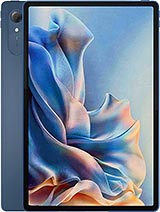
Moto Pad 70 Pro
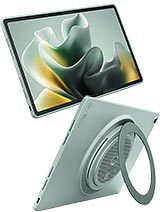
Moto Pad 70 Groove
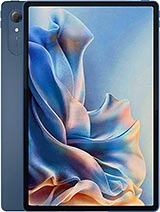
Pad 6 Pro
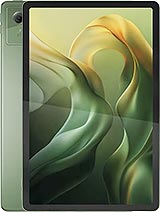
Moto Pad 60 Neo
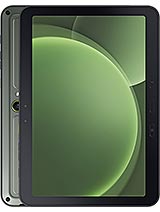
Galaxy Tab Active5 Pro