Motorola Pad 5 review
The Pad 5 suits travelers and casual readers who prioritize portability and battery stamina over screen quality or responsiveness. Anyone who plans to use this for work, photo editing, or heavier apps should look elsewhere—even budget competitors offer faster processors and brighter screens at this price point.
This review is written with AI assistance from Motorola’s published specifications and public benchmark data for the Motorola Pad 5, and the rating is spec-based. GoSolo does not physically test devices; where we estimate real-world behaviour such as battery life or charge time, we say so. How we rate phones.
Overview
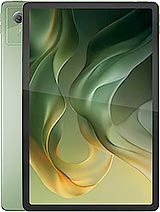
The Motorola Pad 5 is a light, thin 11-inch tablet pitched at budget buyers who want something portable for streaming and light work. It is held back by a weak processor, dim screen, and minimal cameras that make it feel more like a entry-level device than a real iPad alternative even at this price.
Design and build
At 480g and 7mm thick, the Pad 5 is one of the few tablets you might actually carry like a notebook. The aluminum frame and glass front feel solid without being heavy, and the splash resistance adds peace of mind for coffee-table reading. The trade-off is obvious: Motorola has cut costs elsewhere to keep the weight down, but for the use case—sofa browsing, travel reading—the thin profile is a real strength. A stylus slot and microSD card slot round out the practical touches, though the lack of a bundled stylus or case means you'll spend extra to use them.
Display
The 11-inch IPS LCD is roomy for its price, but 500 nits and a washed color profile are a step behind what you'd find in comparably priced rivals. Scrolling through web pages and ebooks is smooth at 90Hz, and the 16:10 aspect ratio suits reading better than a wider cinema format. The real issue is brightness: take this outside or into direct sunlight, and the screen becomes hard to use. For a 2026 tablet at 250 EUR, you should expect at least 600 nits and richer color; Motorola cut corners here.
Performance
The Dimensity 6300 is a mobile chip designed for phones, not tablets, and it shows. Light browsing and social media are fine, but open multiple apps, switch between a browser and productivity tool, or try anything heavier—say, photo editing or casual games—and you hit the limits. Frame drops appear during scrolling in complex layouts, and load times are sluggish next to tablets with midrange tablet-class processors. For a device likely kept for three or four years, this chip already feels a generation behind where it should be. Most buyers at this price would notice the stuttering during everyday use.
Software
Android 15 gives you a modern baseline, and Motorola's overlay is reasonably light. App compatibility is broad, and the tablet should receive at least two OS updates. There is nothing noteworthy here, either for good or ill; it behaves like a Android tablet, with all the fragmentation and occasional jank you'd expect from the platform on budget silicon.
Camera
The 8MP rear camera is a footnote. It will scan documents in a pinch and capture proof-of-life photos, but the lack of autofocus and small sensor mean anything beyond that is a disappointment. The 5MP selfie cam is adequate for video calls if the lighting is kind. In an era when even budget tablets carry 13MP sensors, Motorola's choice to skimp here reinforces that this is a bare-bones device. Most owners will not use these cameras much, but having them this basic is deflating.
Battery and charging
The 7040 mAh battery comfortably delivers a full day of mixed reading, streaming, and browsing—probably 10 to 12 hours of screen-on time in realistic use. Heavy gaming or constant video playback will cut that to 7 or 8 hours, but for the intended audience, a single daily charge is standard. The 67W fast charging is the standout feature; from empty to full in under 40 minutes means you can grab a coffee and come back to a ready-to-go device. That speed punches above the tablet's weight and eases the pain of a smaller battery capacity.
Value and verdict
At 250 EUR, the Pad 5 is inexpensive, but it feels like Motorola cut the wrong costs. A better display and a faster processor would have made this a genuine alternative for students and casual readers; instead, it is a device that works in short bursts but reminds you of its limits every time you push it slightly. The thin design and fast charging are real perks, and microSD expansion is a plus, but the weak screen and entry-level processor undermine the whole package. You are paying for portability and battery life, not capability or a pleasant user experience.
Verdict
The Pad 5 suits travelers and casual readers who prioritize portability and battery stamina over screen quality or responsiveness. Anyone who plans to use this for work, photo editing, or heavier apps should look elsewhere—even budget competitors offer faster processors and brighter screens at this price point.
- Thin and light at 7mm and 480g, genuinely pocketable for a tablet this size
- Solid 7040 mAh battery delivers a full day of casual reading and streaming without strain
- Fast 67W charging tops the battery in under 40 minutes, useful for grab-and-go use
- Stylus support and microSD expansion let you add storage and accessories without being locked in
- Dimensity 6300 is entry-level mobile silicon; scrolling and multitasking stutter compared to the midrange chips tablets ought to have by 2026
- 500-nit IPS LCD screen is dim and colors lean washed-out next to rivals' brighter, sharper panels at this price
- 8MP rear camera is a stub—fine for document scanning, but useless for real shooting
Motorola Pad 5 Key Specifications
The essentials at a glance. See the full spec sheet.
| Released | 2026, April 07 |
|---|---|
| Display | 11.0 inches, 350.9 cm2 (~82.9% screen-to-body ratio), IPS LCD, 90Hz, 500 nits |
| Resolution | 1600 x 2560 pixels, 16:10 ratio (~274 ppi density) |
| Chipset | Mediatek Dimensity 6300 (6 nm) |
| RAM & storage | 128GB 8GB RAM |
| Main camera | 8 MP, (wide), AF |
| Selfie camera | 5 MP, (wide) |
| Battery | 7040 mAh |
| Charging | 67W wired, 67W UFCS, 55W PPS, 18W PD |
| Software | Android 15 |
| Dimensions | 254.6 x 166.2 x 7 mm (10.02 x 6.54 x 0.28 in) |
| Weight | 480 g (1.06 lb) |
| Build | Glass front, aluminum frame, aluminum back |
| Durability | Stylus support Splash resistant |
| Network | GSM / HSPA / LTE / 5G |
| NFC | No |
| USB | USB Type-C 2.0 |
Motorola Pad 5 FAQ
Common questions, answered from the spec sheet.
Does the Pad 5 support 5G?
Yes. The Pad 5 supports 5G networks.
What chipset does the Pad 5 use?
The Pad 5 runs on the Mediatek Dimensity 6300 (6 nm).
What display does the Pad 5 have?
A 11.0 inches, 350.9 cm2 (~82.9% screen-to-body ratio) IPS LCD, 90Hz, 500 nits, 1600 x 2560 pixels, 16:10 ratio (~274 ppi density).
How big is the Pad 5 battery?
The Pad 5 has a 7040 mAh battery. Charging is rated at 67W wired, 67W UFCS, 55W PPS, 18W PD.
Does the Pad 5 have NFC?
No, the Pad 5 does not list NFC support.
Is the Pad 5 water resistant?
The Pad 5 carries a Stylus support Splash resistant rating.
Does the Pad 5 support a microSD card?
Yes, the Pad 5 supports expandable storage (microSDXC).
Does the Pad 5 have a headphone jack?
No, the Pad 5 does not have a 3.5mm headphone jack.
Alternatives to consider
If the Pad 5 isn’t quite right, these are the closest calls.
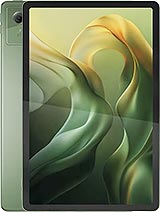
Moto Pad 60 Neo
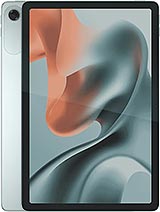
Moto Pad 60 Lite
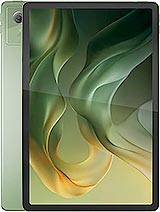
Moto Pad (2026)
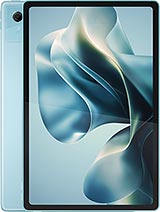
Moto Pad 70
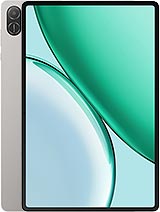
Pad X8b