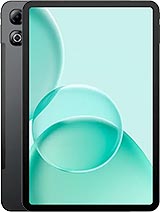
Motorola Pad Neo review
The Moto Pad Neo is best suited for students, readers, and light workers who value portability and battery life over performance or imaging—a straightforward tablet for no-drama everyday use. Anyone betting on gaming, content creation, or heavy multitasking should step up to a higher-tier slate; the gap in capability is too wide for this entry-level chip to bridge.
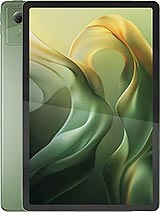
This review is based on Motorola’s published specifications and public benchmark data for the Motorola Pad Neo, and the rating is spec-based. GoSolo does not physically test devices; where we estimate real-world behaviour such as battery life or charge time, we say so. How we rate phones.
Overview
The Moto Pad Neo is a lightweight 11-inch tablet aimed at note-takers and casual readers, built around the budget Dimensity 6300 and a stylus slot. It delivers smooth everyday performance and solid battery life, but the weak cameras and entry-level chip make it a no-frills affair—fine if your bar is email and PDFs, risky if you expect any real productivity punch.
Design & build
At 480 grams and 7mm thick, the Pad Neo slots into the portable tablet space occupied by older iPad Minis and small-screen Android slates. The aluminum frame and glass front feel restrained rather than cheap, though the lack of any stated screen protection (no Gorilla Glass mention) is a red flag for drops. The built-in stylus support is the practical highlight—it means you can sketch, annotate, or take notes without hunting for a pen or paying extra. Splash resistance adds minor durability without waterproofing. The Nano-SIM slot suggests a cellular variant exists, but this review is from the Wi-Fi model.
Display
An 11-inch 1600-by-2560 IPS panel at 274 ppi is standard for this size class and price. The 90Hz refresh rate is the real win here: scrolling through lists, PDFs, or web pages feels noticeably less stuttery than a 60Hz tablet, and stylus input registers smoothly when writing or drawing. The 500-nit brightness is honest work indoors and in soft daylight, but sunlight legibility takes a hit—you will not read this comfortably outside on a beach or in direct noon sun the way a true outdoor tablet can. Colors are warm and muted, typical of IPS. For reading and note-taking, this is fit for purpose; for photo editing or color-critical work, it is ordinary.
Performance
The Dimensity 6300 is a mainstream midrange chipset for tablets, meaning it handles email, web browsing, document editing, light media consumption, and casual social media without noticeable lag. Opening apps is quick. Switching between tasks is smooth. The Cortex-A76 cores do their job, and the Mali-G57 GPU is adequate for 2D work and light games. Here is the catch: run anything GPU-heavy—Genshin Impact, Fortnite, or intensive video editing—and you will see performance tank or even stutter. Multitasking under load will also expose the fact that this is not a powerful machine. For a student tablet, note-taking rig, or light media device, it is perfectly fine. For anyone expecting desktop-class productivity or gaming, this is a step too far down the ladder.
Software
Android 15 out of the box is current and will receive timely security patches through Motorola's typical cycle. There is no Motorola bloatware listed, which is a relief compared to some Android tablets that ship loaded. The OS itself is straightforward—no weird skins to fight. Whether you get clean Android or a lightly skinned version depends on regional variant, but either way, this is not a software story. Longevity is a question mark: Motorola's tablet track record for OS updates is spotty, and a device at this price point may not see more than a couple of major Android bumps.
Camera
An 8MP main camera and 5MP selfie camera tell the full story: these are document-scanning and video-call cameras, nothing more. The main sensor has LED flash, which helps in dark rooms but will not save you in low light outdoors. Do not expect detail when zooming, and night shots will be noisy and soft. Video is recorded at 1080p, fine for Zoom calls or casual clips, but not sharp enough for vlogging or serious content creation. For a device at this price and use case, the cameras are fit for their role and no aspiration beyond.
Battery & charging
The 7040 mAh battery lasts a full day of mixed reading, video, and web use—roughly 10–12 hours for typical tablet patterns. Heavy gaming or all-day video streaming will deplete it faster, closer to 8 hours. The 33W charging via USB Type-C refills the battery in around 60 to 90 minutes depending on thermal load, which is quick enough for a lunch-hour top-up. For a tablet this light, the endurance is impressive and makes it a genuine carry-anywhere device without anxiety about running out of juice mid-day.
Value & verdict
At about 170 EUR, the Pad Neo is positioned as a budget-to-mainstream tablet for emerging and global-south markets where price sensitivity is real. It trades raw power and camera prowess for portability, battery life, and stylus support. Compared to older iPad Air or Galaxy Tab S models at the same used price, it is thinner and lighter but less capable. Compared to cheaper 7-inch Android tablets, it offers more screen real estate and better sustained performance. The chip limits it to light work, not heavy lifting. The cameras are afterthoughts. The display is practical but not premium. If your needs are email, web, reading, PDF annotation, note-taking, and casual media, this is a sensible no-fuss tablet. If you expect anything remotely demanding, you will feel the Dimensity 6300 every day.
Verdict
The Moto Pad Neo is best suited for students, readers, and light workers who value portability and battery life over performance or imaging—a straightforward tablet for no-drama everyday use. Anyone betting on gaming, content creation, or heavy multitasking should step up to a higher-tier slate; the gap in capability is too wide for this entry-level chip to bridge.
- Slim at 7mm and light at 480g—genuinely portable for a tablet, especially with the included stylus support
- 90Hz IPS LCD and 500-nit brightness make scrolling and note-taking feel fluid, adequate for indoor and moderate outdoor use
- 7040 mAh battery lasts a full day of mixed reading, video, and web browsing; 33W charging refills it in under an hour and a half
- Expandable storage via microSDXC means you won't run out of room for documents, ebooks, or media on the 128GB base
- Dimensity 6300 is entry-level for tablets: handles apps and browsing fine, but any real multitasking or light gaming will expose its limits
- 8MP camera on both ends is functional for document scanning and video calls, but delivers weak low-light performance and no detail at any zoom
- Only 500 nits brightness, while enough indoors, falls short for outdoor reading or video in direct sunlight compared to true outdoor-friendly tablets
Motorola Pad Neo Key Specifications
The essentials at a glance. See the full spec sheet.
| Released | 2025, September 12 |
|---|---|
| Display | 11.0 inches, 350.9 cm2 (~82.9% screen-to-body ratio), IPS LCD, 90Hz, 500 nits |
| Resolution | 1600 x 2560 pixels, 16:10 ratio (~274 ppi density) |
| Chipset | Mediatek Dimensity 6300 (6 nm) |
| RAM & storage | 128GB 8GB RAM |
| Main camera | 8 MP, (wide) |
| Selfie camera | 5 MP |
| Battery | 7040 mAh |
| Charging | 33W wired, PD |
| Software | Android 15 |
| Dimensions | 254.6 x 166.2 x 7 mm (10.02 x 6.54 x 0.28 in) |
| Weight | 480 g (1.06 lb) |
| Build | Glass front, aluminum frame, aluminum back |
| Durability | Stylus support Splash resistant |
| Network | GSM / HSPA / LTE / 5G |
| NFC | No |
| USB | USB Type-C 2.0 |
Motorola Pad Neo FAQ
Common questions, answered from the spec sheet.
Does the Pad Neo support 5G?
Yes. The Pad Neo supports 5G networks.
What chipset does the Pad Neo use?
The Pad Neo runs on the Mediatek Dimensity 6300 (6 nm).
What display does the Pad Neo have?
A 11.0 inches, 350.9 cm2 (~82.9% screen-to-body ratio) IPS LCD, 90Hz, 500 nits, 1600 x 2560 pixels, 16:10 ratio (~274 ppi density).
How big is the Pad Neo battery?
The Pad Neo has a 7040 mAh battery. Charging is rated at 33W wired, PD.
Does the Pad Neo have NFC?
No, the Pad Neo does not list NFC support.
Is the Pad Neo water resistant?
The Pad Neo carries a Stylus support Splash resistant rating.
Does the Pad Neo support a microSD card?
Yes, the Pad Neo supports expandable storage (microSDXC).
Does the Pad Neo have a headphone jack?
No, the Pad Neo does not have a 3.5mm headphone jack.
Alternatives to consider
If the Pad Neo isn’t quite right, these are the closest calls.
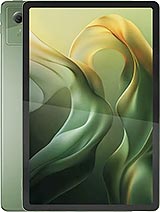
Moto Pad 60 Neo
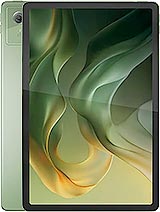
Pad 5

Moto Pad 60 Lite
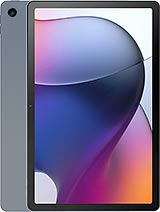
Moto Tab G62 LTE
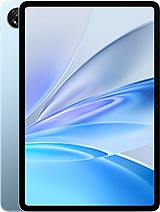
Pad SE