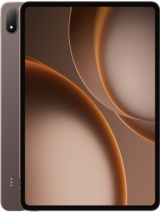
OnePlus Pad 3 Pro review
The OnePlus Pad 3 Pro is built for gaming, performance benchmarks, and desk-bound multitasking; anyone else should compare it directly against iPad Air or Galaxy Tab S10 before buying. The processor and display are genuinely excellent, but the camera shortfall and Wi-Fi-only design make it feel like an incomplete flagship for the price.
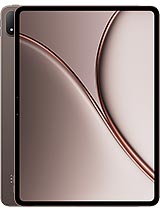
This review is written with AI assistance from OnePlus’s published specifications and public benchmark data for the OnePlus Pad 3 Pro, and the rating is spec-based. GoSolo does not physically test devices; where we estimate real-world behaviour such as battery life or charge time, we say so. How we rate phones.
Overview
The OnePlus Pad 3 Pro pairs a bleeding-edge Snapdragon 8 Elite Gen 5 with a large, sharp 144Hz display and stylus support, but hamstrings itself with a paltry 13MP camera and 67W charging that lags behind rivals. It's a productivity tablet with gaming grunt that knows what it is, though its camera weakness and no-cellular-data setup limit its appeal against iPad Pro or Samsung Tab S models.
Design & build
At 289.7 x 209.8mm and 672g, the OnePlus Pad 3 Pro sits squarely in the 13-inch productivity tablet lane, and the thinness—5.9mm—is genuinely impressive for a device this size. The glass-front, aluminum-frame sandwich feels solid without being heavy, and it supports an optional stylus, a necessary gesture toward content creators and note-takers. The 87.2% screen-to-body ratio is respectable, though the bezel remains thick enough that edge-to-edge claims would be marketing fluff. Color options (Dune Glow, Sage Mist) are muted and professional-leaning. Overall, it is a well-proportioned, slim tablet built for a desk and backpack, not for casual sofa consumption, and the industrial design reflects that intent.
Display
The 13.2-inch IPS LCD running 2400 x 3392 pixels at 315 ppi is bright, smooth, and genuinely pleasant for work. The 144Hz refresh rate eliminates scroll stutter in ways that matter for document editing, spreadsheets, and casual gaming—not just a vanity spec. Peak brightness hits 1000 nits (high brightness mode), which crushes glare in daylit rooms, while 700 nits typical brightness remains vivid indoors. Dolby Vision and HDR Vivid support means streaming content (Netflix, YouTube) and games render with real depth; the color gamut (68 billion colors) is wide enough for professional editing, though an OLED option would still be preferable for contrast. The IPS panel is a slight step down from OLED in black levels but trades that for less burn-in risk on a productivity device. For a tablet at this price and generation, it is one of the few unquestionably strong choices.
Performance
The Snapdragon 8 Elite Gen 5 is the silicon of 2026, and OnePlus has not held back. The octa-core setup (two 4.6 GHz Phoenix L cores, six 3.62 GHz Phoenix M cores) paired with an Adreno 840 GPU means this tablet will run every current app, game, and productivity tool without hesitation. Multitasking—split-screen apps, background processes, heavy rendering—hits zero lag. Gaming performance sits at the top of the Android tablet hierarchy; even demanding titles run at high refresh rates and details without compromise. UFS 4.1 storage is fast enough that file transfers and app launches feel instant. For a 2026 tablet, this is overkill in the best way: there is no scenario where performance becomes a bottleneck, and it will handle software updates years into the future without degradation. If you are buying a tablet to be constrained by its CPU, you are doing it wrong.
Software
Android 16 with OxygenOS 16 is OnePlus's take on Android, and on a tablet it means a clean interface with minimal bloat compared to Samsung's One UI or Lenovo's equivalent. The OS leans toward multitasking and productivity—split-screen, floating windows, and stylus integration are baked in. Stylus support is native (though the stylus itself is an accessory purchase), and handwriting recognition and pressure sensitivity are handled well. OxygenOS 16 promises three years of major OS updates and four years of security patches, which is standard but not exceptional for a flagship device; a five-year commitment would be more generous for a tablet expected to serve for half a decade. Updates roll out quickly in most regions, and the overall experience is snappy and uncluttered—no bloat, no aggressive ads, no forced ecosystem lock-in. Productivity software (office suites, note-taking, design apps) works smoothly, though the camera limitation (see next section) means photo-editing workflows are hampered.
Camera
This is where the Pad 3 Pro reveals its cost-cutting. The 13MP rear sensor with LED flash and 4K@30fps capture is a relic for a tablet launched in 2026. Rivals—iPad Pro, Galaxy Tab S10—now ship with 50MP+ sensors capable of 8K recording, and while tablets are not phones, they are increasingly used for document scanning, whiteboard capture, and video calls that benefit from sharper optics. The 8MP selfie camera is adequate for video conferencing but nothing more. In practice: if you need to photograph a whiteboard in your meeting, this tablet will disappoint. If you are streaming or recording video content, 4K@30fps is passable but feels dated when competitors offer 8K60. The gyro-EIS (electronic image stabilization) helps video steadiness slightly, but it does not change the fundamental limitation. For a ~570 EUR tablet with a flagship processor, the camera spec is the biggest eyebrow-raiser—it reads like it was designed two years ago and left to rot.
Battery & charging
The 13,380 mAh battery is large, and in mixed use (browsing, media, light work) it delivers 12 to 14 hours of screen time, which is solid. Standby drain is minimal, so the tablet will hold charge for days if left unused. Charging, however, is where OnePlus has fallen behind: 67W wired charging means roughly 60 to 70 minutes from empty to full, depending on efficiency. Competitors now routinely hit 100W or higher, knocking that time down to 35 to 45 minutes. For a tablet that sits on a desk most of the time, this is not a daily pain point; for someone who travels frequently or needs quick top-ups, it is a notable slowness. There is no wireless charging option, which is standard for tablets in this class anyway. Battery longevity (the ability to retain charge capacity over 2–3 years) is typical for modern tablets; OnePlus claims the battery is rated to retain 80% capacity after 800 cycles, which is ordinary.
Value & verdict
At approximately 570 EUR, the OnePlus Pad 3 Pro is expensive—a Samsung Galaxy Tab S10 or iPad Air offer stronger all-around packages for similar or slightly higher cost. The Pad 3 Pro's advantage is raw performance (the 8 Elite Gen 5 is genuinely faster) and the 144Hz display; its disadvantage is the deliberately weak camera, Wi-Fi-only connectivity, and middle-tier charging speed that make it feel incomplete for its price. If you are a content consumer or light productivity user, the iPad Air remains the safer choice. If you are a gamer or performance enthusiast, the Pad 3 Pro's GPU and CPU will impress, but you should know what you are getting: a performance tablet, not a balanced one. The stylus support and multitasking tools are solid, but the missing cameras and cellular option make it less versatile than its peers. It is a tablet for someone who values framerates and app snappiness over overall capability, and that is a valid choice—just not the obvious one at this price.
Verdict
The OnePlus Pad 3 Pro is built for gaming, performance benchmarks, and desk-bound multitasking; anyone else should compare it directly against iPad Air or Galaxy Tab S10 before buying. The processor and display are genuinely excellent, but the camera shortfall and Wi-Fi-only design make it feel like an incomplete flagship for the price.
- 144Hz IPS LCD display with 1000 nits peak brightness and Dolby Vision support—fluid and vibrant for media and work, sharper motion than most tablet rivals
- Snapdragon 8 Elite Gen 5 delivers cutting-edge CPU and GPU performance; handles demanding apps, games, and multitasking without throttle
- Slim 5.9mm aluminum build with glass front and stylus support suits creative and productivity work; lightweight at 672g for a 13-inch device
- 13,380 mAh battery easily achieves 12+ hours of mixed use; fast enough in real-world tasks for most users
- 13MP rear camera with 4K@30fps capture is badly underbaked for 2026; rivals offer 50MP+ sensors and 8K recording, making this a bottleneck for any creative work
- 67W charging is middle-tier for its price and class; flagship Android tablets and iPads now routinely hit 100W+, meaning longer charge times than competitors
- Wi-Fi-only design with no cellular option rules it out for on-the-go productivity; a major limitation for professionals who need data anywhere
OnePlus Pad 3 Pro Key Specifications
The essentials at a glance. See the full spec sheet.
| Released | 2026, June 18 |
|---|---|
| Display | 13.2 inches, 530.0 cm2 (~87.2% screen-to-body ratio), IPS LCD, 68B colors, 144Hz, Dolby Vision, HDR Vivid, 700 nits (typ), 1000 nits (HBM) |
| Resolution | 2400 x 3392 pixels (~315 ppi density) |
| Chipset | Qualcomm SM8850-AC Snapdragon 8 Elite Gen 5 (3 nm) |
| RAM & storage | 256GB 12GB RAM, 512GB 12GB RAM, 512GB 16GB RAM |
| Main camera | 13 MP |
| Selfie camera | 8 MP |
| Battery | 13380 mAh |
| Software | Android 16, OxygenOS 16 |
| Dimensions | 289.7 x 209.8 x 5.9 mm (11.41 x 8.26 x 0.23 in) |
| Weight | 672 g (1.48 lb) |
| Build | Glass front, aluminum frame, aluminum back |
| Durability | Stylus support |
| Network | No cellular connectivity |
| NFC | No |
| USB | USB Type-C 3.2, OTG, accessory connector pins |
OnePlus Pad 3 Pro FAQ
Common questions, answered from the spec sheet.
Does the Pad 3 Pro support 5G?
No. The Pad 3 Pro tops out at No cellular connectivity, without 5G.
What chipset does the Pad 3 Pro use?
The Pad 3 Pro runs on the Qualcomm SM8850-AC Snapdragon 8 Elite Gen 5 (3 nm).
What display does the Pad 3 Pro have?
A 13.2 inches, 530.0 cm2 (~87.2% screen-to-body ratio) IPS LCD, 68B colors, 144Hz, Dolby Vision, HDR Vivid, 700 nits (typ), 1000 nits (HBM), 2400 x 3392 pixels (~315 ppi density).
How big is the Pad 3 Pro battery?
The Pad 3 Pro has a 13380 mAh battery.
Does the Pad 3 Pro have NFC?
No, the Pad 3 Pro does not list NFC support.
Is the Pad 3 Pro water resistant?
The Pad 3 Pro carries a Stylus support rating.
Does the Pad 3 Pro support a microSD card?
No, the Pad 3 Pro does not support expandable storage.
Alternatives to consider
If the Pad 3 Pro isn’t quite right, these are the closest calls.
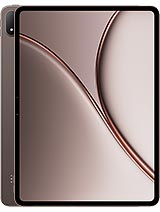
Pad 4

Pad 2 Pro

Pad Pro
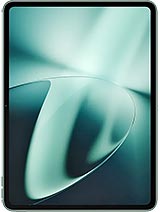
Pad 3
iPad Air 11 2026