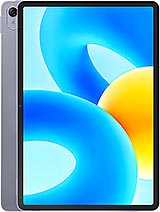
Oppo Pad Neo review
The Pad Neo makes sense for someone who reads ebooks, streams video, and works lightly in spreadsheets, provided you pair it with a microSD card and do not expect to store much locally. It is held back by tight storage and middling performance, making it less versatile than a pricier rival, but the slim design and screen quality redeem it for pure consumption. Anyone planning serious work or photo storage should look elsewhere.
This review is based on Oppo’s published specifications and public benchmark data for the Oppo Pad Neo, and the rating is spec-based. GoSolo does not physically test devices; where we estimate real-world behaviour such as battery life or charge time, we say so. How we rate phones.
Overview
The Oppo Pad Neo is a lean 11.4-inch tablet for reading, video, and light work at a budget price, held back by 128GB base storage and a chip that struggles with anything demanding. It's a serviceable device for casual users who won't tax it, but its small starting storage and mid-range performance keep it from being a strong all-rounder.
Design & build
At 538 grams and 6.9 mm thick, the Pad Neo feels slim and light for an 11-inch tablet, practical enough to carry in a bag without fatigue. The weight is a genuine asset in its class; rivals at this price often tip closer to 600 grams. Build quality is straightforward—there's no mention of premium materials in the spec sheet, and you should expect plastic construction, but the form factor itself is honest and functional. The stylus support is welcome even if you won't use it daily; it signals that Oppo isn't treating this as a pure media consumption tablet.
Display
The 11.4-inch IPS LCD runs at 1720 by 2408 pixels (260 ppi), which is sharp enough at arm's length and avoids the pixelation you'd see on cheaper 7-inch tablets. The 90Hz refresh is smooth for scrolling through text and feeds, a genuine step up from the 60Hz standard. Where it falters is brightness: 400 nits is comfortable indoors but forces you outdoors into shade or at an angle to read comfortably in direct sunlight. For a tablet at this price, it's acceptable, but rivals in the 200–250 EUR range are beginning to push 500+ nits. Colour accuracy is never mentioned, and you should assume workmanlike coverage rather than anything that would satisfy photo editing.
Performance
The MediaTek Helio G99 sits in the capable midrange—fine for reading, web browsing, and older games at medium settings, but it will show its limits under sustained load. Apps open promptly, multitasking is stable, and everyday tasks do not stutter. Gaming at high frame rates or running demanding productivity software will expose the gap between this and faster chips in the same price zone. For a device marketed at casual users, it is fit for purpose, but calling it anything beyond capable would be misleading. Paired with 6 or 8 GB of RAM, the tablet handles what it's designed for without drama.
Software
ColorOS 13.2 on Android 13 is a mature, stable foundation. Oppo's interface sits somewhere between stock and heavily skinned; it's generally clean, though you may find some pre-loaded apps that serve Oppo's own services. Updates are not mentioned in the spec sheet, so assume the usual two-year software promise typical of Oppo tablets. Nothing here is a dealbreaker, but also nothing stands out. Tablet software at this price is not a differentiator; all are competent enough for watching video and reading.
Camera
Both rear and front cameras are 8 MP at f/2.0, a bare minimum for a tablet. They capture 1080p video and support panorama, but these figures underscore that the Pad Neo is not a device you'll reach for photography. Tablet cameras are almost always an afterthought, and this one makes no exception. In decent light, they work for quick scans or family video calls, but zoom in on a photo and softness becomes obvious. This is not a con unique to Oppo—most tablets at this price ship with identical or worse cameras—but it is worth knowing: this is a content consumption device, not a creation tool.
Battery & charging
The 8000 mAh battery sustains about one full day of consistent reading, video, or light work before hunger for a charge. That is respectable for an 11-inch tablet and translates to real freedom between plugging in. The weakness is 33W charging, which takes over an hour from empty to full on this capacity. For a tablet you might top up nightly, that is acceptable; for someone who needs a quick top-up between uses, it is slow. Rivals in the same segment are beginning to offer 65W or higher, making Oppo's pace feel conservative. Still, once charged, longevity is sound.
Storage & value
The elephant in the room is 128 GB base storage. For a tablet in 2024, this is uncomfortably tight. Modern apps and their dependencies balloon quickly, and you will run into warnings before long. The microSDXC slot saves the tablet—you can expand to 1 TB and offload photos, video, and larger apps—but the microSD card is not a convenience; it is a necessity at this capacity. You are essentially buying 128 GB and expecting to spend extra on expandable storage just to avoid constant cleanup. The 8 GB RAM variant offers a marginal buffer for multitasking, but storage remains the limiting factor. At 240 EUR, the Pad Neo competes on price against older flagships and specialist budget lines; the question is whether you accept the storage constraint as a real trade-off for the portability and low cost, or whether stepping up to a tablet with 256 GB becomes the obvious move, even if heavier.
Verdict
The Pad Neo makes sense for someone who reads ebooks, streams video, and works lightly in spreadsheets, provided you pair it with a microSD card and do not expect to store much locally. It is held back by tight storage and middling performance, making it less versatile than a pricier rival, but the slim design and screen quality redeem it for pure consumption. Anyone planning serious work or photo storage should look elsewhere.
- 11.4-inch screen with 90Hz refresh and reasonable brightness for the price
- Slim 6.9mm design and light 538g weight make it genuinely portable for a tablet this size
- 8000 mAh battery covers a full day of mixed reading and video on one charge
- Stylus support, microSD expansion, and dual-band Wi-Fi add practical flexibility
- 128GB base storage is cramped for a tablet; microSD becomes essential rather than optional
- 33W charging takes over an hour from empty to full on an 8000 mAh battery
- Helio G99 is middling for gaming or heavy apps; performance lags noticeably under load compared to rivals at this price
Oppo Pad Neo Key Specifications
The essentials at a glance. See the full spec sheet.
| Released | 2024, January 16 |
|---|---|
| Display | 11.4 inches, 396.6 cm2 (~82.7% screen-to-body ratio), IPS LCD, 1B colors, 90Hz, 400 nits (typ) |
| Resolution | 1720 x 2408 pixels (~260 ppi density) |
| Chipset | Mediatek Helio G99 (6 nm) |
| RAM & storage | 128GB 6GB RAM, 128GB 8GB RAM |
| Main camera | 8 MP, f/2.0, (wide) |
| Selfie camera | 8 MP, f/2.0, (wide) |
| Battery | 8000 mAh |
| Charging | SuperVOOC up to 33 W |
| Software | Android 13, ColorOS 13.2 |
| Dimensions | 255.1 x 188 x 6.9 mm (10.04 x 7.40 x 0.27 in) |
| Weight | 538 g (1.19 lb) |
| Durability | Stylus support |
| Network | GSM / HSPA / LTE |
| NFC | No |
| USB | USB Type-C 2.0 |
Oppo Pad Neo FAQ
Common questions, answered from the spec sheet.
Does the Pad Neo support 5G?
No. The Pad Neo tops out at GSM / HSPA / LTE, without 5G.
What chipset does the Pad Neo use?
The Pad Neo runs on the Mediatek Helio G99 (6 nm).
What display does the Pad Neo have?
A 11.4 inches, 396.6 cm2 (~82.7% screen-to-body ratio) IPS LCD, 1B colors, 90Hz, 400 nits (typ), 1720 x 2408 pixels (~260 ppi density).
How big is the Pad Neo battery?
The Pad Neo has a 8000 mAh battery. Charging is rated at SuperVOOC up to 33 W.
Does the Pad Neo have NFC?
No, the Pad Neo does not list NFC support.
Is the Pad Neo water resistant?
The Pad Neo carries a Stylus support rating.
Does the Pad Neo support a microSD card?
Yes, the Pad Neo supports expandable storage (microSDXC).
Alternatives to consider
If the Pad Neo isn’t quite right, these are the closest calls.

Pad Neo WiFi
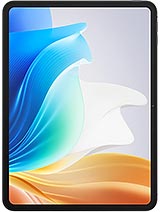
Pad Air2
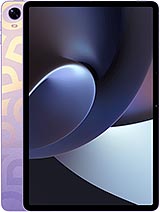
Pad 2
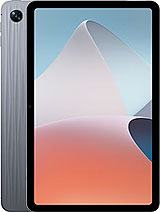
Pad Air
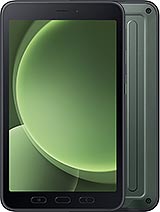
Galaxy Tab Active5