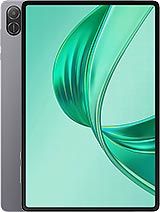
Oscal Pad 15 review
The Pad 15 suits students and casual users who value portability and stylus support for note-taking over raw speed or fast charging. Anyone regularly pushing demanding apps or expecting modern charging pace should look at a newer tablet or a more capable model in the same generation.
This review is based on Oscal’s published specifications and public benchmark data for the Oscal Pad 15, and the rating is spec-based. GoSolo does not physically test devices; where we estimate real-world behaviour such as battery life or charge time, we say so. How we rate phones.
Overview
The Oscal Pad 15 is a slim, light 10-inch tablet aimed at students and content consumers who need a portable screen for reading, note-taking, and streaming rather than demanding work. Its entry-level chip and painfully slow charging mean it works best when you don't need performance or speed.
Design & Build
At 7.6mm thick and 449g, the Pad 15 is genuinely lighter and thinner than most 10-inch tablets, which matters if you plan to hold it one-handed or slip it into a bag. The build feels tablet-standard for the price—not premium, but adequate for casual use. The stylus support baked in is a real convenience; you don't need to buy an expensive pen separately to sketch or jot notes. Dual SIM slots and a microSDXC card slot (via shared tray) are practical for people who travel or need storage expansion, though the microSD slot competing with SIM can be annoying if you want both cards at once.
Display
The 10.36-inch IPS LCD with 1200×2000 resolution and 225 ppi is functional but unremarkable. It's sharp enough for web browsing, video playback, and casual reading, but falls short of modern phone sharpness. If you spend hours reading PDFs or small text, you'll notice the softness compared to a 300+ ppi display. The 5:3 aspect ratio is taller and narrower than typical 16:10 tablets, which some users prefer for documents and reading but makes video watching less immersive. Colors are competent but not vibrant; whites and blacks lack the punch of AMOLED or higher-end LCDs.
Performance
The Unisoc T606 with 8GB RAM is entry-level silicon, full stop. It handles everyday tasks—email, browsing, office apps, streaming video, light games—without hiccups, and that covers most of what budget tablet buyers actually do. Push it into 3D games, heavy photo editing, or running five apps simultaneously, and you'll hit the ceiling. Android 13 with DokeOS_P 3.0 runs smoothly in routine use, but don't expect speed that rivals even mid-range phones from 2024. The GPU is modest, so visually complex apps and high-frame-rate gaming are off the menu.
Camera
The 13MP rear camera and 16MP front camera are competent for tablet standards but nothing more. Rear video maxes out at 1080p@30fps, which is acceptable for video calls and casual vlogging but dated by 2026. Photo quality is adequate in good light and poor in dim settings. These cameras exist mainly for Zoom calls and the occasional snapshot; don't expect enthusiast results. The front cam is actually higher-res than the rear, which tells you everything about the tablet's design priorities: it's built for media consumption and conferencing, not photography.
Battery & Charging
The 8280 mAh battery delivers about 10–12 hours of mixed screen-on time—enough for a workday without reaching for the charger. That's solid for a tablet this size. The major catch is 10W charging, which needs 2–2.5 hours to refill from empty. This is painfully slow by 2026 standards; competitors in this price range often hit 30W or higher. If you're a person who tops up the tablet before leaving the house, it's tolerable. If you expect a 20-minute boost to 50%, you'll be disappointed. Plan charging sessions in advance rather than relying on a quick emergency refill.
Software & Connectivity
Android 13 with DokeOS_P 3.0 is the standard Oscal fork, offering basic customization and control. It's not as polished as Samsung's One UI but gets the job done. The tablet connects via Wi-Fi ac, LTE (no 5G), and dual SIM, which covers most regions and use cases but misses 5G speeds. Wi-Fi ac is older but sufficient for streaming and web work at home or the office. The lack of NFC is unremarkable for a budget tablet, though it rules out certain contactless features. Bluetooth 5.0 handles headphones and accessories without fuss.
Value & Verdict Context
The Pad 15 pitches itself at students, casual readers, and streaming watchers who need a portable 10-inch screen and don't mind entry-level performance. At 2023 pricing, it was competitive for the budget segment. By 2026, the age is showing: the T606 chip is now two generations old, charging speed is well behind the curve, and the display density looks soft compared to recent mid-range tablets. If you buy it on deep discount from old stock, it's a reasonable media tablet. At original pricing or close to it, more nimble competitors likely offer better value. The stylus support and long battery life are genuine draws for note-takers and commuters, but the slow charging and modest performance are real friction points you'll feel every day.
Verdict
The Pad 15 suits students and casual users who value portability and stylus support for note-taking over raw speed or fast charging. Anyone regularly pushing demanding apps or expecting modern charging pace should look at a newer tablet or a more capable model in the same generation.
- Slim and light at 7.6mm and 449g—easier to hold one-handed and carry than most 10-inch tablets
- Included stylus support without buying an accessory, handy for sketching and handwritten notes
- About 10–12 hours of real screen-on time, enough for a full day of mixed use without midday panic
- Dual SIM plus microSDXC slot gives you flexibility for travel or media hoarding
- 10W charging takes 2–2.5 hours from empty—sluggish even for a tablet, so plan ahead rather than expect a quick top-up
- Unisoc T606 is entry-level; struggles with heavy games, sustained multitasking, or anything demanding more than media playback and light productivity
- 225 ppi on a 10-inch screen leaves small text softer than you'd see on a modern phone, noticeable if you spend hours reading fine print
Oscal Pad 15 Key Specifications
The essentials at a glance. See the full spec sheet.
| Released | 2023, September |
|---|---|
| Display | 10.36 inches, 305.5 cm2 (~79.3% screen-to-body ratio), IPS LCD |
| Resolution | 1200 x 2000 pixels, 5:3 ratio (~225 ppi density) |
| Chipset | Unisoc T606 (12 nm) |
| RAM & storage | 256GB 8GB RAM |
| Main camera | 13 MP |
| Selfie camera | 16 MP |
| Battery | 8280 mAh |
| Charging | 10W wired |
| Software | Android 13, DokeOS_P 3.0 |
| Dimensions | 246.5 x 156.3 x 7.6 mm (9.70 x 6.15 x 0.30 in) |
| Weight | 449 g (15.84 oz) |
| Durability | Stylus support |
| Network | GSM / HSPA / LTE |
| NFC | No |
| USB | USB Type-C, OTG |
Oscal Pad 15 FAQ
Common questions, answered from the spec sheet.
Does the Pad 15 support 5G?
No. The Pad 15 tops out at GSM / HSPA / LTE, without 5G.
What chipset does the Pad 15 use?
The Pad 15 runs on the Unisoc T606 (12 nm).
What display does the Pad 15 have?
A 10.36 inches, 305.5 cm2 (~79.3% screen-to-body ratio) IPS LCD, 1200 x 2000 pixels, 5:3 ratio (~225 ppi density).
How big is the Pad 15 battery?
The Pad 15 has a 8280 mAh battery. Charging is rated at 10W wired.
Does the Pad 15 have NFC?
No, the Pad 15 does not list NFC support.
Is the Pad 15 water resistant?
The Pad 15 carries a Stylus support rating.
Does the Pad 15 support a microSD card?
Yes, the Pad 15 supports expandable storage (microSDXC (uses shared SIM slot)).
Does the Pad 15 have a headphone jack?
Yes, the Pad 15 has a 3.5mm headphone jack.
Alternatives to consider
If the Pad 15 isn’t quite right, these are the closest calls.
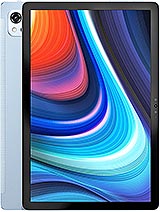
Pad 13
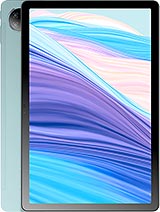
Pad 18
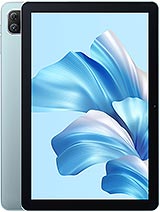
Pad 60
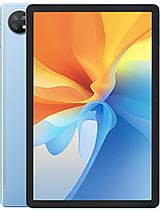
Pad 16
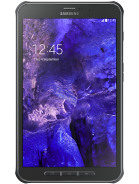
Galaxy Tab Active 5