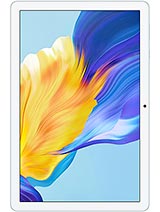
Oscal Pad 60 review
The Oscal Pad 60 suits someone who watches video and reads on a sofa and has no other use for a tablet. If you need text clarity, quick performance, or anything beyond couch browsing, a phone or a 150–200 EUR tablet with a sharper screen and faster chip is a better investment.
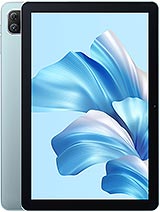
This review is based on Oscal’s published specifications and public benchmark data for the Oscal Pad 60, and the rating is spec-based. GoSolo does not physically test devices; where we estimate real-world behaviour such as battery life or charge time, we say so. How we rate phones.
Overview
The Oscal Pad 60 is a no-frills 10-inch Wi-Fi tablet for watching video and casual browsing on a strict budget. At around 100 EUR, it delivers the basics—a decent-sized screen, all-day battery, stereo speakers—but the screen is fuzzy, charging is glacial, and performance is confined to light tasks.
Design & Build
The Pad 60 is thin and light at 537g and 9.9mm thick, which makes it comfortable to hold one-handed for video or ebook reading without fatigue. The 246.5 × 163mm footprint is a true 10-inch tablet size, not a blown-up phone, so it feels purposeful rather than awkward. No premium materials here—it is plastic throughout—but the construction is solid enough for the price. At this budget tier, durability is a non-issue; people expect plastic on a 100-EUR tablet, and the thickness and weight are genuinely well-judged for portability.
Display
The 800 × 1280 IPS LCD panel is the core compromise. At 149 ppi on a 10.1-inch screen, text edges are noticeably jagged and fine detail lacks sharpness. For video at normal viewing distance—slouched on a couch—it is perfectly adequate, and colors are even and viewing angles are wide thanks to the IPS panel. But if you read a lot of text, do spreadsheets, or examine photos up close, the softness becomes tiresome. This resolution was acceptable five years ago; by 2023, rivals at this price were shipping 1920 × 1200 or better. For casual users who mostly watch YouTube and Netflix, the display is fine. For anything requiring text clarity, it falls short.
Performance
The unnamed quad-core chip paired with 3GB of RAM is entry-level, and it shows. Apps launch slowly, multitasking causes stutters, and anything demanding—games, video editing, heavy web browsing with many tabs—will make the tablet feel sluggish. This chipset was adequate for a budget tablet in 2023, but it is not quick. Android 12 runs, but responsiveness feels like you are using a machine from 2019. The eMMC 5.1 storage is not fast either, so opening files or installing apps adds to the wait. If your use case is email, messaging, light web browsing, and video, the Pad 60 is livable. If you expect to run Zoom with a web browser open, or anything more demanding, look elsewhere.
Software
Android 12 ships with DokeOS_P 3.0, Oscal's custom overlay. It is a minimal skin that does not layer much on top of stock Android, so the experience is reasonably close to what you would expect. No heavy bloatware, and updates are probably infrequent—this is not a priority device for Oscal. At the time of release, Android 12 was current; by 2026, it is two years behind, so do not expect major security patches or new features. The tablet will keep working for email and streaming, but it will not feel as fresh as newer devices.
Camera
The 5MP rear camera is functional but basic. It has an LED flash, which helps in dim light, but the low resolution and no autofocus mean photos are soft and lack detail. The 2MP selfie camera is a placeholder for video calls; it captures you reasonably well on a 10-inch screen but nothing more. Neither camera is a strength of this tablet, and you would not reach for it over a phone for photos. For the price, the cameras are what you expect: a bare-minimum inclusion, not a selling point.
Battery & Charging
The 6580 mAh battery is well-sized for the display, and you can expect 10–12 hours of mixed use (email, browsing, video) before needing to plug in. That is a full work day or a lazy afternoon, so the tablet does not demand constant charging. The problem is the charger itself. At 10W wired charging, a full drain to full charge takes around 4 to 5 hours. That is not unusual for budget tablets, but it means you cannot quickly top up; you plan to leave it plugged in overnight or for a long evening. Fast charging would add cost, so the trade-off is deliberate, but it is worth knowing if you use the tablet throughout the day.
Connectivity & Value
Wi-Fi b/g/n is older and slower than the dual-band 5GHz or Wi-Fi 6 on rival tablets. You will get adequate speed for streaming video and web browsing on a home network, but large file transfers or seamless connection to public Wi-Fi are not guaranteed. Bluetooth 4.1 works with headsets and speakers but has shorter range than newer standards. There is no cellular option, no GPS, no NFC, so this is purely a Wi-Fi device. At 100 EUR, the Pad 60 is cheap, and it delivers a usable 10-inch screen and all-day battery for that price. If you want to watch video, read, or browse on a bigger screen than a phone, and you have Wi-Fi at home, it is a reasonable buy. But it is not a good tablet; it is a cheap tablet, and there is a difference. Rivals in the same price range offer sharper screens or faster chips, so the Pad 60 is a compromise, not a bargain.
Verdict
The Oscal Pad 60 suits someone who watches video and reads on a sofa and has no other use for a tablet. If you need text clarity, quick performance, or anything beyond couch browsing, a phone or a 150–200 EUR tablet with a sharper screen and faster chip is a better investment.
- 10.1-inch screen big enough for comfortable video and reading without hunching, with stereo speakers for media that actually sounds present
- Lightweight and thin at 537g and 9.9mm, easy to carry or hold for extended viewing
- 6580 mAh battery lasts a full day of casual use; not frantic about finding a charger
- microSD slot lets you expand beyond 64GB without fiddling with storage management
- 149 ppi display is visibly soft; text has rough edges and fine detail blurs, making reading and document work frustrating
- 10W charging takes 4–5 hours for a full charge, so you plan around it rather than top up quickly
- Quad-core CPU with 3GB RAM means no multitasking; heavy apps stutter or reload, and gaming is out of reach
Oscal Pad 60 Key Specifications
The essentials at a glance. See the full spec sheet.
| Released | 2023, July |
|---|---|
| Display | 10.1 inches, 295.8 cm2 (~73.6% screen-to-body ratio), IPS LCD |
| Resolution | 800 x 1280 pixels, 16:10 ratio (~149 ppi density) |
| RAM & storage | 64GB 3GB RAM |
| Main camera | 5 MP |
| Selfie camera | 2 MP |
| Battery | 6580 mAh |
| Charging | 10W wired |
| Software | Android 12, DokeOS_P 3.0 |
| Dimensions | 246.5 x 163 x 9.9 mm (9.70 x 6.42 x 0.39 in) |
| Weight | 537 g (1.18 lb) |
| Network | No cellular connectivity |
| NFC | No |
| USB | USB Type-C 2.0, OTG |
Oscal Pad 60 FAQ
Common questions, answered from the spec sheet.
Does the Pad 60 support 5G?
No. The Pad 60 tops out at No cellular connectivity, without 5G.
What display does the Pad 60 have?
A 10.1 inches, 295.8 cm2 (~73.6% screen-to-body ratio) IPS LCD, 800 x 1280 pixels, 16:10 ratio (~149 ppi density).
How big is the Pad 60 battery?
The Pad 60 has a 6580 mAh battery. Charging is rated at 10W wired.
Does the Pad 60 have NFC?
No, the Pad 60 does not list NFC support.
Does the Pad 60 support a microSD card?
Yes, the Pad 60 supports expandable storage (microSDXC).
Does the Pad 60 have a headphone jack?
No, the Pad 60 does not have a 3.5mm headphone jack.
Alternatives to consider
If the Pad 60 isn’t quite right, these are the closest calls.
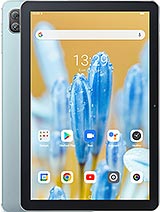
Pad 70
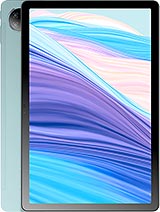
Pad 18
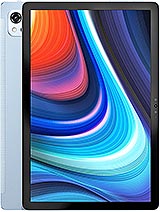
Pad 13
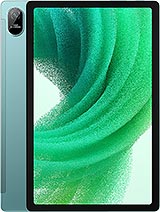
Pad 15
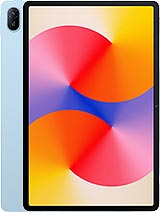
MatePad SE 11