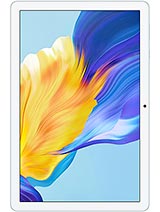
Oscal Pad 70 review
The Oscal Pad 70 suits anyone who wants a large, light screen for casual streaming and reading at home and accepts zero fuss. Skip it if you read small text, game, or need a tablet that keeps up with productivity apps or fast file transfers.
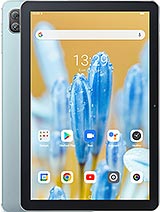
This review is based on Oscal’s published specifications and public benchmark data for the Oscal Pad 70, and the rating is spec-based. GoSolo does not physically test devices; where we estimate real-world behaviour such as battery life or charge time, we say so. How we rate phones.
Overview
The Oscal Pad 70 is a no-frills 10.1-inch Android tablet that does what it costs: light streaming, reading, and casual browsing on Wi-Fi without any pretense. At €90, it is honest about its limits—slow processor, soft screen, glacial charging—and you should expect exactly that.
Design & Build
At 520.5 grams and 9.9 mm thick, the Pad 70 is light enough to hold for an hour of reading without fatigue, yet solid-feeling for the price. The 10.1-inch body fits lap or desk use comfortably. No premium materials here—it feels plastic—but that is the trade-off at €90, and nothing about it feels fragile. The form factor works for a sofa tablet.
Display
The 10.1-inch IPS LCD runs at 800 by 1280 pixels, giving 149 ppi. That is soft by today's standards; next to any modern phone, text has visible pixelation and icons lack crispness. At normal tablet viewing distance—arm's length—it is tolerable for video and casual browsing. Reading news, email, or comics works fine. If you spend hours reading small print or doing detail work like photo editing, you will notice the blurriness. For the price, it is acceptable, but do not expect clarity.
Performance
A quad-core processor with 4 GB RAM handles basic tasks without stuttering: web browsing, video playback, light apps, and email run smoothly enough. Multitasking—switching between three or four apps—lags slightly. Gaming is out of the question; even casual games feel sluggish. The eMMC 5.1 storage is slow by modern standards, so app launches and file transfers are noticeably leisurely compared to tablets with faster SSD storage. For passive consumption, it is fine. For productivity or entertainment beyond video, you will feel the limits.
Software
Android 12 with DokeOS_P 3.0, Oscal's overlay, runs bloat-free and responsive on paper. Updates are unlikely to be rapid or frequent, so security patches lag. The stripped-down interface makes the tablet less cluttered than stock Android on a mid-range device, which is a small plus. No surprises here, good or bad.
Camera
13 MP rear camera records 1080p video and takes acceptable daylight stills, but low-light shots are grainy and colors wash out. The 8 MP front camera handles video calls decently. Neither sensor is a strength; they are baseline tools. If you buy this tablet expecting usable photography, you will be disappointed. It is fine for quick snaps and calls, nothing more.
Battery & Charging
The 6580 mAh battery lands about 8 to 10 hours of mixed screen time (web, video, light apps), less if you stream continuously. Idle standby is generous. The real annoyance is 10W charging: zero to full takes 2.5 to 3 hours, which is tedious if the tablet is your daily driver. For a weekend device or bedside reader, it is manageable. For anyone who needs fast top-ups, this is a friction point.
Value & Verdict
At €90, the Pad 70 is priced for people who want a big screen for media at home and do not expect much else. It competes with other ultra-budget tablets, not with mid-range models costing three times as much. For that audience—light reading, Netflix, YouTube, news—it works. The Wi-Fi 6 and 3.5mm jack are nice touches at this price. The soft screen and slow charging are real annoyances, but they are priced in. No surprises here, just honest value.
Verdict
The Oscal Pad 70 suits anyone who wants a large, light screen for casual streaming and reading at home and accepts zero fuss. Skip it if you read small text, game, or need a tablet that keeps up with productivity apps or fast file transfers.
- Wi-Fi 6 support and dual-band 802.11ac backbone for a tablet at this price
- 10.1-inch 16:10 screen is comfortable for video and reading despite low pixel density
- 6580 mAh battery delivers about 8–10 hours of mixed use, enough for a day of light work
- 3.5mm headphone jack and stereo speakers for media consumption without adapters
- 149 ppi makes text fuzzy and icons soft; unpleasant if you read small print or do detailed work
- 10W charging takes 2–3 hours to full; plan ahead if this is your daily device
- Quad-core 4GB RAM setup handles browsing and streaming but stumbles at multitasking and any gaming
Oscal Pad 70 Key Specifications
The essentials at a glance. See the full spec sheet.
| Released | 2023, July |
|---|---|
| Display | 10.1 inches, 295.8 cm2 (~73.6% screen-to-body ratio), IPS LCD |
| Resolution | 800 x 1280 pixels, 16:10 ratio (~149 ppi density) |
| RAM & storage | 64GB 4GB RAM, 128GB 4GB RAM |
| Main camera | 13 MP |
| Selfie camera | 8 MP |
| Battery | 6580 mAh |
| Charging | 10W wired |
| Software | Android 12, DokeOS_P 3.0 |
| Dimensions | 246.5 x 163 x 9.9 mm (9.70 x 6.42 x 0.39 in) |
| Weight | 520.5 g (1.15 lb) |
| Network | No cellular connectivity |
| NFC | No |
| USB | USB Type-C 2.0, OTG |
Oscal Pad 70 FAQ
Common questions, answered from the spec sheet.
Does the Pad 70 support 5G?
No. The Pad 70 tops out at No cellular connectivity, without 5G.
What display does the Pad 70 have?
A 10.1 inches, 295.8 cm2 (~73.6% screen-to-body ratio) IPS LCD, 800 x 1280 pixels, 16:10 ratio (~149 ppi density).
How big is the Pad 70 battery?
The Pad 70 has a 6580 mAh battery. Charging is rated at 10W wired.
Does the Pad 70 have NFC?
No, the Pad 70 does not list NFC support.
Does the Pad 70 support a microSD card?
Yes, the Pad 70 supports expandable storage (microSDXC).
Does the Pad 70 have a headphone jack?
Yes, the Pad 70 has a 3.5mm headphone jack.
Alternatives to consider
If the Pad 70 isn’t quite right, these are the closest calls.
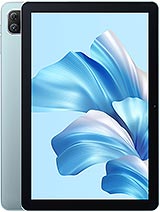
Pad 60
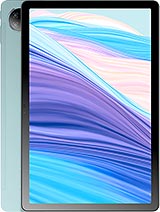
Pad 18
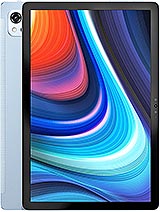
Pad 13
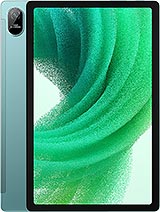
Pad 15
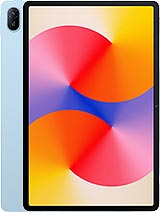
MatePad SE 11