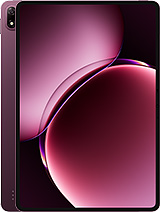
Oscal Pad 70 WiFi review
This is a tablet for grandparents and kids streaming videos and reading at home, not for anyone who needs responsive multitasking or crisp visuals. The slow charging and dated hardware make it a frustrating compromise for regular daily use, but the light weight and solid battery endurance suit low-demand households where Wi-Fi is always available.
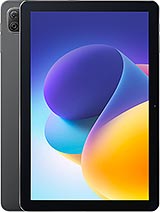
This review is based on Oscal’s published specifications and public benchmark data for the Oscal Pad 70 WiFi, and the rating is spec-based. GoSolo does not physically test devices; where we estimate real-world behaviour such as battery life or charge time, we say so. How we rate phones.
Overview
The Oscal Pad 70 is a budget 10.1-inch tablet suited to casual home use—streaming, reading, light browsing on Wi-Fi. Slow 10W charging, a dim screen at 149 ppi, and entry-level processing are genuine hurdles for the price, though the stereo speakers and expandable storage add value for a family device.
Design & build
At 520g and 9.9mm thick, the Oscal Pad 70 is genuinely light for a 10.1-inch tablet—lighter than most 10-inch slates. That makes it easy to hold one-handed for reading or video, and the weight won't fatigue you during longer sessions. The design looks plain, which is fine; there is no need for fashion in a family tablet. Asahi glass on the front is standard protection, nothing exceptional. Overall, this is built for portability and basic durability, not durability theatre.
Display
The 10.1-inch, 800×1280 IPS LCD screen offers decent viewing angles and color, but at 149 ppi the pixel grid becomes visible if you hold it close for reading or fine browsing. For video, web pages, and ebooks at arm's length it is passable; zoom in on text and you will notice the softness. Rivals in this segment often hit 200+ ppi by now, so this feels behind the curve. The screen is bright enough for indoors and shaded outdoor use, but brightness figures are not published, so assume it is ordinary for an entry-level tablet. The 73.6% screen-to-body ratio is respectable for the bezels you get.
Performance
The Rockchip RK3562 with quad-core Cortex-A53 CPUs at 2.0 GHz and Mali-G52 GPU is old-school entry-level silicon. It handles email, video streaming, and light web browsing without stuttering, and simple apps load fine. Heavy multitasking, modern games, and media editing will expose its limits—expect noticeable lag when switching between multiple apps or running anything demanding. For a family device used by one or two people for basic tasks, it is adequate. For a student or professional doing real work, it will frustrate. The 4GB of RAM compounds the weakness when too many apps load at once.
Software
Android 14 with Doke OS_P 4.0 overlay ships here. Doke OS is Oscal's custom skin, built on Google's base. The good news: Android 14 is current and should bring three to four years of security patches. The catch: Doke OS_P is lightweight and relatively unobtrusive, which helps performance on weak hardware, but it is not a major differentiator. Expect plain vanilla Android behavior with light customization. Software updates will come, but do not expect the polish or speed of Samsung or iPad OS. For light home use, it works.
Camera
The 13MP main camera with f/2.0 aperture and autofocus shoots adequately for casual snapshots and lit scenes. LED flash helps in dim light, though results will look typical for a budget tablet. The 8MP selfie camera handles video calls, but only at 480p, which is soft by 2025 standards. Video recording tops out at 720p@30fps on the main camera—acceptable for social media clips or family moments, but well behind rivals that now shoot 1080p or 4K even in entry segments. If photography or video is any part of your workflow, this tablet will disappoint quickly.
Battery & charging
The 6580 mAh battery delivers roughly 8 to 10 hours of screen-on time for mixed use (browsing, streaming, light apps), or 6 to 8 hours if you push the processor hard. That is one full day of moderate home use, which is decent for a light-use tablet. The 10W wired charger, though, is painfully slow. Expect 90 to 120 minutes from 0 to 100 percent under ideal conditions, longer in real life if the tablet is warm or you are using it while charging. For a family device that lives on a desk, charging overnight is fine. For travel or intermittent use, the slow top-up will force planning. Rivals now commonly ship 30W or faster; 10W is a visible weakness at any price.
Value & verdict
The Oscal Pad 70 is priced as a budget buy, competing against older iPad models and other entry-level Android tablets. For families wanting a large screen for ebooks, streaming, and casual browsing at home on Wi-Fi, the light weight, expandable storage, and stereo audio justify consideration. The lack of cellular connectivity is not a con—Wi-Fi-only tablets cost less and this one does not pretend otherwise. The real trade-offs are the sluggish charging, grainy screen, and dated processor. If speed or visual clarity matter to you, or if you plan heavy use, spend more on a mid-range iPad or Samsung. If your needs are light and your budget is tight, the portability and lack of bloatware make this a reasonable family second screen.
Verdict
This is a tablet for grandparents and kids streaming videos and reading at home, not for anyone who needs responsive multitasking or crisp visuals. The slow charging and dated hardware make it a frustrating compromise for regular daily use, but the light weight and solid battery endurance suit low-demand households where Wi-Fi is always available.
- Stereo speakers and a 3.5mm jack—rare on modern tablets, useful for media and audio flexibility
- microSDXC expansion slot gives real room to grow beyond the 128GB base storage
- 10.1-inch screen is a comfortable size for reading and video in low-light settings
- Light and thin at 520g and 9.9mm, genuinely portable for a 10-inch tablet
- 10W charging is excruciatingly slow for a tablet this size; expect 90 to 120 minutes from zero to full, or longer in real conditions
- 149 ppi display is noticeably grainy; pixels become visible when reading text or browsing at normal viewing distance
- Quad-core Cortex-A53 at 2.0 GHz struggles with multitasking and modern apps, leaving noticeable lag in demanding tasks
Oscal Pad 70 WiFi Key Specifications
The essentials at a glance. See the full spec sheet.
| Released | 2025, January |
|---|---|
| Display | 10.1 inches, 295.8 cm2 (~73.6% screen-to-body ratio), IPS LCD |
| Resolution | 800 x 1280 pixels, 16:10 ratio (~149 ppi density) |
| Chipset | Rockchip RK3562 |
| RAM & storage | 128GB 4GB RAM |
| Main camera | 13 MP, f/2.0, AF |
| Selfie camera | 8 MP |
| Battery | 6580 mAh |
| Charging | 10W wired |
| Software | Android 14, Doke OS_P 4.0 |
| Dimensions | 246.5 x 163 x 9.9 mm (9.70 x 6.42 x 0.39 in) |
| Weight | 520.5 g (1.15 lb) |
| Network | GSM |
| NFC | No |
| USB | USB Type-C, OTG |
Oscal Pad 70 WiFi FAQ
Common questions, answered from the spec sheet.
Does the Pad 70 WiFi support 5G?
No. The Pad 70 WiFi tops out at GSM, without 5G.
What chipset does the Pad 70 WiFi use?
The Pad 70 WiFi runs on the Rockchip RK3562.
What display does the Pad 70 WiFi have?
A 10.1 inches, 295.8 cm2 (~73.6% screen-to-body ratio) IPS LCD, 800 x 1280 pixels, 16:10 ratio (~149 ppi density).
How big is the Pad 70 WiFi battery?
The Pad 70 WiFi has a 6580 mAh battery. Charging is rated at 10W wired.
Does the Pad 70 WiFi have NFC?
No, the Pad 70 WiFi does not list NFC support.
Does the Pad 70 WiFi support a microSD card?
Yes, the Pad 70 WiFi supports expandable storage (microSDXC (dedicated slot)).
Does the Pad 70 WiFi have a headphone jack?
Yes, the Pad 70 WiFi has a 3.5mm headphone jack.
Alternatives to consider
If the Pad 70 WiFi isn’t quite right, these are the closest calls.
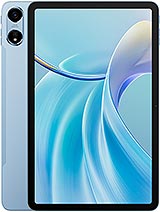
Pad 100
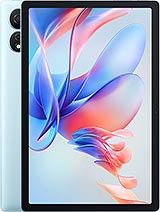
Pad 80 WiFi
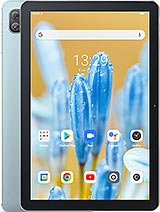
Pad 70
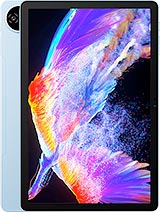
Pad 90
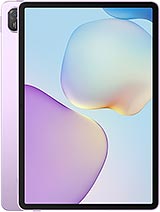
MatePad 11.5 S 2026