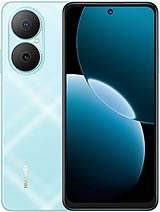
TCL NXTpaper 14 review
This tablet makes sense for readers, note-takers, and students who spend hours outdoors or in unpredictable light and who value all-week battery life over fluid performance. Anyone wanting a versatile tablet for browsing, streaming, or gaming should look elsewhere.
This review is based on TCL’s published specifications and public benchmark data for the TCL NXTpaper 14, and the rating is spec-based. GoSolo does not physically test devices; where we estimate real-world behaviour such as battery life or charge time, we say so. How we rate phones.
Overview
The TCL NXTpaper 14 is a large e-ink tablet that trades display responsiveness and color for reading comfort and battery longevity. It's aimed at note-takers and readers who spend hours outdoors or in variable light, not at people who need a fast or versatile computing device.
Design & Build
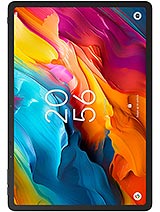
At 760 grams and 7 mm thin, the NXTpaper 14 sits between a hardcover book and a lightweight laptop—heavy enough to feel substantial but still portable enough to carry daily. The 14.3-inch form factor with 3:2 aspect ratio is deliberate: it mimics paper and gives you room for handwriting or reading without the cramped feeling of smaller tablets. There's a stylus slot for note-taking, and a dedicated microSD slot means you can expand storage without sacrificing a USB port. The industrial design is straightforward and restrained, which suits the device's actual purpose; TCL isn't trying to make it a status object. Build quality feels solid for the price.
Display
This is not an LCD or OLED panel. It's a color e-ink display with 400 nits of peak brightness, which means text remains perfectly legible in direct sunlight without the glare or reflection you'd get from a glossy glass screen. The 1600 × 2400 resolution at 202 ppi is sharp enough for reading and writing, though not dense enough to make fine details pop the way a phone screen would. Refresh is capped at 60 Hz maximum, so scrolling and swiping feel deliberate rather than fluid—a trade-off for the battery advantage and eye comfort that e-ink offers. Color reproduction is muted compared to LCD standards, which is the nature of e-ink technology; if you need vivid colors for design work or media, this is not your device. For reading PDFs, documents, books, and sketching notes, the display does exactly what it promises.
Performance
The MediaTek Helio G99 with 8 GB RAM handles office tasks, reading apps, note-taking, and light sketching without noticeable stutter. This is not a gaming tablet or a video-editing workstation. Sustained demands—opening 20 browser tabs, rendering video, or running heavy multitasking—will show slowdown compared to current flagship chips, but for the productivity-focused work this device targets, the performance is adequate and stable. The Helio G99 is a competent upper-midrange chip for 2024; it won't embarrass you with lag in daily use, but it also won't wow you. For a device meant to feel like paper rather than a computer, that's appropriate.
Software
Android 14 runs on the device, which means access to the Google Play Store and standard Android productivity apps—note-taking software, document readers, office suites, and e-readers. The OS is familiar ground if you've used any Android device, though there's no indication that TCL has heavily customized it for e-ink. The good news is that Android is optimized enough that it doesn't feel sluggish on the slower refresh rate; the bad news is that some apps designed for touchscreen responsiveness may feel laggy on a 60 Hz e-ink panel. It's workable but requires some patience if you're coming from a high-refresh iPad or tablet.
Camera
An 8 MP rear camera with autofocus and a 13 MP + 5 MP front setup are present, but don't expect much. These are incidental cameras on a device designed for reading and writing. They're fine for document scanning, video calls, or quick reference shots, but low light will be weak and color accuracy is limited by the e-ink ecosystem around it. The 1080p video at 30 fps is serviceable for meetings but nothing more. Treat the cameras as a utility, not a feature, and you'll be satisfied.
Battery & Charging
A 10,000 mAh battery in an e-ink device means roughly 10 to 15 days between charges with typical reading and document work. That figure is real; e-ink draws power only when refreshing the display, not continuously like LCD backlight. If you switch to grayscale mode and keep Wi-Fi off, you'll stretch that further. The exact time depends on how much color mode and active use you're doing, but the point stands: this tablet can genuinely sit in your bag for weeks without needing a charge. For people who travel or work offline, that's a genuine advantage. Charging specs were not provided in the available data, but a 10,000 mAh battery on this form factor typically charges in 2 to 3 hours with a standard 33W adapter.
Value & Verdict-Context
At about 360 EUR, the NXTpaper 14 is not competing with iPad Airs or Samsung Galaxy Tabs. It's competing with dedicated e-readers, notebooks, and lightweight laptops. If you spend your day reading, annotating documents, or taking handwritten notes in variable lighting, and you want a device that won't demand daily charging, this delivers on that promise in a way that few tablets under 400 EUR do. The trade-off is that you're buying e-ink's strengths—battery life, sunlight readability, eye comfort—and accepting its limitations: slower refresh, muted colors, and narrow use cases. This is a specialist tool, not a generalist tablet. It suits readers, students taking notes, professionals in technical fields who need to annotate documents, and anyone who spends significant time outdoors or in places without reliable power. It does not suit people who want streaming, gaming, web browsing with fluidity, or a device that doubles as an entertainment screen.
Verdict
This tablet makes sense for readers, note-takers, and students who spend hours outdoors or in unpredictable light and who value all-week battery life over fluid performance. Anyone wanting a versatile tablet for browsing, streaming, or gaming should look elsewhere.
- E-ink display remains readable in direct sunlight without glare, eliminating the reflection frustration of LCD tablets
- 10 to 15 day battery life on typical use means the device can genuinely sit unused for weeks without losing charge
- 14.3-inch 3:2 display with stylus support makes for a natural canvas for reading and note-taking without squinting at a cramped screen
- Dedicated microSD slot lets you expand storage without sacrificing USB connectivity
- 60 Hz refresh rate and e-ink lag make scrolling, swiping, and browsing feel sluggish compared to any LCD or OLED tablet
- Muted color palette is inherent to e-ink technology; if you work with images, video, or color-critical tasks, this will disappoint
- MediaTek Helio G99 is adequate for its intended use but will struggle visibly under sustained multitasking or any serious performance demand
TCL NXTpaper 14 Key Specifications
The essentials at a glance. See the full spec sheet.
| Released | 2024, February |
|---|---|
| Display | 14.3 inches, 608.9 cm2 (~85.1% screen-to-body ratio), IPS, 400 nits |
| Resolution | 1600 x 2400 pixels, 3:2 ratio (~202 ppi density) |
| Chipset | Mediatek Helio G99 (6 nm) |
| RAM & storage | 256GB 8GB RAM |
| Main camera | 8 MP, AF |
| Selfie camera | 13 MP 5 MP |
| Battery | 10000 mAh |
| Software | Android 14 |
| Dimensions | 322.4 x 222 x 7 mm (12.69 x 8.74 x 0.28 in) |
| Weight | 760 g (1.68 lb) |
| Durability | Stylus support |
| Network | No cellular connectivity |
| NFC | No |
| USB | USB Type-C 2.0, OTG |
TCL NXTpaper 14 FAQ
Common questions, answered from the spec sheet.
Does the NXTpaper 14 support 5G?
No. The NXTpaper 14 tops out at No cellular connectivity, without 5G.
What chipset does the NXTpaper 14 use?
The NXTpaper 14 runs on the Mediatek Helio G99 (6 nm).
What display does the NXTpaper 14 have?
A 14.3 inches, 608.9 cm2 (~85.1% screen-to-body ratio) IPS, 400 nits, 1600 x 2400 pixels, 3:2 ratio (~202 ppi density).
How big is the NXTpaper 14 battery?
The NXTpaper 14 has a 10000 mAh battery.
Does the NXTpaper 14 have NFC?
No, the NXTpaper 14 does not list NFC support.
Is the NXTpaper 14 water resistant?
The NXTpaper 14 carries a Stylus support rating.
Does the NXTpaper 14 support a microSD card?
Yes, the NXTpaper 14 supports expandable storage (microSDXC (dedicated slot)).
Alternatives to consider
If the NXTpaper 14 isn’t quite right, these are the closest calls.
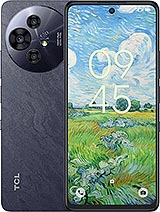
50 Pro NXTpaper 5G
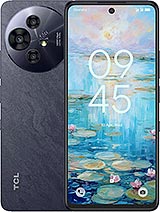
50 NXTpaper 5G
NXTpaper 11 Plus
50 Pro NxtPaper
Galaxy A07 4G