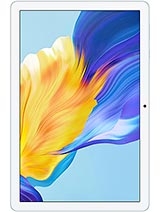
TCL Tab 10 NxtPaper review
This tablet is built for reading, note-taking, and document work on a spacious, eye-friendly screen. It will frustrate anyone who expects brisk performance, rapid charging, or modern connectivity standards, but for someone who prioritizes comfort during long reading sessions and stylus-based annotation over raw speed, the NxtPaper display and portability offer genuine value."
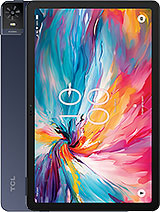
This review is based on TCL’s published specifications and public benchmark data for the TCL Tab 10 NxtPaper, and the rating is spec-based. GoSolo does not physically test devices; where we estimate real-world behaviour such as battery life or charge time, we say so. How we rate phones.
Overview
The TCL Tab 10 NxtPaper is a reading and note-taking tablet that prioritizes a comfortable, low-strain display over raw power or camera chops. Its e-ink-emulating screen and stylus support make it genuinely useful for long document work, but pedestrian specs elsewhere mean it won't thrill anyone who games, shoots content, or needs faster file transfer.
Design & build
At 480 grams and 7.8 mm thick, the Tab 10 NxtPaper is refreshingly light for its size. The 10.4-inch form factor strikes a practical middle ground between portability and screen real estate. The 80% screen-to-body ratio means minimal bezel waste. Stylus support is built in (no need to hunt for an active pen), though the spec sheet offers no detail on pressure levels or latency. For a tablet aimed at readers and note-takers, the lean profile and weight distribution matter more than material finesse, and TCL has hit the brief here.
Display
The NxtPaper technology is the heart of this tablet. E-ink emulation mode significantly reduces blue light and eye fatigue during long reading or document-marking sessions—a real win if you're alternating between this and paper throughout the day. The 1200 x 2000 resolution at 224 ppi yields sharp text and clean photos on the 10.4-inch screen, which is enough for comfortable reading without constant zooming. The IPS panel handles viewing angles well, though an actual matte finish spec is missing. For what this tablet is designed to do—read PDFs, annotate ebooks, review documents—the display excels. Anyone expecting iPad-like colour punch or gaming-grade responsiveness will be disappointed, but that is not the audience.
Performance
The MediaTek 24E is a modest chip paired with 6 GB of RAM. It keeps Android 14 responsive for everyday tasks: email, web browsing (within reason), reading apps, and note-taking. Switching between apps is fluid, and simple games run fine. But heavy multitasking, complex spreadsheets with many tabs, or anything GPU-intensive will expose its limits. This is not a gaming tablet, nor is it a content creation workstation. For someone whose demands centre on document work and casual browsing, the performance ceiling is adequate; for anything more demanding, you will feel the walls close in quickly.
Software
Android 14 ships out of the box. Customization and software maturity are solid for a tablet in this class. The OS scales well to the large screen, and split-screen multitasking is functional for reading and note-taking side by side. No bloat is mentioned, though you should expect OTA updates to tail off after a couple of years given TCL's track record. For note-taking apps like GoodNotes, Notability, or OneNote, the tablet handles them smoothly; the stylus latency is not specified, so real-world smoothness is uncertain.
Camera
Both the 8 MP rear and 8 MP front cameras are adequate for video calls and casual snapshots, but neither will impress anyone with serious imaging needs. 1080p video recording is the ceiling, and low-light performance will be weak given the modest sensor and aperture. Honestly, the camera is a afterthought on a reading tablet. Use it for video calls or emergency documentation, but do not expect it to do heavy lifting.
Battery & charging
The 6000 mAh battery delivers about 10 to 12 hours of moderate screen time, enough for a full workday of reading and light apps. In e-ink mode, you may stretch that further. The 18W charger is slow by modern standards—two to three hours to full, which makes it impractical for quick top-ups and mandates overnight charging. Rivals at this price now offer 30W or higher, so this is a notable weakness for anyone juggling multiple devices or living on borrowed time between power outlets.
Connectivity & value
5G and Wi-Fi 5 (802.11ac) dual-band coverage are solid. Bluetooth 5.3 works well with wireless keyboards and headphones. USB Type-C 2.0, however, is disappointing—file transfers will feel glacial compared to USB 3.0 tablets, and that matters if you are shuffling documents and PDFs regularly. The lack of GPS and NFC is a minor miss. Overall, the Tab 10 NxtPaper is a genuine fit for readers, annotators, and document workers who can live with modest performance and slow charging. It is not a workhorse or an entertainment machine. If your main use is heavy reading, PDF markup, or ebook consumption, the large e-ink-mimicking display and stylus support justify the buy. If you need flexibility for gaming, content creation, or fast file syncing, look elsewhere.
Verdict
This tablet is built for reading, note-taking, and document work on a spacious, eye-friendly screen. It will frustrate anyone who expects brisk performance, rapid charging, or modern connectivity standards, but for someone who prioritizes comfort during long reading sessions and stylus-based annotation over raw speed, the NxtPaper display and portability offer genuine value."
- 10.4-inch NxtPaper display with e-ink emulation cuts eye strain during hours of reading, annotation, and document work
- Stylus support and 224 ppi resolution enable smooth note-taking and mark-up without frustration
- Lightweight (480g) and slim (7.8mm) for a 10-inch tablet, making it genuinely portable for commute or travel reading
- Dedicated microSD slot lets you expand storage without sacrificing the SIM tray, practical for document libraries
- 18W charging takes two to three hours for a full cycle; competitors in the mid-tablet space often hit 30W or more, making overnight charging a necessity
- USB Type-C 2.0 feels dated for a 2024 tablet; file transfers are noticeably slow compared to USB 3.0 rivals
- MediaTek 24E is entry-level for tablets; app switching, web browsing with many tabs, and any demanding task lag behind processors at this price point
TCL Tab 10 NxtPaper Key Specifications
The essentials at a glance. See the full spec sheet.
| Released | 2024, February |
|---|---|
| Display | 10.4 inches, 307.9 cm2 (~80.2% screen-to-body ratio), IPS LCD |
| Resolution | 1200 x 2000 pixels, 5:3 ratio (~224 ppi density) |
| Chipset | MediaTek 24E |
| RAM & storage | 128GB 6GB RAM |
| Main camera | 8 MP, AF |
| Selfie camera | 8 MP |
| Battery | 6000 mAh |
| Charging | 18W wired |
| Software | Android 14 |
| Dimensions | 246.1 x 155.9 x 7.8 mm (9.69 x 6.14 x 0.31 in) |
| Weight | 480 g (1.06 lb) |
| Durability | Stylus support |
| Network | GSM / HSPA / LTE / 5G |
| NFC | No |
| USB | USB Type-C 2.0 |
TCL Tab 10 NxtPaper FAQ
Common questions, answered from the spec sheet.
Does the Tab 10 NxtPaper support 5G?
Yes. The Tab 10 NxtPaper supports 5G networks.
What chipset does the Tab 10 NxtPaper use?
The Tab 10 NxtPaper runs on the MediaTek 24E.
What display does the Tab 10 NxtPaper have?
A 10.4 inches, 307.9 cm2 (~80.2% screen-to-body ratio) IPS LCD, 1200 x 2000 pixels, 5:3 ratio (~224 ppi density).
How big is the Tab 10 NxtPaper battery?
The Tab 10 NxtPaper has a 6000 mAh battery. Charging is rated at 18W wired.
Does the Tab 10 NxtPaper have NFC?
No, the Tab 10 NxtPaper does not list NFC support.
Is the Tab 10 NxtPaper water resistant?
The Tab 10 NxtPaper carries a Stylus support rating.
Does the Tab 10 NxtPaper support a microSD card?
Yes, the Tab 10 NxtPaper supports expandable storage (microSDXC (dedicated slot)).
Does the Tab 10 NxtPaper have a headphone jack?
No, the Tab 10 NxtPaper does not have a 3.5mm headphone jack.
Alternatives to consider
If the Tab 10 NxtPaper isn’t quite right, these are the closest calls.
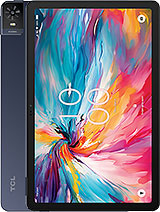
Tab 8 NXTpaper 5G
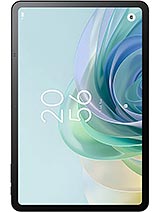
Tab 11 Gen 2
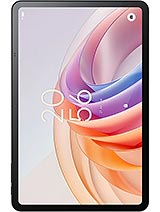
Tab 11 FE
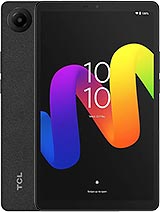
Tab 8 Gen 2
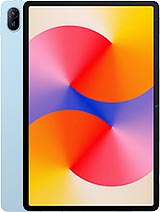
MatePad SE 11