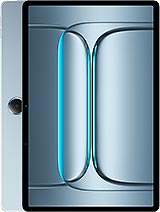
TCL Tab A1 NxtPaper review
Suited to readers, students, and note-takers who spend most time on text, PDFs, and light browsing and can live with slow performance and weak cameras. Not for anyone who wants responsive multitasking, photo quality, or a general-purpose device.
This review is written with AI assistance from TCL’s published specifications and public benchmark data for the TCL Tab A1 NxtPaper, and the rating is spec-based. GoSolo does not physically test devices; where we estimate real-world behaviour such as battery life or charge time, we say so. How we rate phones.
Overview
The TCL Tab A1 NxtPaper is a slim, light tablet aimed at readers and note-takers on a budget, with e-ink-inspired display tech and stylus support but a weak camera and dated processor that struggle with anything demanding. For 250 EUR and focused use—reading, annotation, light browsing—it is honest value, but only if you do not expect performance or photo quality.
Design and build
At 426g and 6.2mm thick, the Tab A1 NxtPaper is genuinely light for an 11-inch slab. The aluminum frame and back feel modest but solid, and the glass front is a sensible choice for a stylus device. Ergonomics favor the form over flash—this is built to be portable, not to impress. The IP54 rating is practical: dust and splash resistance matter for a device you will use outdoors or near water, though it is not submersion-proof. The Aerolite Grey finish is understated, matching the tablet's intended audience of readers and students rather than gamers.
Display
The 11-inch IPS LCD runs at 90Hz with 500 nits brightness (HBM mode), figures that sit middle-of-the-road for tablets at this price. The real draw is NxtPaper technology, TCL's e-ink-inspired algorithm that reduces blue light and flicker, making extended reading far less fatiguing than a standard tablet. At 226 ppi and 85.5% screen-to-body ratio, sharpness is adequate and bezels are slim. If your use is primarily books, articles, PDFs, or annotation, the NxtPaper mode justifies the choice over a cheaper iPad or Android rival; if you want vibrant colors and high refresh for video or games, look elsewhere.
Performance
The Mediatek Helio G100 is an entry-tier chip from TCL's playbook—it handles basic tasks adequately but shows strain under sustained load. Web browsing, email, and light app use are fine. Multitasking stalls, app launches are slow, and anything requiring real processing—video editing, games, heavy spreadsheets—will frustrate. This is not a compromise; it is a design choice that keeps cost down and power draw low. For a reader or student whose main screen time is text and PDFs, the tradeoff is acceptable. Anyone expecting a workhorse device to last five years of heavy use should step up to a midrange tablet with a better processor.
Software
Android 16 ships out of the box with a planned upgrade path to Android 17, which is reasonable for a 2026 device. No bloatware is mentioned, suggesting a clean experience. The Helio G100 does not have the grunt to make Android feel quick, so animations may appear sluggish and app switches lag; this is a CPU issue, not a software one. Updates should arrive on schedule, but do not expect years of major upgrades—this is budget hardware.
Camera
With an 8MP main camera and 5MP front, the Tab A1 NxtPaper has tablet-grade optics. The main sensor is small (1/4", 1.12µm pixels) and the f/2.0 aperture does not compensate for that. Video is capped at 1080p. Photos lack detail, struggle in low light, and offer no ultrawide or macro. The camera is a tool for video calls and proof-of-concept shots, not a creative device. If photo or video capture matters to you, pair this with a smartphone.
Battery and charging
The 8000mAh battery will deliver two to three days of moderate reading and browsing, thanks to the weak processor and NxtPaper's power efficiency. Charging speed is not specified, a red flag that suggests it is unremarkable—likely 10–15W, meaning a full charge takes three to four hours. There is no fast-charge convenience here, only longevity. For a bedside reader, this is fine; for someone who needs a daily charge within an hour, it is a bottleneck.
Value and verdict
At 250 EUR, the Tab A1 NxtPaper is cheap for an 11-inch tablet. The NxtPaper display and light build are genuine assets for reading and note-taking. The Helio G100 and thin camera are real sacrifices, but acceptable for a device you will not use for gaming or photography. Storage is expandable, build is durable, and the software roadmap is clear. This tablet knows its lane: a long-battery, eye-friendly, portable e-reader with stylus and a bit of web browsing. It does not pretend to be a laptop substitute or a creative tool. If that is your use case, it delivers better value than a generic no-name tablet or a much pricier iPad.
Verdict
Suited to readers, students, and note-takers who spend most time on text, PDFs, and light browsing and can live with slow performance and weak cameras. Not for anyone who wants responsive multitasking, photo quality, or a general-purpose device.
- Slim and light for an 11-inch tablet at 426g, making it genuinely portable and comfortable to hold for long reading sessions
- NxtPaper display technology reduces eye strain compared to standard LCD, a real benefit for readers and students who will spend hours on it
- Stylus support with IP54 water resistance gives practical durability for note-taking and sketching without fuss
- MicroSD slot gives real expandable storage, uncommon on tablets at this price
- Helio G100 is an entry-tier processor with dated cores; apps load slowly and multitasking stalls noticeably, making it unsuitable for any work beyond basic browsing and reading
- Camera quality is poor for a 2026 tablet—8MP main, 5MP front—with no ultrawide or macro, fine for video calls but embarrassing for any other use
- Battery charging speed not specified in specs, and 8000mAh with a weak chipset will deliver long standby time but no fast-charge convenience
TCL Tab A1 NxtPaper Key Specifications
The essentials at a glance. See the full spec sheet.
| Released | 2026, August |
|---|---|
| Display | 11.0 inches, 350.9 cm2 (~85.5% screen-to-body ratio), IPS LCD, 90Hz, 500 nits (HBM) |
| Resolution | 2112 x 1320 pixels, 16:10 ratio (~226 ppi density) |
| Chipset | Mediatek Helio G100 (6 nm) |
| RAM & storage | 128GB 6GB RAM |
| Main camera | 8 MP, f/2.0, (wide), 1/4.0", 1.12µm, AF |
| Selfie camera | 5 MP |
| Battery | 8000 mAh |
| Software | Android 16, planned upgrade to Android 17 |
| Dimensions | 251.3 x 163.2 x 6.2 mm (9.89 x 6.43 x 0.24 in) |
| Weight | 426 g (15.03 oz) |
| Build | Glass front, aluminum frame, aluminum back |
| Durability | Stylus support IP54 dust protected and water resistant (water splashes) |
| Network | No cellular connectivity |
| NFC | No |
| USB | USB Type-C 2.0 |
TCL Tab A1 NxtPaper FAQ
Common questions, answered from the spec sheet.
Does the Tab A1 NxtPaper support 5G?
No. The Tab A1 NxtPaper tops out at No cellular connectivity, without 5G.
What chipset does the Tab A1 NxtPaper use?
The Tab A1 NxtPaper runs on the Mediatek Helio G100 (6 nm).
What display does the Tab A1 NxtPaper have?
A 11.0 inches, 350.9 cm2 (~85.5% screen-to-body ratio) IPS LCD, 90Hz, 500 nits (HBM), 2112 x 1320 pixels, 16:10 ratio (~226 ppi density).
How big is the Tab A1 NxtPaper battery?
The Tab A1 NxtPaper has a 8000 mAh battery.
Does the Tab A1 NxtPaper have NFC?
No, the Tab A1 NxtPaper does not list NFC support.
Is the Tab A1 NxtPaper water resistant?
The Tab A1 NxtPaper carries a Stylus support IP54 dust protected and water resistant (water splashes) rating.
Does the Tab A1 NxtPaper support a microSD card?
Yes, the Tab A1 NxtPaper supports expandable storage (microSDXC (dedicated slot)).
Alternatives to consider
If the Tab A1 NxtPaper isn’t quite right, these are the closest calls.
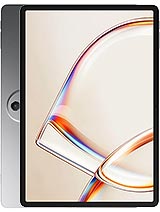
Tab A1 Plus NxtPaper
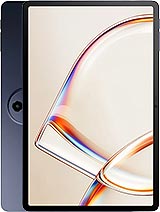
Tab A1
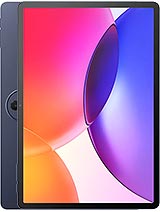
Tab A1 Plus
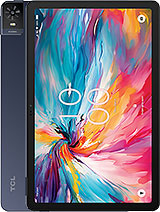
Tab 8 NXTpaper 5G
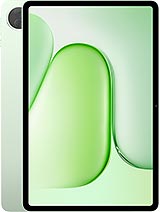
Pad 20