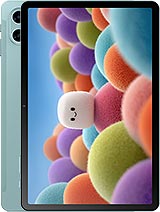
TCL Tab A1 Plus NxtPaper review
This tablet is built for students and professionals who read, take notes, and annotate PDFs far more than they play games or edit video. If that sounds like your workflow and you value a portable, eye-friendly screen over raw power, it's worth the price. Anyone expecting a media tablet or gaming device should look at something with a faster chip and better display tech.
This review is written with AI assistance from TCL’s published specifications and public benchmark data for the TCL Tab A1 Plus NxtPaper, and the rating is spec-based. GoSolo does not physically test devices; where we estimate real-world behaviour such as battery life or charge time, we say so. How we rate phones.
Overview
The TCL Tab A1 Plus NxtPaper is a 12.2-inch tablet aimed squarely at reading and notetaking, with an e-ink-inspired display and stylus support at a mid-range price. It's a solid choice for students and note-takers who want a larger canvas than a phone, though the entry-level processor and basic cameras mean it's not trying to be a media powerhouse.
Design & Build
The Tab A1 Plus is thin and light for its 12.2-inch footprint, measuring 6.7mm thick and weighing 556 grams. That makes it genuinely portable for a tablet this size, lighter than many 11-inch competitors and easy to hold for extended note-taking sessions. The glass front, aluminum frame, and aluminum back feel solid without being premium; it's a functional toolkit design rather than a statement piece. IP54 dust and splash resistance is a practical touch for a device you'll carry in a bag. The stylus support and NxtPaper display tech (which aims for a paper-like feel) set the tone immediately: this is a device for productivity and reading, not entertainment first.
Display
The 12.2-inch IPS LCD display runs at 2400 × 1600 pixels (236 ppi), which is crisp enough for reading text without strain and perfectly adequate for a 3:2 aspect ratio designed for productivity. The 120Hz refresh rate and 500 nits brightness (peak) are practical specs, not showboating; they keep scrolling smooth and ensure visibility in various lighting. The NxtPaper technology attempts to reduce glare and eye strain by mimicking paper, which matters if you're staring at this for hours taking notes. A direct competitor might offer an OLED for more contrast, but that would drive the price up and drain the battery faster. For a task-oriented tablet at this price, the IPS approach and paper-like surface make sense.
Performance
The Snapdragon 4 Gen 2 is entry-level silicon that handles everyday tasks, web browsing, and basic app work without drama. The 6GB of RAM and 256GB storage (with microSDXC expansion) give you breathing room for documents and apps. This is not a chip for heavy gaming or video editing, and it won't blaze through demanding apps, but that is not what this tablet is built for. For reading, writing, PDF annotation, and light multitasking, the processor is adequate. If you are comparing it to a budget phone or a two-year-old mid-range tablet, performance is in the same ballpark; do not expect desktop-class responsiveness when juggling multiple heavy apps.
Software
It ships with Android 16 and has a clear upgrade path to Android 17. That puts it in line with current tablets, and the open nature of Android means access to all the productivity apps you'd want for reading and notetaking. There's no mention of a custom skin or heavy bloat, which is refreshing. Updates should continue for at least a couple of years given TCL's track record, though a tablet this entry-level won't see the longest support runway.
Camera
Both the 8MP rear and front cameras are functional rather than impressive. 1080p video at 30fps is fine for casual video calls or recording a whiteboard, but do not expect sharp or detailed photos in challenging light. The rear has autofocus and an LED flash, which helps, but an 8MP sensor in 2026 is very much a checkbox feature. Most tablet buyers ignore the cameras anyway, and this one doesn't pretend to be a camera device.
Battery & Charging
The 10000 mAh battery is respectable for a tablet this size and should deliver a full day to a day-and-a-half of typical use (reading, notetaking, light browsing). The spec sheet indicates 33W charging, which is moderate by current standards but nothing to celebrate. Full charge from empty will take a couple of hours, which is normal for a tablet battery this large. The real appeal is endurance: on standby and moderate daily use, you can likely stretch this to several days, making it genuinely portable without a charger tethered to you.
Value & Verdict-Context
At about 350 EUR, the Tab A1 Plus targets note-takers, students, and readers who want a bigger screen than a phone but do not need flagship power or a stellar camera. It competes in a niche where iPad Base models and Samsung Galaxy Tab A series live. The NxtPaper display is the differentiator—if that paper-like, eye-friendly tech matters to you, it justifies the price. The lightweight build and stylus support reinforce the use case. For media consumption or gaming, look elsewhere; for a workhorse notetaking and reading tablet, this delivers at a fair price.
Verdict
This tablet is built for students and professionals who read, take notes, and annotate PDFs far more than they play games or edit video. If that sounds like your workflow and you value a portable, eye-friendly screen over raw power, it's worth the price. Anyone expecting a media tablet or gaming device should look at something with a faster chip and better display tech.
- Thin and light (6.7mm, 556g) for its 12.2-inch size, making it genuinely portable for sustained notetaking.
- Paper-like NxtPaper display with 120Hz and decent brightness reduces glare and eye strain for long reading or writing sessions.
- Stylus support and 3:2 aspect ratio built for productivity, plus microSDXC expansion for documents and files.
- Entry-level Snapdragon 4 Gen 2 processor means it will struggle with heavy multitasking or any graphically demanding work.
- Cameras are basic (8MP, 1080p) and clearly an afterthought; not suitable for content creation.
- 33W charging is slow for a 10000 mAh battery, and no mention of faster options or wireless charging.
TCL Tab A1 Plus NxtPaper Key Specifications
The essentials at a glance. See the full spec sheet.
| Released | 2026, August 03 |
|---|---|
| Display | 12.2 inches, 443.2 cm2 (~85.0% screen-to-body ratio), IPS LCD, 120Hz, 500 nits (HBM) |
| Resolution | 2400 x 1600 pixels, 3:2 ratio (~236 ppi density) |
| Chipset | Qualcomm SM4450 Snapdragon 4 Gen 2 (4 nm) |
| RAM & storage | 256GB 6GB RAM |
| Main camera | 8 MP, f/2.0, (wide), 1/4.0", 1.12µm, AF |
| Selfie camera | 8 MP |
| Battery | 10000 mAh |
| Software | Android 16, planned upgrade to Android 17 |
| Dimensions | 275.6 x 189.3 x 6.7 mm (10.85 x 7.45 x 0.26 in) |
| Weight | 556 g (1.23 lb) |
| Build | Glass front, aluminum frame, aluminum back |
| Durability | Stylus support IP54 dust protected and water resistant (water splashes) |
| Network | No cellular connectivity |
| NFC | No |
| USB | USB Type-C 2.0 |
TCL Tab A1 Plus NxtPaper FAQ
Common questions, answered from the spec sheet.
Does the Tab A1 Plus NxtPaper support 5G?
No. The Tab A1 Plus NxtPaper tops out at No cellular connectivity, without 5G.
What chipset does the Tab A1 Plus NxtPaper use?
The Tab A1 Plus NxtPaper runs on the Qualcomm SM4450 Snapdragon 4 Gen 2 (4 nm).
What display does the Tab A1 Plus NxtPaper have?
A 12.2 inches, 443.2 cm2 (~85.0% screen-to-body ratio) IPS LCD, 120Hz, 500 nits (HBM), 2400 x 1600 pixels, 3:2 ratio (~236 ppi density).
How big is the Tab A1 Plus NxtPaper battery?
The Tab A1 Plus NxtPaper has a 10000 mAh battery.
Does the Tab A1 Plus NxtPaper have NFC?
No, the Tab A1 Plus NxtPaper does not list NFC support.
Is the Tab A1 Plus NxtPaper water resistant?
The Tab A1 Plus NxtPaper carries a Stylus support IP54 dust protected and water resistant (water splashes) rating.
Does the Tab A1 Plus NxtPaper support a microSD card?
Yes, the Tab A1 Plus NxtPaper supports expandable storage (microSDXC (dedicated slot)).
Alternatives to consider
If the Tab A1 Plus NxtPaper isn’t quite right, these are the closest calls.
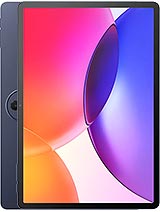
Tab A1 Plus
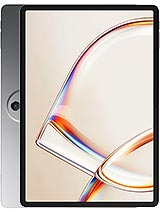
Tab A1 NxtPaper
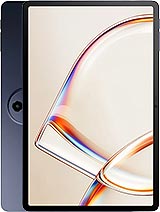
Tab A1
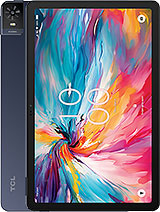
Tab 8 NXTpaper 5G
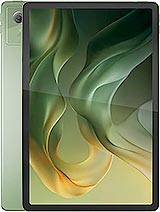
Moto Pad (2026)