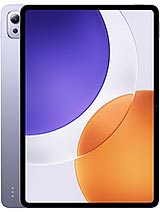
Ulefone Armor Pad 3 Pro review
Buy this if you work outdoors or in harsh conditions and can tolerate midrange performance in exchange for durability and multiday battery life. Look elsewhere if you want a tablet for media, gaming, or design work—the display softness and chipset will frustrate you, and the ruggedness adds cost and weight you do not need.
This review is based on Ulefone’s published specifications and public benchmark data for the Ulefone Armor Pad 3 Pro, and the rating is spec-based. GoSolo does not physically test devices; where we estimate real-world behaviour such as battery life or charge time, we say so. How we rate phones.
Overview
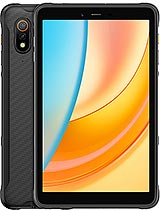
The Ulefone Armor Pad 3 Pro is a rugged 8-inch tablet built for fieldwork and outdoor use, with IP68/IP69K protection, a 7650 mAh battery good for 2–3 days, and the durability to handle drops and water exposure where ordinary tablets would break. It trades cutting-edge performance for toughness and reliability at a reasonable price, making it honest work gear rather than a tablet that tries to do everything.
Design & Build
At 560 grams and 14 mm thick, the Armor Pad 3 Pro is not lightweight, but the heft comes with purpose. The chassis is engineered to IP68/IP69K spec—dust-tight and able to handle full submersion in fresh water up to 1.5 meters for 30 minutes, plus high-pressure jets. MIL-STD-810H compliance and 1.5-meter drop resistance are not just numbers; they are the difference between a tablet you use in a construction site, field survey, or remote fieldwork versus one you baby indoors. The magnetic USB Type-C connector and dedicated accessory port for Ulefone endoscopes or microscopes hint at the niche this device fills. For a worker tablet at 200 EUR, this is overkill in the right way.
Display
The 8-inch IPS LCD screen runs at 800×1280 pixels, yielding 189 ppi—noticeably softer than mid-range consumer tablets at this size, which typically hit 220 ppi or more. Text and icons are legible at arm's length, but if you are reading dense documents or doing detail design work, you will feel the low pixel density. The Mohs level 4 front glass is resistant to scratches but not as hard as gorilla glass found on better tablets. Brightness is not listed, but IPS LCDs in this segment typically max out around 300–400 nits, which is adequate indoors and for shaded outdoor work but will wash out in direct sunlight if you are trying to read a spreadsheet or map in full sun.
Performance
The MediaTek MT8788 is a midrange tablet processor built into tablets aimed at workers and students, not enthusiasts. The octa-core setup (4×2.0 GHz Cortex-A73 plus 4×2.0 GHz Cortex-A53) paired with Mali-G72 MP3 graphics handles email, browsing, video playback, and light office work without stutter. Multitasking is smooth for day-to-day apps. However, demanding games, video editing, and sustained heavy loads will show frame drops and thermal throttling. For a tablet at this price and durability tier, the chipset makes sense—Ulefone prioritized battery life and reliability over raw speed, and that is the right call for fieldwork where a tablet is a tool, not an entertainment device.
Battery & Charging
The 7650 mAh cell is the tablet's strongest selling point. With moderate use—email, maps, light media—you will comfortably reach 2–3 days between charges, a genuine advantage for anyone working in remote locations or traveling far from a power outlet. On heavy use (streaming, video calls, constant screen), that drops to 1–1.5 days, still respectable for a tablet this size. The charge specifications are not listed, but Ulefone rugged devices typically use modest wattage (15–30W), meaning a full charge takes 2–3 hours. This is not fast, but it aligns with the rugged design philosophy—durability and longevity over peak speed.
Camera
The 48 MP main sensor with f/1.8 aperture and LED flash is serviceable for a rugged tablet—it handles daylight, and the LED helps in low light. Video is capped at 1080p@30fps, which is fine for site documentation and video calls but not for any kind of creative work. The 32 MP selfie camera is overkill for a tablet's intended use, but the extra resolution does not hurt. In practice, you will use the cameras for work documentation—blueprints, site photos, video check-ins—and they do this job adequately. Do not expect the computational photography or dynamic range you get on flagship phones.
Software & Connectivity
Android 13 is current but not cutting-edge as of mid-2024. Ulefone's skin tends to be light, so you are not weighed down by bloat, but long-term update support is Ulefone's weak point—do not expect 3+ years of OS updates. Connectivity covers the bases: Wi-Fi 6 would have been nicer, but Wi-Fi 5 ac is standard for tablets at this price; dual-band support is present. Dual Nano-SIM for LTE (no 5G) is practical for field workers who need connectivity in two regions or carriers. GPS, GLONASS, GALILEO, and BDS provide solid positioning even in locations where GPS alone would struggle. NFC is a bonus for some workflows. FM radio and recording is a rarity in modern tablets and useful for portable audio.
Value & Verdict
At roughly 200 EUR, the Armor Pad 3 Pro competes not against mid-range consumer tablets like the Samsung Tab A or Lenovo Tab P11, but against other rugged tablets from Ulefone, CAT, or Getac. In that context, it offers strong durability and battery life for the price, with storage and RAM that is not stingy. The downsides are real: the display is soft, the CPU is not fast, and there is no 5G. But buyers in this category already know those are trade-offs. You buy this tablet because it survives what other tablets die doing, and the battery lasts when you need it to. For construction sites, outdoor surveys, remote fieldwork, or any job where a regular tablet is a liability, this is a solid choice. If you need a tablet for media consumption, gaming, or content creation, you should spend more on a proper tablet and accept that it will not survive a 1.5-meter drop.
Verdict
Buy this if you work outdoors or in harsh conditions and can tolerate midrange performance in exchange for durability and multiday battery life. Look elsewhere if you want a tablet for media, gaming, or design work—the display softness and chipset will frustrate you, and the ruggedness adds cost and weight you do not need.
- IP68/IP69K rating plus MIL-STD-810H compliance and 1.5m drop resistance—this tablet is built to survive field conditions that would kill consumer tablets
- 7650 mAh battery delivers 2–3 days between charges on moderate use, a real advantage for remote workers who can't plug in daily
- Dedicated microSD slot and 128GB storage out of the box, enough breathing room without the storage anxiety of cheaper tablets
- Reasonable price for the durability—about 200 EUR for a tablet that survives what others would not
- 800×1280 resolution at 189 ppi on an 8-inch screen feels soft compared to modern tablets, especially for reading small text or detail work
- MediaTek MT8788 is a midrange chip from 2024; it handles everyday tasks but stumbles on heavy multitasking, gaming, or video editing
- No 5G—locked to 4G LTE only, which is fine for many regions but starting to lag in markets with broader 5G rollout
Ulefone Armor Pad 3 Pro Key Specifications
The essentials at a glance. See the full spec sheet.
| Released | 2024, April |
|---|---|
| Display | 8.0 inches, 185.6 cm2 (~67.6% screen-to-body ratio), IPS LCD |
| Resolution | 800 x 1280 pixels, 16:10 ratio (~189 ppi density) |
| Chipset | Mediatek MT8788 (12 nm) |
| RAM & storage | 128GB 8GB RAM |
| Main camera | 48 MP, f/1.8, (wide), 1/2.25", 0.8µm |
| Selfie camera | 32 MP, f/2.2, (wide), 1/2.8", 0.8µm |
| Battery | 7650 mAh |
| Software | Android 13 |
| Dimensions | 213 x 128.8 x 14 mm (8.39 x 5.07 x 0.55 in) |
| Weight | 560 g (1.23 lb) |
| Durability | IP68/IP69K dust tight and water resistant (high pressure water jets; immersible up to 1.5m for 30 min) Drop resistant up to 1.5m MIL-STD-810H compliant Accessory connector (ulefone endoscope, microscope) |
| Network | GSM / HSPA / LTE |
| NFC | Yes |
| USB | USB Type-C 2.0, magnetic connector |
Ulefone Armor Pad 3 Pro FAQ
Common questions, answered from the spec sheet.
Does the Armor Pad 3 Pro support 5G?
No. The Armor Pad 3 Pro tops out at GSM / HSPA / LTE, without 5G.
What chipset does the Armor Pad 3 Pro use?
The Armor Pad 3 Pro runs on the Mediatek MT8788 (12 nm).
What display does the Armor Pad 3 Pro have?
A 8.0 inches, 185.6 cm2 (~67.6% screen-to-body ratio) IPS LCD, 800 x 1280 pixels, 16:10 ratio (~189 ppi density).
How big is the Armor Pad 3 Pro battery?
The Armor Pad 3 Pro has a 7650 mAh battery.
Does the Armor Pad 3 Pro have NFC?
Yes, the Armor Pad 3 Pro has NFC.
Is the Armor Pad 3 Pro water resistant?
The Armor Pad 3 Pro carries a IP68/IP69K dust tight and water resistant (high pressure water jets; immersible up to 1.5m for 30 min) Drop resistant up to 1.5m MIL-STD-810H compliant Accessory connector (ulefone endoscope, microscope) rating.
Does the Armor Pad 3 Pro support a microSD card?
Yes, the Armor Pad 3 Pro supports expandable storage (microSDXC (dedicated slot)).
Alternatives to consider
If the Armor Pad 3 Pro isn’t quite right, these are the closest calls.
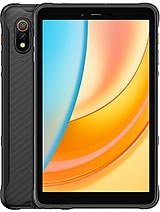
Armor Pad 5 Pro
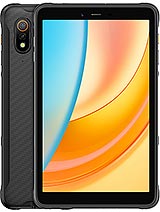
Armor Pad Pro
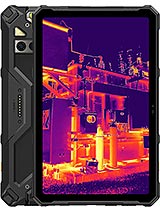
Armor Pad 4 Ultra Thermal
Tab A10 Pro
MatePad SE 11