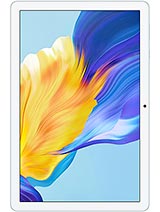
Umidigi G2 Tab review
The Umidigi G2 Tab suits someone who wants a lightweight Wi-Fi tablet for home reading and video at rock-bottom price and has no ambitions beyond that. Anyone who might want to multitask, zoom on photos, game, or charge quickly should look at last-year's models from bigger brands, which now cost less and do more.
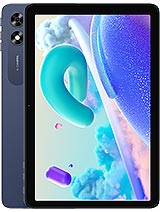
This review is based on Umidigi’s published specifications and public benchmark data for the Umidigi G2 Tab, and the rating is spec-based. GoSolo does not physically test devices; where we estimate real-world behaviour such as battery life or charge time, we say so. How we rate phones.
Overview
The Umidigi G2 Tab is a bare-bones 10.1-inch Wi-Fi tablet for light reading and streaming at home, with a soft display and minimal performance that keeps it honest at this price. It's simple and inoffensive, but there's little here that justifies picking it over cheaper alternatives or last-generation tablets from better-known brands.
Design & build
The Umidigi G2 Tab is appropriately insubstantial for a budget tablet. At 576g and 9.3mm thin, it won't strain your wrists during a long reading session, and the proportions feel balanced for one-handed browsing. The spec sheet stops there on build details, which tells you everything: there is no premium material story here. For the price, it is acceptable, neither flimsy nor robust. The practical upside is portability; the downside is nothing memorable or reassuring in hand.
Display
The 10.1-inch IPS LCD is generous in size but cramped in clarity. At 149 pixels per inch, the resolution gap between this and even mid-range tablets from a year earlier is noticeable. Text softens at normal viewing distance, and photographs lack the crispness you will find on devices that cost only slightly more. This is not ruined for streaming or casual web browsing, where you sit further back or accept lower fidelity. For reading articles or PDFs, or any task where your eye sits close to the screen, the softness becomes an irritant. The 74.5% screen-to-body ratio is ordinary; bezels are present but not unusually thick.
Performance
The RK3562 is a modest processor from 2022, paired with just 4GB of RAM. It handles single apps competently—browsing, email, light video playback all run smoothly. The moment you juggle multiple apps or install a heavier game, lag surfaces quickly. This chip was never meant to multitask, and it shows. For a buyer whose days consist of opening Netflix, a news app, and email one at a time, it suffices. Anyone expecting fluid switching between apps or any creative work will be disappointed. By 2026 standards, even budget tablets pair newer processors with more RAM.
Software
Android 13 is now three years old and no longer receiving regular updates on a device of this profile. Umidigi has not signaled any commitment to future patches, which means security fixes may lag industry standards. The OS itself runs without notable bloat—there is no bloatware baked into the system—but the lack of update guarantees on a consumer device priced around $100–150 is a minor concern if you plan to keep it beyond one or two years.
Camera
Both the 8MP rear and 8MP front cameras are functional for video calls and casual snapshots in daylight, nothing more. 720p video recording is acceptable for quick clips but feels dated next to 1080p minimums on rival tablets. Low-light shots will be noisy, and any zoom reveals the sensor's limits. The LED flash on the rear camera is a nice gesture, but it does not make an image sensor that lacks depth or detail any sharper. Realistic buyers will use these cameras sparingly; they exist mainly to avoid the awkwardness of a tablet with no camera at all.
Battery & charging
The 6000mAh battery is adequately sized. With moderate use—a mix of browsing, reading, and video—expect about a full day before you need to charge. Heavier streaming will cut that down; lighter use might stretch it. The real friction point is the 10W charger, which needs 2 to 3 hours to refill the tank. This is slow enough to disrupt your workflow if the tablet dies mid-day. By contrast, mid-range competitors now ship with 30W+ charging. If you can charge overnight, this is livable. If you need the tablet mobile and responsive, the charging speed is a genuine nuisance.
Value & verdict
The Umidigi G2 Tab occupies an uncomfortable middle ground. It costs roughly $120–150, which places it against refurbished tablets from Samsung or Apple's older lines, as well as new entrants from Poco, Lenovo, and others. Those rivals often ship with sharper displays, faster processors, and quicker charging for the same outlay or less. The lack of cellular connectivity removes any argument for portability beyond a Wi-Fi range. At this price, a buyer should expect either better performance, a sharper display, or faster charging—ideally two of the three. The Umidigi G2 Tab delivers none. Its only genuine strength is simplicity and all-day battery, which only matters if simplicity is your priority and you can tolerate the soft screen and sluggish charger.
Verdict
The Umidigi G2 Tab suits someone who wants a lightweight Wi-Fi tablet for home reading and video at rock-bottom price and has no ambitions beyond that. Anyone who might want to multitask, zoom on photos, game, or charge quickly should look at last-year's models from bigger brands, which now cost less and do more.
- Wi-Fi 6 support and dual-band connectivity work reliably for home use, and the 6000mAh battery delivers a full day of moderate browsing or streaming
- Stereo speakers and a 3.5mm jack are welcome inclusions at this price point
- Expandable storage via microSDXC gives you room to grow without paying for premium options
- 9.3mm thickness and 576g weight make it light enough to hold for extended reading or video
- The 149ppi display is noticeably soft; text and photos lack sharpness at normal arm's-length viewing, fine for casual streaming but tiresome for detailed work
- 10W charging takes 2 to 3 hours for a full charge, leaving you tethered to the outlet during travel or long sessions away from power
- RK3562 processor stumbles with any multitasking or heavy apps; this is strictly a single-task device for light content consumption
Umidigi G2 Tab Key Specifications
The essentials at a glance. See the full spec sheet.
| Released | 2023 |
|---|---|
| Display | 10.1 inches, 295.8 cm2 (~74.5% screen-to-body ratio), IPS LCD |
| Resolution | 800 x 1280 pixels, 16:10 ratio (~149 ppi density) |
| Chipset | RK3562 (22 nm) |
| RAM & storage | 64GB 4GB RAM |
| Main camera | 8 MP, f/2.2, (wide) |
| Selfie camera | 8 MP, f/2.2, (wide) |
| Battery | 6000 mAh |
| Charging | 10W wired |
| Software | Android 13 |
| Dimensions | 244.8 x 162.2 x 9.3 mm (9.64 x 6.39 x 0.37 in) |
| Weight | 576 g (1.27 lb) |
| Network | No cellular connectivity |
| NFC | No |
| USB | USB Type-C |
Umidigi G2 Tab FAQ
Common questions, answered from the spec sheet.
Does the G2 Tab support 5G?
No. The G2 Tab tops out at No cellular connectivity, without 5G.
What chipset does the G2 Tab use?
The G2 Tab runs on the RK3562 (22 nm).
What display does the G2 Tab have?
A 10.1 inches, 295.8 cm2 (~74.5% screen-to-body ratio) IPS LCD, 800 x 1280 pixels, 16:10 ratio (~149 ppi density).
How big is the G2 Tab battery?
The G2 Tab has a 6000 mAh battery. Charging is rated at 10W wired.
Does the G2 Tab have NFC?
No, the G2 Tab does not list NFC support.
Does the G2 Tab support a microSD card?
Yes, the G2 Tab supports expandable storage (microSDXC (dedicated slot)).
Does the G2 Tab have a headphone jack?
Yes, the G2 Tab has a 3.5mm headphone jack.
Alternatives to consider
If the G2 Tab isn’t quite right, these are the closest calls.
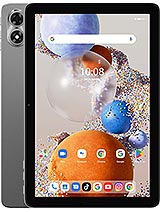
G1 Tab
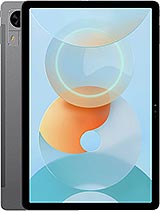
G5 Tab
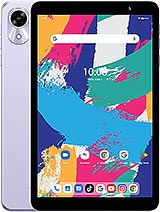
G1 Tab Mini
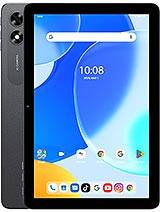
G3 Tab Ultra
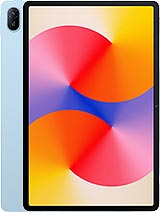
MatePad SE 11