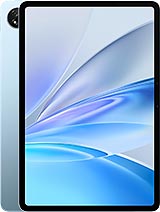
Umidigi G9 Tab review
This tablet suits anyone who needs a large screen for reading, watching, and browsing, and who can live with soft display and modest performance. If you prioritize a sharp screen or speed, or if you plan to use it for games or heavy work, look at higher-end tablets or flagship iPads instead; the money will be better spent.
This review is based on Umidigi’s published specifications and public benchmark data for the Umidigi G9 Tab, and the rating is spec-based. GoSolo does not physically test devices; where we estimate real-world behaviour such as battery life or charge time, we say so. How we rate phones.
Overview
The Umidigi G9 Tab is an 11-inch budget tablet built for reading, video, and light browsing—not speed or photography. At this price, the large screen and decent battery life matter more than the soft display or sluggish performance.
Design & Build
At 522 grams and 9.1 mm thick, the G9 Tab is light and thin enough to carry in a bag without complaint, though the plastic back and frame won't feel premium. The glass front scratches easily without protection, and the build is plainly cost-conscious. Dual Nano-SIM slots are useful if you travel or need two numbers, but they share a slot with the microSD card, so you have to choose. The 80.8% screen-to-body ratio is decent for a 2024 tablet, with reasonably slim bezels for the price tier.
Display
The 11-inch IPS LCD is the headline draw: big enough for reading e-books, spreadsheets, and video without the arm's-length strain of a phone, and the wide 16:10 ratio suits landscape content. The problem is the 800 x 1280 resolution and 137 ppi pixel density, which is noticeably soft. Text looks blurry at typical reading distance, and if you sit closer—as you would with a phone—individual pixels become visible. This is fine for video playback, casual web browsing, and documents read from a distance, but it will feel dated if you are used to anything with higher resolution. Color reproduction is adequate for watching films; brightness and viewing angles are acceptable but not impressive.
Performance
The Unisoc T606 is a light-duty chip designed for budget tablets, not gaming or heavy work. It handles email, messaging, YouTube, and basic web browsing without stuttering, but multitasking is choppy, and any 3D game or video-heavy app will cause frame drops. The Mali-G57 GPU is weak, so do not expect smooth performance in games beyond simple 2D titles. With 4 GB of RAM and 256 GB storage on UFS 2.1, there is enough room for apps and media, but the performance ceiling is real. This tablet is meant for passive consumption—watching, reading, light browsing—not productivity or entertainment that demands speed.
Software
Android 14 is current and well-supported on this device. Umidigi does not load too much bloat, so the experience is relatively clean. Expect regular security patches, and the OS will run stably for everyday tasks. There is no reason to worry about stability or updates in the near term.
Camera
The 13 MP rear camera is a tablet camera: it takes acceptable snapshots and landscape video in good light, but there is no zoom, autofocus is basic, and 1080p video is the cap. The 8 MP front camera is adequate for video calls if you are not fussy. In practice, most people use tablets for consuming content, not creating it, so the camera is secondary. It works for the rare snapshot or a Zoom meeting, but do not expect anything better than a competent, unambitious phone camera from five years ago.
Battery & Charging
The 7200 mAh battery is substantial and will easily last a full day of light to moderate use—reading, streaming, browsing, and email. In practice, expect about 10 to 14 hours before you need to plug in, depending on screen brightness and what you are doing. The drawback is 18W charging, which fills the battery from empty in roughly 2.5 hours. That is not fast by modern standards, but it is also not unusually slow for a tablet. If you can leave it plugged in overnight or while you work, this is not an issue.
Value & Verdict
The Umidigi G9 Tab is an honest budget tablet: it does what an 11-inch screen is good for—reading, watching video, browsing—without pretending to be a high-end slate. The resolution is the main compromise, and it is a real one if you value sharpness. For the price, though, a large screen and solid battery life are genuine virtues, especially if you travel or work outdoors where a phone is too small. The performance is adequate for what the tablet is meant to do; nobody should buy this expecting to play demanding games or run heavy apps. Compare it to other budget 11-inch tablets in your market: if it costs significantly less and the screen size matters to you, it is worth considering. If you spend more money for sharper displays or faster chips, you will be happier—but you will also pay more.
Verdict
This tablet suits anyone who needs a large screen for reading, watching, and browsing, and who can live with soft display and modest performance. If you prioritize a sharp screen or speed, or if you plan to use it for games or heavy work, look at higher-end tablets or flagship iPads instead; the money will be better spent.
- 11-inch IPS LCD screen is genuinely useful for reading PDFs and watching video, even if the 137 ppi makes text look soft at phone distance.
- 7200 mAh battery delivers about 10–14 hours of mixed daily use, so you can get through a day or two of casual work without hunting for a charger.
- Dual Nano-SIM and LTE bands that cover most regions outside China make it a practical choice for travelers or field use.
- Stereo speakers and a 3.5mm jack are actual selling points for a media tablet, especially at this price.
- The Unisoc T606 and Mali-G57 GPU choke on anything beyond light apps and casual games; multitasking or anything 3D will feel slow.
- 18W charging means about 2.5 hours to fill from empty, which is leisurely if you need the tablet on short notice.
- 137 ppi at 11 inches is noticeably soft; you will see pixelation on text and small detail, especially compared to modern phones or higher-res tablets.
Umidigi G9 Tab Key Specifications
The essentials at a glance. See the full spec sheet.
| Released | 2024, September |
|---|---|
| Display | 11.0 inches, 350.9 cm2 (~80.8% screen-to-body ratio), IPS LCD |
| Resolution | 800 x 1280 pixels, 16:10 ratio (~137 ppi density) |
| Chipset | Unisoc T606 (12 nm) |
| RAM & storage | 256GB 4GB RAM |
| Main camera | 13 MP, (wide) |
| Selfie camera | 8 MP, (wide) |
| Battery | 7200 mAh |
| Charging | 18W wired |
| Software | Android 14 |
| Dimensions | 257.3 x 168.8 x 9.1 mm (10.13 x 6.65 x 0.36 in) |
| Weight | 522 g (1.15 lb) |
| Build | Glass front, plastic back, plastic frame |
| Network | GSM / HSPA / LTE |
| NFC | No |
| USB | USB Type-C 2.0, OTG |
Umidigi G9 Tab FAQ
Common questions, answered from the spec sheet.
Does the G9 Tab support 5G?
No. The G9 Tab tops out at GSM / HSPA / LTE, without 5G.
What chipset does the G9 Tab use?
The G9 Tab runs on the Unisoc T606 (12 nm).
What display does the G9 Tab have?
A 11.0 inches, 350.9 cm2 (~80.8% screen-to-body ratio) IPS LCD, 800 x 1280 pixels, 16:10 ratio (~137 ppi density).
How big is the G9 Tab battery?
The G9 Tab has a 7200 mAh battery. Charging is rated at 18W wired.
Does the G9 Tab have NFC?
No, the G9 Tab does not list NFC support.
Does the G9 Tab support a microSD card?
Yes, the G9 Tab supports expandable storage (microSDXC (uses shared SIM slot)).
Does the G9 Tab have a headphone jack?
Yes, the G9 Tab has a 3.5mm headphone jack.
Alternatives to consider
If the G9 Tab isn’t quite right, these are the closest calls.
G1 Tab Mini
G3 Tab Ultra
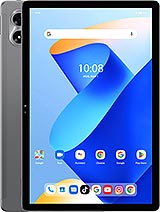
G7 Tab Pro
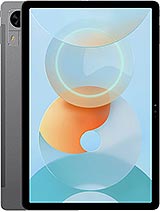
G5 Tab
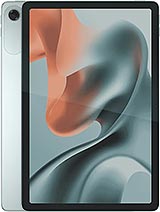
Moto Pad 60 Lite