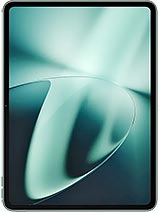
Vivo Pad Air review
The Pad Air suits anyone who wants to read, watch, and browse on a big, smooth screen without breaking the bank. If you are chasing flagship performance, professional-grade cameras, or maximum battery endurance, this is not it; look at iPad or higher-tier Android alternatives instead."
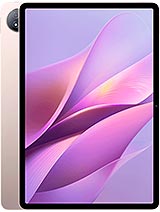
This review is based on Vivo’s published specifications and public benchmark data for the Vivo Pad Air, and the rating is spec-based. GoSolo does not physically test devices; where we estimate real-world behaviour such as battery life or charge time, we say so. How we rate phones.
Overview
The Vivo Pad Air is a slim 11.5-inch tablet with a 144Hz display and old flagship chip that handles daily apps and media well, but its 2021 performance foundation and modest cameras mean it's best for readers and light creators, not power users pushing games or complex workflows.
Design & build
At 6.7 mm thick and 530 g, the Pad Air sits at the thinner, lighter end of the 11-inch tablet spectrum. The glass front and aluminum frame feel solid, and the slim profile makes it genuinely pleasant to hold for reading or sketching. Stylus support is built in, which adds creative potential for note-takers and artists, though whether a standalone stylus is bundled or sold separately is not specified. The lack of cellular connectivity keeps cost down, but limits this to Wi-Fi use only.
Display
The 11.5-inch IPS LCD with 1840 × 2800 resolution and 144Hz refresh rate is the device's strongest suit. At 291 ppi, text stays crisp enough for extended reading, and the 3:2 aspect ratio (rather than wider cinema-style ratios) is a practical choice for documents and web browsing. The 144Hz refresh is smooth for scrolling, though you will not notice huge gains in productivity over 120Hz. HDR10 and 500 nits brightness mean it handles video and images well indoors; glare outdoors may be an issue in direct sunlight, a minor trade-off for IPS rather than OLED.
Performance
The Snapdragon 870 is a 2021 flagship that remains solid for most everyday tablet tasks. Paired with 8GB or 12GB of RAM and UFS 3.1 storage, it handles office apps, video playback, web browsing, and light photo editing without stutter. Where the age shows is in demanding games and sustained creative workloads: recent AAA titles will throttle frame rates if you push max settings for more than an hour, and professional video editing will eventually hit thermal limits. For a content consumer or casual creator, it is more than enough; for someone eyeing this as a laptop replacement for video work, look elsewhere.
Software
Android 13 with Vivo's OriginOS 3 layer adds customization and tablet-specific optimizations, though OriginOS can feel cluttered with extra features and bloat. Update longevity and software support duration are not stated; Vivo's track record on tablets is mixed, so do not assume long-term security updates. The OS itself is stable and fast on this hardware, but tablet-optimized apps and features are still thinner on Android than iPadOS, so expect some apps that do not scale well to the larger screen.
Camera
The 8 MP rear camera with LED flash and 5 MP front camera are functional for occasional snapshots or video calls but little more. Both record only 1080p at 30 fps, which is a decade old by tablet standards and well below what even mid-range phones achieve today. If you plan any serious photo work or streaming from this device, the camera limitations will frustrate quickly. For a content consumption tablet, this is fine; for a creative tool, it is a real shortcoming.
Battery & charging
The 8500 mAh battery will run about 10 to 12 hours on moderate use—reading, web browsing, apps—and drop to 8 to 9 hours under sustained video or gaming. That is easily a full day for most buyers. SuperVOOC charging is Vivo's proprietary fast-charging tech and is rated quick, but without the wattage (likely 44W based on recent Vivo specs), you cannot predict exact time to full from the sheet alone; testing would be needed to confirm real-world fill time.
Value & verdict-context
At around 230 EUR, the Pad Air occupies a middle ground: cheaper than an iPad but more costly than the cheapest Android tablets. For that price, you get a slim, light design with a good 144Hz display and a capable 2021 chipset that will not bog down in daily use. The drawbacks—old performance ceiling, basic cameras, no microSD expansion—are real but not surprising at this tier and era. This tablet is most at home in the hands of a reader, light content consumer, or note-taker who values screen quality and portability over cutting-edge grunt or multimedia chops. If you need sustained gaming performance or serious creative tools, you are paying for the wrong device. For everyone else, it is a solid, unexciting choice.
Verdict
The Pad Air suits anyone who wants to read, watch, and browse on a big, smooth screen without breaking the bank. If you are chasing flagship performance, professional-grade cameras, or maximum battery endurance, this is not it; look at iPad or higher-tier Android alternatives instead."
- Large, sharp 144Hz display at 291 ppi keeps text and scrolling smooth on an 11.5-inch screen; the 3:2 ratio is genuinely useful for reading and productivity
- Snapdragon 870 with 8GB or 12GB RAM handles multitasking, video playback, and everyday apps without strain; performance ceiling is well above what most tablet buyers actually need
- Thin aluminum design at 6.7 mm and 530 g is light enough to hold for extended reading; feels built to last
- 8500 mAh battery delivers a full day of moderate use (reading, browsing, light apps) before needing charge
- Snapdragon 870 is from 2021; demanding games and video editing will hit frame-rate limits and thermal throttling, especially over longer sessions
- Charging speed not stated in specs; SuperVOOC is fast but without wattage listed, you cannot gauge real-world fill time
- Cameras are basic: 8 MP rear and 5 MP front cap out at 1080p video, making this tablet poorly suited for creative work or any camera-dependent task
Vivo Pad Air Key Specifications
The essentials at a glance. See the full spec sheet.
| Released | 2023, August 25 |
|---|---|
| Display | 11.5 inches, 391.6 cm2 (~85.7% screen-to-body ratio), IPS LCD, 1B colors, 144Hz, HDR10, 500 nits |
| Resolution | 1840 x 2800 pixels, 3:2 ratio (~291 ppi density) |
| Chipset | Qualcomm SM8250-AC Snapdragon 870 5G (7 nm) |
| RAM & storage | 128GB 8GB RAM, 256GB 8GB RAM, 256GB 12GB RAM, 512GB 12GB RAM |
| Main camera | 8 MP |
| Selfie camera | 5 MP |
| Battery | 8500 mAh |
| Charging | SuperVOOC |
| Software | Android 13, OriginOS 3 |
| Dimensions | 259.7 x 176 x 6.7 mm (10.22 x 6.93 x 0.26 in) |
| Weight | 530 g (1.17 lb) |
| Build | Glass front, aluminum back, aluminum frame |
| Durability | Stylus support |
| Network | No cellular connectivity |
| NFC | No |
| USB | USB Type-C 3.0, OTG, magnetic connector |
Vivo Pad Air FAQ
Common questions, answered from the spec sheet.
Does the Pad Air support 5G?
No. The Pad Air tops out at No cellular connectivity, without 5G.
What chipset does the Pad Air use?
The Pad Air runs on the Qualcomm SM8250-AC Snapdragon 870 5G (7 nm).
What display does the Pad Air have?
A 11.5 inches, 391.6 cm2 (~85.7% screen-to-body ratio) IPS LCD, 1B colors, 144Hz, HDR10, 500 nits, 1840 x 2800 pixels, 3:2 ratio (~291 ppi density).
How big is the Pad Air battery?
The Pad Air has a 8500 mAh battery. Charging is rated at SuperVOOC.
Does the Pad Air have NFC?
No, the Pad Air does not list NFC support.
Is the Pad Air water resistant?
The Pad Air carries a Stylus support rating.
Does the Pad Air support a microSD card?
No, the Pad Air does not support expandable storage.
Alternatives to consider
If the Pad Air isn’t quite right, these are the closest calls.

iQOO Pad Air
iQOO Pad
MatePad 11 2023
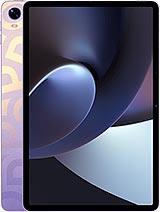
Pad 3
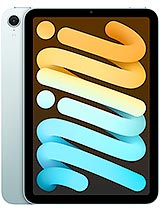
iPad mini 2024