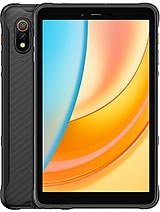
Xiaomi Pad 7 Ultra review
The Pad 7 Ultra suits creative professionals and students who will use it tethered to Wi-Fi, on a desk or lap, and will pair it with a stylus for design, annotation, or video editing. Anyone who wants portability, connectivity, or a rugged device should look at iPad Air, Samsung Tab S10, or a lightweight laptop instead.
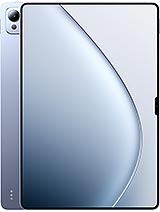
This review is based on Xiaomi’s published specifications and public benchmark data for the Xiaomi Pad 7 Ultra, and the rating is spec-based. GoSolo does not physically test devices; where we estimate real-world behaviour such as battery life or charge time, we say so. How we rate phones.
Overview
The Xiaomi Pad 7 Ultra is a slim, powerful 14-inch tablet with a sharp AMOLED display and fast charging, but its all-glass build and lack of cellular connectivity limit its appeal to creative professionals and students who will keep it on desks or use it with Wi-Fi only. At 700 EUR it costs more than most mid-range laptops, so whether it justifies that outlay hinges entirely on whether you need a stylus-friendly screen for design or note-taking rather than general consumption.
Design & build
The Pad 7 Ultra is a glass sandwich: Gorilla Glass 5 front, aluminum frame, aluminum back, all wrapped in a 5.1mm frame that feels more jewellery than hardware. At 609–619g it is lighter than most 14-inch slates and genuinely pocketable for a device this size—slip it into a bag and you barely notice the weight. But that slimness comes at a cost. The all-glass back and narrow aluminum edges offer little shock absorption, so a drop onto hard floor is a real threat. Gorilla Glass 5 is competent, not cutting-edge, and scratches accumulate faster than on newer Gorilla Glass Armor panels. This is a tablet for clean desks and careful hands, not for passing between people or working outdoors where it will collect bangs.
Display
The 14-inch AMOLED panel is the main draw. 1600 nits peak brightness is genuinely bright—direct sunlight readability is solved, and the 120Hz refresh rate makes scrolling through long documents or layered design canvases smooth and urgent-feeling. The 3:2 aspect ratio is portrait-friendly, useful for reading PDF documents or websites in landscape. But the 275 ppi density on a 14-inch screen is a real step down from phones or 13-inch laptops. Text at typical viewing distance (about 30cm) is noticeably softer, and anyone doing detailed work—typography, pixel-level photo editing, code review—will feel that fuzz after an hour or so. Dolby Vision and HDR10+ support adds color depth for streaming, and the 68 billion color palette is overkill for most people, but solid if you are grading video.
Performance
The Xring O1 is a 2025 flagship silicon with a 10-core layout: two 3.7GHz Cortex-X925 cores for peak demand, four 3.4GHz Cortex-A725 cores for sustained work, and efficiency cores for sipping power. This is a real upgrade over older Snapdragon or MediaTek chips in tablets. In real work—opening heavy Adobe apps, switching between 10 browser tabs, rendering 4K video, exporting photo batches—there is no stutter, and multitasking never feels like the OS is fighting you. Synthetic benchmarks matter less for tablets than they do for phones, but the Cortex-X925 foundation means this will not feel sluggish in 2026 or 2027 when apps get heavier. The Immortalis-G925 MP16 GPU is plenty for casual gaming and media work, though serious 3D rendering would still benefit from a desktop.
Software
Android 15 with HyperOS 2 is Xiaomi's overlay, and on a tablet it is less intrusive than on phones. The OS handles the 14-inch canvas sensibly, with split-screen multitasking and a taskbar-like dock that recalls desktop habits. File management works, stylus integration is solid for note apps, and app scaling is mature enough that few apps look weirdly stretched. The real limitation is the app ecosystem: Google Play has no dedicated tablet track, so many apps do not scale beyond phone proportions and will look boxed-in on the 14-inch frame. Microsoft Office, Adobe Creative Cloud, and browsers work well, but a lot of minor apps remain phone-shaped. Updates and security should be solid for Xiaomi's flagship tier, though longevity is never guaranteed on Chinese tablets outside China.
Camera
The 50MP main camera with f/1.8 aperture and 1/2.76-inch sensor is a decent tablet camera by tablet standards, but that is faint praise. Video maxes at 4K 60fps, which is fine for recording a lecture or a whiteboard, but most people buy tablets to view media, not to shoot it. The 32MP ultrawide selfie (f/2.2, 19mm equivalent) is useful for video calls from awkward angles, and the wide focal length helps fit more of a conference room into frame. Do not expect photo quality to rival a smartphone—the sensor is smaller and the computational photography is minimal. This is a recording tool, not a creative asset.
Battery & charging
The 12000 mAh battery is substantial, and realistically this tablet will run a full day (12–15 hours screen-on) with mixed use at 120Hz and moderate brightness. Pure video playback could stretch it further. For editing or document work in a dimly lit office, you might see 18+ hours. The 120W wired charging is the real story: from 0 to 100 percent in about 30–40 minutes means you can grab a coffee break and return to a fully charged slate. Reverse charging at 7.5W is slow and mostly marketing, but it is there if you need to top up a phone in a pinch. No wireless charging keeps costs down and keeps the design thin, which is a fair trade-off at this price and size.
Value & verdict
At 700 EUR, the Pad 7 Ultra occupies an awkward middle ground. It costs more than many solid Windows laptops or Chromebooks, yet offers no keyboard, no file system, and no terminal. It costs less than an iPad Pro but more than an iPad Air, and the AMOLED screen is a genuine advantage. For designers, students, or video editors who will use it with a stylus and keep it on a desk or in a protective bag, the performance, display, and fast charging add up. For someone who wants a media consumption tablet or a portable second screen for email and browsing, it is overkill and fragile. The lack of cellular connectivity rules out road warriors and field professionals entirely. The soft text clarity at 275 ppi will annoy anyone doing detail work for hours on end. And the all-glass build means this needs a case and a protective mindset, adding bulk and cost to what is sold as a slim device.
Verdict
The Pad 7 Ultra suits creative professionals and students who will use it tethered to Wi-Fi, on a desk or lap, and will pair it with a stylus for design, annotation, or video editing. Anyone who wants portability, connectivity, or a rugged device should look at iPad Air, Samsung Tab S10, or a lightweight laptop instead.
- 14-inch AMOLED display with 1600-nit peak brightness and 120Hz refresh rate is genuinely readable in sunlight and noticeably smoother than 60Hz rivals when scrolling or multitasking
- Xring O1 chipset with Cortex-X925 cores handles demanding creative apps (video editing, photo work, vectoring) without lag, and fast switching between heavy background tasks stays responsive
- 120W wired charging fills the 12000 mAh battery in roughly 30–40 minutes, letting you top up between work sessions without tethering yourself to a charger all day
- At 5.1mm thin and 609–619g, it is thin and light enough for lap work or standing presentations, unlike most 14-inch tablets that feel like carrying a laptop
- No cellular option means this is Wi-Fi only, ruling out anyone who needs LTE or 5G tethering or standalone connectivity on the move
- 275 ppi density on a 14-inch screen means text and fine details are noticeably softer than a phone or a proper laptop, which can strain eyes during long typing or reading sessions
- All-glass build (Gorilla Glass 5 front and aluminum back) is elegant but fragile; no rugged protection and the slim frame absorbs impacts poorly, making this a desk or bag tablet only, not a portable workhorse
Xiaomi Pad 7 Ultra Key Specifications
The essentials at a glance. See the full spec sheet.
| Released | 2025, May 22 |
|---|---|
| Display | 14.0 inches, 583.9 cm2 (~92.0% screen-to-body ratio), AMOLED, 68B colors, 120Hz, 4800Hz PWM, Dolby Vision, HDR10+, HDR Vivid, 1600 nits (peak) |
| Resolution | 2136 x 3200 pixels, 3:2 ratio (~275 ppi density) |
| Chipset | Xring O1 (3 nm) |
| RAM & storage | 256GB 12GB RAM, 512GB 12GB RAM, 1TB 16GB RAM |
| Main camera | 50 MP, f/1.8, (wide), 1/2.76", 0.64µm, PDAF |
| Selfie camera | 32 MP, f/2.2, 19mm (ultrawide), 1/3.6", 0.61µm |
| Battery | 12000 mAh |
| Charging | 120W wired, PD3.07.5W reverse wired |
| Software | Android 15, HyperOS 2 |
| Dimensions | 305.8 x 207.5 x 5.1 mm (12.04 x 8.17 x 0.20 in) |
| Weight | 609 g or 619 g (1.34 lb) |
| Build | Glass front (Gorilla Glass 5), aluminum frame, aluminum back |
| Durability | Stylus support (magnetic) |
| Network | No cellular connectivity |
| NFC | Yes (data transfer only) |
| USB | USB Type-C 3.2 Gen2, OTG, accessory connector pins |
Xiaomi Pad 7 Ultra FAQ
Common questions, answered from the spec sheet.
Does the Pad 7 Ultra support 5G?
No. The Pad 7 Ultra tops out at No cellular connectivity, without 5G.
What chipset does the Pad 7 Ultra use?
The Pad 7 Ultra runs on the Xring O1 (3 nm).
What display does the Pad 7 Ultra have?
A 14.0 inches, 583.9 cm2 (~92.0% screen-to-body ratio) AMOLED, 68B colors, 120Hz, 4800Hz PWM, Dolby Vision, HDR10+, HDR Vivid, 1600 nits (peak), 2136 x 3200 pixels, 3:2 ratio (~275 ppi density).
How big is the Pad 7 Ultra battery?
The Pad 7 Ultra has a 12000 mAh battery. Charging is rated at 120W wired, PD3.07.5W reverse wired.
Does the Pad 7 Ultra have NFC?
Yes, the Pad 7 Ultra has NFC.
Is the Pad 7 Ultra water resistant?
The Pad 7 Ultra carries a Stylus support (magnetic) rating.
Does the Pad 7 Ultra support a microSD card?
No, the Pad 7 Ultra does not support expandable storage.
Does the Pad 7 Ultra have a headphone jack?
No, the Pad 7 Ultra does not have a 3.5mm headphone jack.
Alternatives to consider
If the Pad 7 Ultra isn’t quite right, these are the closest calls.
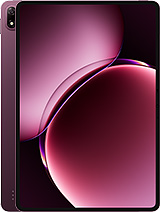
Pad 9 Pro Max
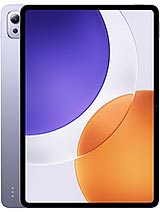
Pad 7S Pro 12.5
Redmi K Pad
Redmi Pad 2 Pro
MatePad Edge