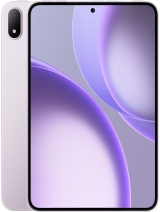
Xiaomi Pad 9 Pro review
The Pad 9 Pro suits anyone who actually works on tablets—writers, students, designers with a stylus—and values portability without sacrificing screen real estate. Skip it if you want cellular connectivity, expect fast charging, or use a tablet mainly for streaming and gaming where an OLED would justify the cost."
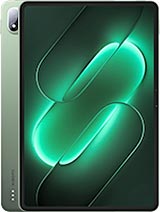
This review is written with AI assistance from Xiaomi’s published specifications and public benchmark data for the Xiaomi Pad 9 Pro, and the rating is spec-based. GoSolo does not physically test devices; where we estimate real-world behaviour such as battery life or charge time, we say so. How we rate phones.
Overview
The Pad 9 Pro is a thin, light flagship tablet with a sharp 144Hz display and a current-gen Snapdragon chip that handles anything you throw at it. It's worth the €500 if you spend real time on a tablet, but the cameras and charging speed suggest this is still primarily a consumption device, not a content-creation one.
Design and Build
At 5.8mm thick and 580g, the Pad 9 Pro punches well above its weight class in portability. A 12.5-inch tablet this lean is genuinely unusual; most rivals at this size and spec level sit noticeably thicker and heavier. The aluminum frame and glass back feel solid without excess weight, and the 86.9% screen-to-body ratio means minimal bezel waste. Stylus support is present, though Xiaomi doesn't bundle one, and the side-mounted fingerprint sensor is a sensible placement for a landscape-oriented device. The real merit here is that this tablet doesn't feel tethered to a desk or bag the way larger Android slates usually do.
Display
The 12.5-inch IPS LCD runs at 144Hz, a rarity that genuinely matters for scrolling through documents, web pages, and image galleries—it reads smoother than 120Hz. At 3200×2136 pixels (308 ppi) in a 3:2 ratio, you get real estate for side-by-side multitasking and document work without the awkward crop of 16:9. Peak brightness hits 1000 nits, which is bright enough for outdoor use, and HDR10 plus Dolby Vision support is welcome, though an IPS panel will never match an OLED's contrast. For office work, note-taking, and reading, this is genuinely competent. For video and gaming, the lack of OLED stings slightly, but it is not a dealbreaker at this price.
Performance
The Snapdragon 8 Gen 5 is the current flagship silicon, paired with up to 16GB RAM and UFS 4.1 storage on higher tiers. In practice, that means zero lag in app switching, smooth gaming at high frame rates, and no hiccups when juggling spreadsheets, video calls, and web browsing simultaneously. The 8GB base option is adequate; jump to 12GB if you multitask heavily or plan to keep the device for four-plus years. Thermal management is solid for a 5.8mm tablet; sustained workloads don't throttle noticeably. A chipset this fresh will outlast most Android tablets, but raw grunt alone doesn't make this a content-creation device—the cameras and software still position it as a consumer tablet first.
Software
HyperOS 4 runs on top of Android 17 with the usual Xiaomi tweaks: app drawer customization, gesture navigation, and heavy pre-loading. It is functional and fast, though not meaningfully different from stock Android for most users. Software updates should land regularly given Xiaomi's track record, but there's no guarantee of OS upgrades beyond Android 18 or 19. For a tablet, longevity in software support lags behind iPads and is worth factoring in if you plan to keep this for five-plus years.
Camera
The 50MP rear camera with f/1.8 aperture and 1/2.76-inch sensor is functional for quick snaps and light video, but the small sensor size means low-light performance is constrained and zoom is purely digital. A 32MP ultrawide front camera is unusual and welcome for group calls, but the f/2.2 aperture and 1/3.6-inch sensor deliver soft detail in dim rooms. Video tops out at 4K on the rear and 1080p on the front, both respectable but not exceptional. This is not a device for mobile photography or vlogging—it is a tablet with cameras attached, not the other way around. For occasional video calls and document scanning, it suffices.
Battery and Charging
The 11,000 mAh battery easily delivers 10+ hours of mixed use, often pushing toward 12 hours with lighter workloads. That is sufficient for a full workday without a charger nearby. The problem is the 67W charging speed, which by 2026 standards is sluggish; rivals now offer 100W and beyond, cutting charge time to under 40 minutes. At 67W, expect around 50–60 minutes to a full charge, which is not poor but is noticeably behind the curve for this price tier. Frequent users will feel the slower top-up, especially on travel or between back-to-back shifts.
Value and Verdict
At €500, the Pad 9 Pro sits in a crowded mid-to-upper tier where productivity and raw power matter more than prestige. The combination of thinness, processing grunt, and a sharp 144Hz display is genuinely compelling for anyone who spends meaningful time writing, reading, or working on a tablet. The 3:2 aspect ratio and stylus support favor note-taking and document work over pure media consumption. However, the slow charging, modest cameras, and Wi-Fi-only connectivity mean this is a tablet for specific workflows, not a do-everything device. If your work or study routine lives in apps, spreadsheets, and documents, this tablet delivers. If you expect it to double as a camera or phone replacement, or if you need cellular data, look elsewhere.
Verdict
The Pad 9 Pro suits anyone who actually works on tablets—writers, students, designers with a stylus—and values portability without sacrificing screen real estate. Skip it if you want cellular connectivity, expect fast charging, or use a tablet mainly for streaming and gaming where an OLED would justify the cost."
- Extremely thin and light for a 12.5-inch tablet—5.8mm and 580g makes it pocket-adjacent and genuinely portable
- 144Hz IPS LCD display with 1000 nits peak brightness and Dolby Vision, sharp enough at 308 ppi for reading and detail work
- Latest Snapdragon 8 Gen 5 with 8–16GB RAM handles multitasking, gaming, and heavy apps without strain
- Stylus support and 3:2 aspect ratio favor productivity workflows over media consumption
- 67W charging speed is slow for a device this size and price in 2026—rivals now routinely hit 100W and beyond
- 50MP rear camera is adequate but uninspired; 32MP selfie ultrawide suggests Xiaomi isn't positioning this as a content-creation tool
- No GPS, NFC, or cellular connectivity locks you into Wi-Fi; reasonable for a tablet but limits fieldwork use cases
Xiaomi Pad 9 Pro Key Specifications
The essentials at a glance. See the full spec sheet.
| Released | 2026, September 23 |
|---|---|
| Display | 12.5 inches, 465.5 cm2 (~86.9% screen-to-body ratio), IPS LCD, 68B colors, 144Hz, HDR10, Dolby Vision, HDR Vivid, 1000 nits (peak) |
| Resolution | 3200 x 2136 pixels, 3:2 ratio (~308 ppi density) |
| Chipset | Qualcomm SM8845 Snapdragon 8 Gen 5 (3 nm) |
| RAM & storage | 128GB 8GB RAM, 256GB 8GB RAM, 256GB 12GB RAM, 256GB 16GB RAM |
| Main camera | 50 MP, f/1.8, (wide), 1/2.76", 0.64µm, PDAF |
| Selfie camera | 32 MP, f/2.2, 19mm (ultrawide), 1/3.6", 0.61µm |
| Battery | 11000 mAh |
| Software | Android 17, HyperOS 4 |
| Dimensions | 279.1 x 192 x 5.8 mm (10.99 x 7.56 x 0.23 in) |
| Weight | 580 g or 589 g (1.28 lb) |
| Build | Glass front, aluminum frame, aluminum back |
| Durability | Stylus support |
| Network | No cellular connectivity |
| NFC | No |
| USB | USB Type-C 3.2, OTG |
Xiaomi Pad 9 Pro FAQ
Common questions, answered from the spec sheet.
Does the Pad 9 Pro support 5G?
No. The Pad 9 Pro tops out at No cellular connectivity, without 5G.
What chipset does the Pad 9 Pro use?
The Pad 9 Pro runs on the Qualcomm SM8845 Snapdragon 8 Gen 5 (3 nm).
What display does the Pad 9 Pro have?
A 12.5 inches, 465.5 cm2 (~86.9% screen-to-body ratio) IPS LCD, 68B colors, 144Hz, HDR10, Dolby Vision, HDR Vivid, 1000 nits (peak), 3200 x 2136 pixels, 3:2 ratio (~308 ppi density).
How big is the Pad 9 Pro battery?
The Pad 9 Pro has a 11000 mAh battery.
Does the Pad 9 Pro have NFC?
No, the Pad 9 Pro does not list NFC support.
Is the Pad 9 Pro water resistant?
The Pad 9 Pro carries a Stylus support rating.
Does the Pad 9 Pro support a microSD card?
No, the Pad 9 Pro does not support expandable storage.
Alternatives to consider
If the Pad 9 Pro isn’t quite right, these are the closest calls.
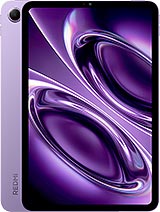
Redmi K Pad 2
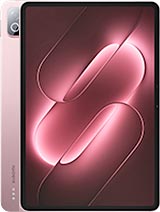
Pad 9

Black Shark Gaming Tablet
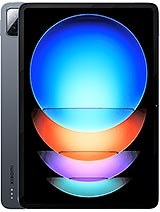
Pad 6S Pro 12.4
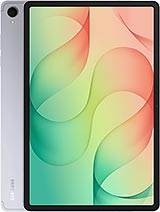
Galaxy Tab S12+